Lumber is an opensource tool to generate an admin microservice. It serves a REST API hooked directly into your database. Lumber generates a lightweight web app serving a REST API hooked directly into your database, so it works out-of-the-box for MySQL and Postgres. If you’ve already architectured your application for microservices or you’re planning to, Lumber’s admin sits nicely alongside your regular services. Want to add all kinds of snazzy features? The code is yours to play with, so hack away!

Requirements: –
Demo: http://www.forestadmin.com/lumber
License: GPL License
Tailor makes it easier than ever to create beautiful and complex websites. You can create complex layouts by simply dragging and dropping elements relative to one another; customize with minimal clicks. Even elaborate layouts will respond appropriately to the screen size on which they are viewed. Your website will look great on any device. Best of all, Tailor has been released to the WordPress community as a free and open-source plugin.

Requirements: –
Demo: http://gettailor.com/
License: GPL License
N1 is an open-source mail client built on the modern web with Electron, React, and Flux. It is designed to be extensible, so it’s easy to create new experiences and workflows around email. N1 is built on the Nylas Sync Engine which is also open source free software. Plugins lie at the heart of N1 and give it it’s powerful features. Building your own plugins allows you to integrate the app with other tools, experiment with new workflows, and more.
N1 is compatible with hundreds of email providers, including Gmail, Yahoo, iCloud, Microsoft Exchange, and more. It’s a desktop app that can run offline, and feels great on Mac, Windows, and Linux. N1 is for everyone. N1 is designed for extensibility, and includes a JavaScript plugin architecture that enables anyone to create powerful new features. Plugins can add buttons, sidebars, composer elements, or remix the entire UI. And if plugins aren’t enough, the N1 codebase is also open source free software. Developers, start your engines.

Requirements: –
Demo: https://www.nylas.com/N1/
License: GPL v3 License
Sitecake is an easy to use CMS (Content Managament System) for small websites, with a WYSIWYG, drag&drop editor. A standard web hosting packet (a web server and PHP 5.4+) is all you need to install and use it. Sitecake reads, modifies and saves changes in regular HTML files. No PHP or template language knowledge required. All changes are saved directly in HTML page, all images in file system. Once you finish editing you still have a static website.

Requirements: –
Demo: http://sitecake.com/
License: GPL License
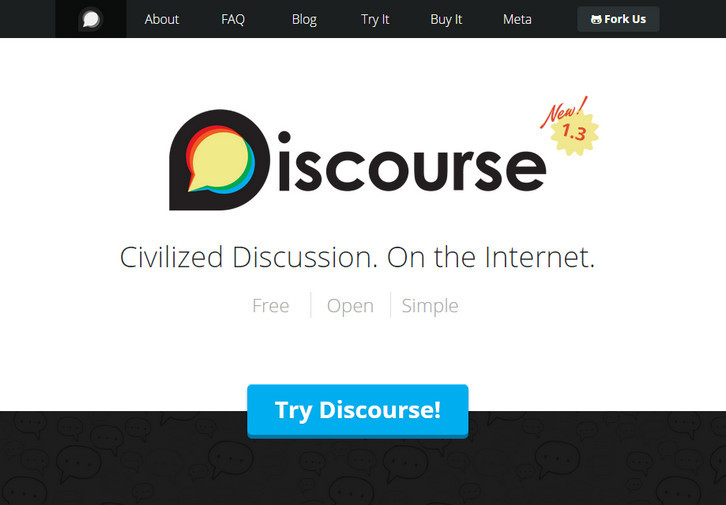
Discourse is the 100% open source discussion platform built for the next decade of the Internet. It works as: a mailing list, a discussion forum and a long-form chat room. Why break conversations into awkward and arbitrary pages, where you have to constantly find the Next Page button? They’ve replaced all that with the power of just-in-time loading. Want to read more? Keep scrolling down.
When someone quotes your post, they’ll notify you. When someone mentions your @name, they’ll notify you. When someone replies to your post… well, you get the idea. And if you’re not around, they’ll email you, too. Reply from anywhere. Discourse is a simple, flat forum, where replies flow down the page in a line. Expand context at the bottom and top of each post to discover the full conversation – without breaking your flow. You can even expand quotes.
Requirements: –
Demo: http://www.discourse.org/
License: GPL License
The idea behind Rainyday.js is to create a JavaScript library that makes use of the HTML5 canvas to render an animation of raindrops falling on a glass surface. Rainyday.js features extendable API, collision detection and is easy to extend with your own implementations of different animation components. It is a pure JavaScript library which uses HTML5 features so it’s supported by most of the modern browsers. It is licensed under GNU GPL license.

Requirements: JavaScript Framework
Demo: http://maroslaw.github.io/rainyday.js/
License: GPL License
NodeBB is a better forum platform for the modern web. It’s free and easy to use. NodeBB Forum Software is powered by Node.js and built on either a Redis or MongoDB database. It utilizes web sockets for instant interactions and real-time notifications. NodeBB is compatible down to IE8 and has many modern features out of the box such as social network integration and streaming discussions.

Requirements: Node.js, Redis, nginx
Demo: https://nodebb.org/
License: GPL License
WordPress Plugin Boilerplate is a standardized, organized, object-oriented foundation for building high-quality WordPress Plugins. The Boilerplate follows both the coding standards and the documentation standards so you don’t have to hunt them down. Describe your work in the comments, write code, and go.
It is organized in the same way as the plugins in the WordPress Plugin Repository. There’s a place for every type of file and the project leaves no guesswork as to what goes where. If you’re looking for an object-oriented approach, then the Boilerplate has you covered. Separated by responsibility, it’s easy to find where to place your dashboard code, your public code, your shared code, and more.
Requirements: WordPress Framework
Demo: http://wppb.io/
License: GPL v2 License
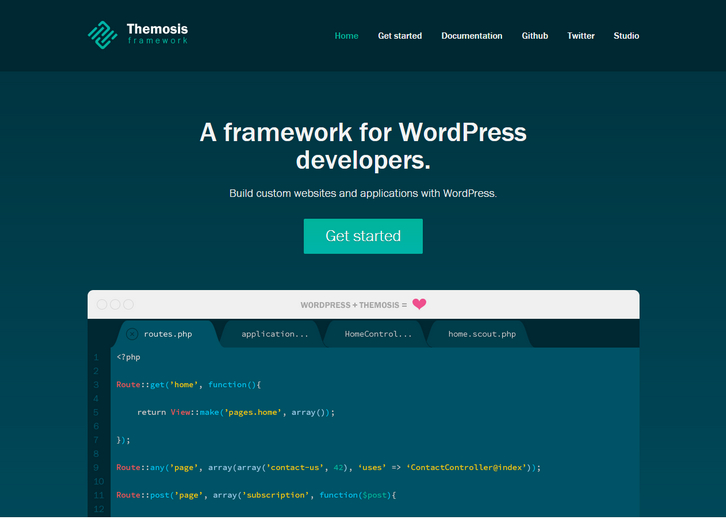
Themosis framework is a tool to help you develop websites and web applications faster using WordPress. Using an elegant and simple code syntax, Themosis framework helps you structure and organize your code and allows you to better manage and scale your WordPress websites and applications.
From a technical point of view, Themosis framework is a set of API. It uses “modern” PHP features like anonymous functions, namespaces, is Composer ready and is a mix between WordPress best practices and let’s say a typical MVC framework. Now with the Themosis framework you’ll be happier and you’ll be able to provide more features to your projects in less time.
Requirements: PHP Framework
Demo: http://framework.themosis.com/
License: GPL License
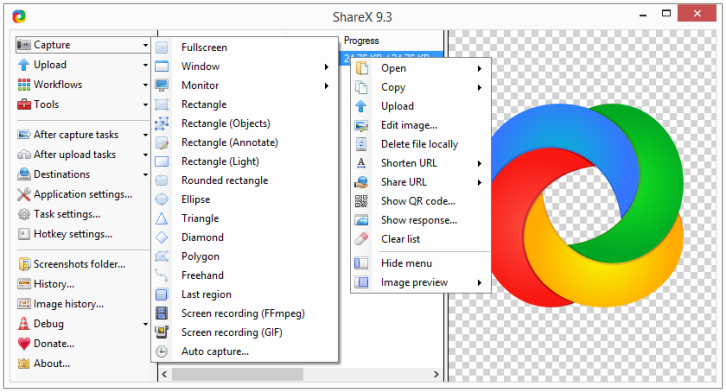
ShareX is an open source program that lets you take screenshots or screencasts of any selected area with a single key, save them in your clipboard, hard disk or instantly upload them to over 30 different file hosting services. In addition to taking screenshots, it can upload images, text files and all other different file types.
Upload files via Windows Explorer context menu or drag & drop. Upload clipboard content. You can also customizable after-capture-tasks such as annotating, adding effects, watermarking, uploading and other actions.
Requirements: –
Demo: http://getsharex.com/
License: GPL 3.0 License







