jPlayer is the completely free and open source (GPL/MIT) media library written in JavaScript. A jQuery plugin, jPlayer allows you to rapidly weave cross platform audio and video into your web pages. jPlayer’s comprehensive API allows you to create innovative media solutions while support and encouragement is provided by jPlayer’s active and growing community.
It is easy to get started and deploy in minutes. It’s totally customizable and skinnable using HTML and CSS. It has been tested on Firefox, Chrome, Opera, Safari, IE6, IE7, IE8, IE9.

Requirements: jQuery Framework
Demo: http://www.jplayer.org/
License: MIT License
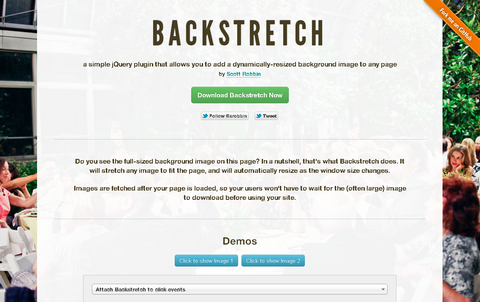
Backstretch is a simple jQuery plugin that allows you to add a dynamically-resized background image to any page. It will stretch any image to fit the page, and will automatically resize as the window size changes.
Images are fetched after your page is loaded, so your users won’t have to wait for the (often large) image to download before using your site. Backstretch jQuery Plugin is distributed under the MIT and GPL licenses.
Requirements: jQuery Framework
Demo: http://srobbin.com/jquery-plugins/backstretch/
License: MIT, GPL License
XDate is a thin wrapper around JavaScript’s native Date object that provides enhanced functionality for parsing, formatting, and manipulating dates. It implements the same methods as the native Date, so it should seem very familiar.
Also, it is non-destructive to the DOM, so it can safely be included in third party libraries without fear of side effects. It is released under MIT and GPL License.

Requirements: JavaScript Framework
Demo: http://arshaw.com/xdate/
License: MIT, GPL License
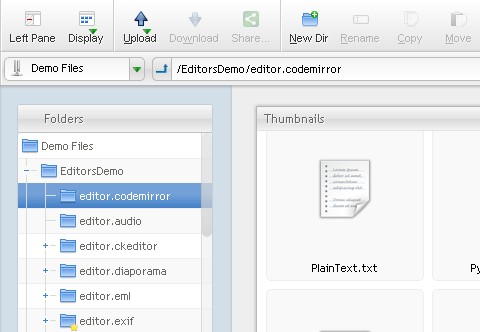
A modern browser is all that’s needed to access AjaXplorer : the interface is very similar to OS-native file explorers, and all users can find their way in it. Users can easily share files or folders over the Internet, preview and edit most common file formats directly online, without having to download/upload the files to/from their local computer.
AjaXplorer comes fully equiped with a complete users management system, securing the whole installation at once. It can also be interfaced with existing authentication mechanisms, to implement a “Single-Sign On” system and make users life easier.
Requirements: –
Demo: http://ajaxplorer.info/
License: AGPL License
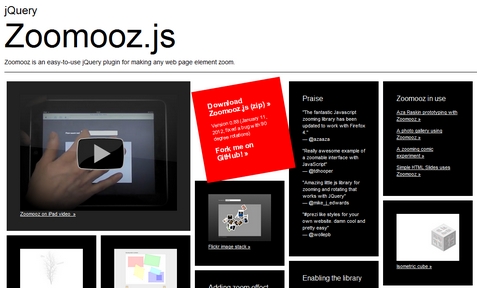
Zoomooz.js is an easy-to-use jQuery plugin for making any web page element zoom. You can easily add the zoom effect by adding the class “zoomTarget” on any HTML elements. The zoom can be reset by clicking the body. It has been tested on Internet Explorer 9, Safari 3+, Firefox 3.6+, Opera and Chrome.
However, it does not work with older version of IE. And it requires a separate css file. Transforming elements with text content in Opera is buggy as well.
Requirements: jQuery Framework
Demo: http://janne.aukia.com/zoomooz/
License: MIT, GPL License
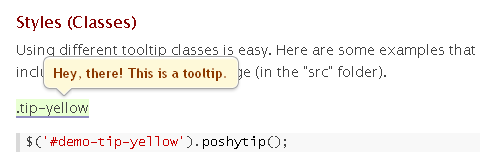
Poshy Tip jQuery Plugin is a tooltip plugin that allows easily creating stylish tooltips. With Poshy Tip you can position the tips relative to the mouse cursor or to the target element and align them in every possible way horizontally and vertically.
Poshy Tip supports using a function for returning the tooltip content and the script also passes an update callback function as an argument to this function. By using this callback, you can easily update asynchronously the content of the tooltip after it has been displayed.
Requirements: jQuery Framework
Demo: http://vadikom.com/demos/poshytip/
License: MIT, GPL License
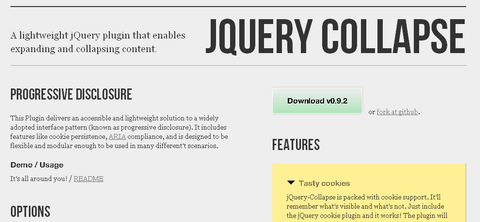
jQuery Collapse is a plugin that delivers an accessible and lightweight solution to a widely adopted interface pattern (known as progressive disclosure). It includes features like cookie persistence, ARIA compliance, and is designed to be flexible and modular enough to be used in many different’t scenarios.
The plugin will gracefully degrade if cookie support is not available. It has been fully tested in IE6+, Firefox3+, Chrome5+, Safari4+, Opera 10+. jQuery-Collapse is designed to be flexible and modular. Options include custom callbacks to satisfy every customization need.
Requirements: jQuery Framework
Demo: http://webcloud.se/code/jQuery-Collapse/
License: MIT, BSD, GPL License
A couple of months ago, Ian Lunn has created a jQuery Vertical Parallax Demo that manipulated CSS to make multiple backgrounds move at different speeds relative to the users movement of the scroll bar. This type of effect is slowly appearing across various websites on the web, achieved using many different techniques. Nikebetterworld took the idea to a new level.
Now Ian Lunn has written a tutorial that took the original jQuery Parallax script he wrote and recreated a webpage with Nikebetterworld Parallax Effect. And also, he has turned the tutorial into a jQuery Plugin, you can download and fork it on Github.

Requirements: jQuery Framework
Demo: http://www.ianlunn.co.uk/demos/recreate-nikebetterworld-parallax/
License: GPL, MIT License
Web browsers are becoming more and more powerful, and new APIs like the Web Audio API and Audio Data API are making the web an ever more interesting and dynamic place.
At ofmlabs they are invested in improving the state of audio on the web, and with JSMad showed that decoding audio purely in JavaScript is possible thanks to these APIs and the hard work of browser makers and spec authors.
And now they have done it again. Introducing alac.js, a port of the recently open sourced Apple Lossless decoder to JavaScript. Now it is possible to play MP3 and Apple Lossless even in browsers without native support. Check out the suite of JavaScript audio codecs to hear JavaScript rocking out!

Requirements: –
Demo: http://codecs.ofmlabs.org/
License: GPL, Apache 2 License
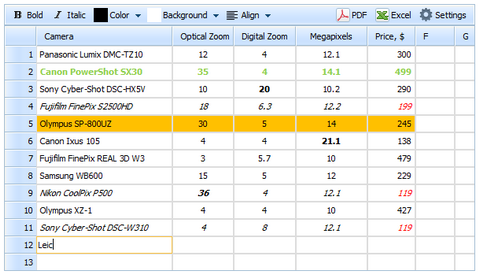
dhtmlxSpreadsheet is an open source Ajax spreadsheet widget written in JavaScript and PHP. It allows you to quickly add an Excel-like, editable data table on a web page.
If you need to display some data in a table view and would like to put it on the web for sharing or further editing, you might consider using online spreadsheet services. However, what if you want to keep data on your own server? With dhtmlxSpreadsheet, you can store the data on your side and show it in a web-based spreadsheet in edit or readonly mode.
To facilitate the integration of dhtmlxSpreadsheet with CMS platforms, they offer ready-to-use plugins for Joomla!, WordPress, Drupal, and ModX. Use the plugins to add a great looking spreadsheet on your website and configure user rights for editing spreadsheet records.
Requirements: Javascript and PHP
Demo: http://www.dhtmlx.com/docs/products/dhtmlxSpreadsheet/
License: GPL License







