One of life’s pleasures is discovering when
some small action taken yields a highly positive, or even a game-changing
outcome. A web designer could spend many hours creating a modern website with
old tools. A single new tool or a single new service could cut the time
required to do so dramatically and produce an even better result.
There’s no shortage of tools or services
that could make a difference. The problem is that there are many hundreds of
them. There are far too many to devote the amount time it could take find one
that might make your day or prove to be a game changer.
One or more of these 15 top tools and
services could easily make your day; which is why we suggest you give each one a
good close look.
That said, may your shopping experience be a
happy and profitable one.
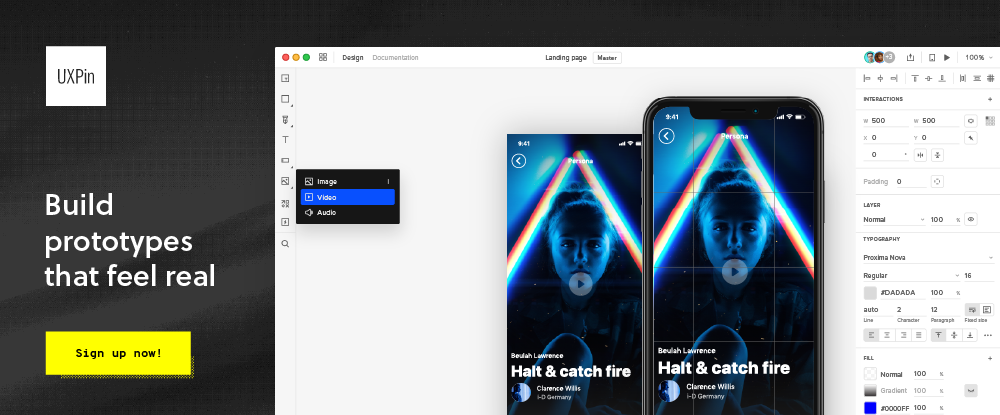
UXPin
provides designers with a set of advanced prototyping features perfect when
designing for all screen sizes. UXPin has also been built for great
collaboration, making it possible for everyone on the team to jump into one
design and work together in context and in real-time.
These features include:
Easily accessible built-in
libraries for Material Design, iOS, and Bootstrap
Hundreds of useful icons,
interactive elements, and animated states
Vector drawing tools that
enable designers to effectively draw and combine vector shapes to create icons
or illustrations
The ability to save code
components; thereby eliminating the necessity to redraw patterns over and over
HTML import, in which a web
page or page section can be imported to UXPin to support the prototyping effort
Team members have ready access to these and
other features in addition to being able to exchange design-related information
and feedback with team members and project stakeholders in real time.
Click on the banner to learn more about
this powerful labor-saving tool.
WordPress is an ideal platform for building your own
portfolio, blog, or eCommerce site. It’s packed with all the basic tools you
need to build a professional-looking site. Plus, it has tools that can take
your web-building skills to an even higher level.
Get even more impressive results or add features to a
website that you might have thought could only be provided by extensive coding
or by a developer you can select among a large selection of WordPress plugins.
The only problem is this. When we speak of a large
selection, we’re not talking about a couple of hundred plugins. We’re talking
of more than 55,000.
Fortunately, you don’t need to look far to find the best
and most practical ones. Here are 8 of the very best for 2020, one or more of
which could resolve a nagging problem or put your websites on steroids.
A typical
plugin usually performs a specific task you need to have done, and if it’s a
premium plugin it usually does it well. If it’s free, it’s better yet.
The Brizy WordPress plugin does more than “a specific
taskâ€. You can use this flexible drag and drop builder to create a complete
website – at no cost to you.
Brizy is not intimidating to learn and it’s
intuitive and easy to work with.
You don’t need any coding skills. With Brizy
coding is not necessary.
You get 500+ design blocks, 40 popups and 150
layouts right out of the box to help you get things off to a quick start.
You can structure and build a page in minutes.
There’s plenty of helpful documentation and
video tutorials to help you if and when you should need it.
Download Brizy and get started today. Before you do, you
might want to scan the website to get a complete picture of what this premium
plugin can do for you.
Having too many WordPress themes to choose among is of course better than having too few. But there are times when searching for what you really need is like looking for the proverbial needle in the haystack.
If you’ve been looking for a top-of-the-line multipurpose theme you will probably find it right here. We’ve listed several very useful more specialized themes as well. Although admittedly we can cover every possible niche a short listing as this.
For a few of you, it may be back to searching for the needle. We sincerely hope that will not be the case.
This, the biggest WordPress theme of them all, pretty much covers all the bases with respect to what a designer needs to create the perfect website – no matter the type or niche. If you’re in need of a multipurpose theme because you have to satisfy a large and diverse clientele, a theme like this one that is packed with useful features is certainly worth a close look.
It could take a full page to summarize BeTheme’s 40+ core features, so we’ll settle for the highlights.
The popular Muffin Builder, working in combination with a powerful Admin Panel and a large selection of shortcodes eliminates any necessity for coding.
A host of design elements plus unlimited colors, custom backgrounds, advanced typography and special effects provides unmatched design flexibility
A Layout Generator, Header Builder, multiple column, grid, and other layout options serve to position your content precisely as you want it
The most popular feature of all, and in many respects the one that provides the greatest design flexibility, is the library of 500+ professionally-crafted, responsive, and customizable pre-built websites.
“It is a very versatile, intuitive and easy to handle template. When doubts appear, the support team responds quickly and solves the problem. I am satisfied with my purchase and I collaborate when I can in the forum with other users like me when they have simple problems.†anden14
Click on the banner to visit BeTheme and be sure to take time to browse the pre-built website library. Read the rest of this entry »
Depositphotos is a platform that brings authors of high-quality licensed stock photos, graphics, vectors and videos together. 75+ million files. 24/7 support in 20 languages. Now, you can nab either 100 or 200 images of your choice for up to 75% off the regular price! Besides a ginormous library to browse, you can select ANY SIZE photo you want, including XXL and XXXL sizes and…. with this deal, you can download the images with NO MONTHLY LIMIT and with NO EXPIRATION DATE!
Over 70 million high-quality images! At less than $1 per image (as little as $0.75 each for the 200 image pack option). Do you really need to even think about this one?
Every image, in every webpage you work on, should be flawless in terms of its quality, and its ability to fit with the concept or idea behind the page. An image should also fit in contextually with the accompanying text.
These considerations, and how cleverly you apply them, can make or break user perception of your website.
Images have three super-important roles to play:
They help us to better understand something.
They teach us how to use something, and;
They show us how something is done.
When you are tasked with building a more indie, artsy, or outside-the-envelope project, the images you use can take on an entirely new meaning. They could represent a departure from the norm, be used to establish a context, or help to tell a story.
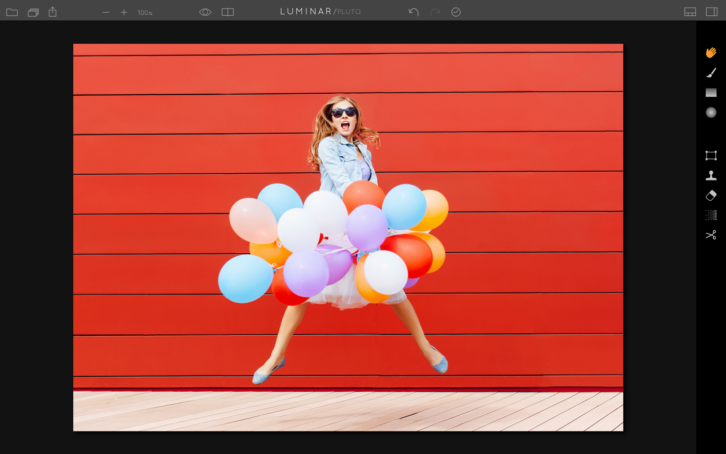
Images are always an important part of your design work. To make them suitable for the task at hand, they often require a certain degree of processing before you feel comfortable using them. With that in mind, we’ve selected 3 photo effects in Luminar, (the only Mac photo editor that adapts to your style and skill level) that we are sure you’ll fall in love with.
1. Work with Presets
Presets offer the simplest way to give a web image a certain “wow†effect. They can, for example, be used to make a photo appear classic or edgy, or give it an ethereal quality.
Hero Patterns is a collection of repeatable SVG background patterns for you to use on your digital projects. With SVG quickly growing as the preferred method for using graphics on the web, there are still few resources available in this format. Steve Schoger created Hero Patterns so that you can easily incorporate high quality backgrounds in to your digital products.
Cleave.js has a simple purpose: to help you format input text content automatically. The idea is to provide an easy way to increase input field readability by formatting your typed data. By using this library, you won’t need to write any mind-blowing regular expressions or mask patterns to format input text. However, this isn’t meant to replace any validation or mask library, you should still sanitize and validate your data in backend. It supports Credit card number formatting, Phone number formatting (i18n js lib separated for each country to reduce size), Date formatting, Numeral formatting, Custom delimiter, prefix and blocks pattern, CommonJS / AMD mode, ReactJS component port.
Need help with pixels and vector shapes in Photoshop, Adobe Xd or Sketch? The Guacamole UI kit will get you going. Whether you feel like designing an eye-catching look book in Photoshop, a spicy app in Sketch, or a sweet sweet interaction in Xd, Guacamole goes well with anything.
You can build a stunning, minimal social app with Relate UI Kit, a free cross-platform UI kit. With 45 design templates, 15 categories, and more than 99 UI components for web, tablet, and mobile, the creative opportunities are limitless. Inside Relate, you’ll find completely customizable, scalable vector shapes. The high-resolution, retina-ready components are designed to delight, and the grid system keeps everything organized. Immerse users in sleek, mindful designs using Relate’s free iOS app templates, tablet templates, and web templates—all available for Sketch and Photoshop.
Landing Free UI Kit has tons of handcrafted UI components created to increase your web creating speed, for Sketch and Photoshop. They’ve chosen the bright color palette that arouses only positive emotions and is sure to be loved by almost everyone. 80+ layouts in most popular categories commonly used for creating landing pages. Type $0 to download for free, or any sum if you want to support us and donate.