Searching for jobs is a process nobody enjoys. Aside from sifting through thousands of listings, job seekers also have to deal with pushy recruiters offering opportunities which aren’t relevant to their actual skills and expertise.
Even more frustrating is going through lengthy interview processes only to find out at the very end that the salary or company culture doesn’t match what you’re looking for.

Hired helps job seekers overcome these frustrations by working with over 6,000 innovative companies to connect users with opportunities in engineering, development, design, product management, and data science. Read the rest of this entry »
Everyday, startups and enterprises alike find themselves asking the question: Should we build a mobile app? In 2017, for most, the answer is certainly “Yes we should, but… (insert seemingly insurmountable challenge associated with mobile development here).â€
The most common challenges include:
1. It’s too expensive
2. It requires expert level coding skills
3. The learning curve is too high, could never learn
4. It takes too long, we don’t have enough time
5. Integrating with our data will be way too complicated
Well, we have some great news. These were the problems of the past, of Mobile App Development 1.0; but Mobile App Development 2.0 has arrived.

With MAD 2.0, gone are the days where only the expert mobile coders can bring powerful, functional and beautiful native mobile apps to life. No longer does it cost tens or even hundreds of thousands of dollars or several months of development for you to spin up and launch your mobile app MVP. Never again do you have to make huge sacrifices to your user experiences just to utilize a less than optimal mobile app development solution.
Introducing Dropsource, the web-based visual mobile app development platform that developers and entrepreneurs are calling “Simply 10x†which makes building truly native iOS and Android apps easier and faster than ever thought possible. Read the rest of this entry »

If you’re still using a .com domain name and your old Gmail address, you’re missing an opportunity to ensure that your personal branding is as unique, memorable and professional as your work.
Adopting .design gives you a creative edge, attracting attention from potential customers and employers. First impressions have never been so powerful!
Who’s using .design?
The .design community has quickly grown to over 60k, and it is made up of students and professionals coming from dozens of different fields of design, not to mention household names like Airbnb, Facebook, T Mobile and Medium!
What’s the deal and where do I get it?
You can register your own .design domain now for just $5 using code WEBAPPPERS5 at web.design, and while that amazing deal won’t be around forever, at web.design, these ones are standard fare:
- Free SSL certificates
- Free WHOIS privacy
- Intuitive hosting and easy domain connection to existing sites
- At-cost pricing on .com, .net and .org domains
- At-cost domain transfers
- Unbeatable pricing on other domain extensions
Take your online branding to the next level today with this special deal for Web Apppers readers, available at web.design!
This content is sponsored via Syndicate Ads.
Cloudinary is well known for solving the challenges you face when managing images and videos. With its newest enhancement, the company is also eliminating the complexities of media delivery by enabling the use of multiple content delivery networks (CDNs) to ensure end users quickly and reliably receive content.
Today, images account for more than 60 percent of downloaded content. Cloudinary enables you to optimize this content, ensuring great performance for your site. But image optimization is only one part of the equation. You also need to ensure efficient delivery of media, which is measured by availability, latency and throughput. CDNs move content closer to end users, helping to improve delivery. However a single CDN may not offer all of the best features for each user’s needs. Each CDN may have strengths in a specific geographic area, or there can be performance differences based on location of the end user, time of day or type of content.

Typically only businesses that operate websites with truly global reach and scale adopt a multi-CDN strategy because managing several CDNs is a complex, time-consuming job. CDNs have to be integrated, maintained and administered. Plus it’s costly having to enter into a separate contract for each CDN. Read the rest of this entry »
Web apps are awesome, but many are not optimized for mobile, or are done so in ways that leaves much to be desired. These days, a poor mobile experience can quickly drive away users and kill engagement. While app users’ attention spans are shortening, they increasingly demand truly native mobile app experiences. Furthermore, across the globe, the concept of “mobile-first†has cemented its place as the de facto for startups and enterprises alike. Here we find a rapidly growing need to turn existing web apps into mobile apps and this creates unique challenges and opportunities for web designers and developers.
What if you could use your skills to easily turn web apps and APIs into truly native iOS and Android apps all right in your web browser?
With Dropsource, you can. Read the rest of this entry »
The holidays can be a great time to explore new opportunities. With the New Year right around the corner, many people look to make positive changes for the upcoming year, especially in their careers. Yet, it’s always difficult to invest time in finding the right opportunity, and the last thing you want to do is have it eat into your holiday. Luckily, there’s an easy way to get multiple job offers by using Hired.

Read the rest of this entry »
Finding a new job is like any budding romance, passions might be running high, but it’s usually assumed that both sides are still playing the field. If you happen to be a talented engineer or designer, it’s safe to assume that you’re in high demand and probably getting courted by your fair share of companies. The funny thing is that similar to dating, both sides often like to play it cool, pretending that they’re exclusively interested in each other. In the job search however, this can actually be a big mistake because you could be missing an opportunity to have companies recognize your full value.

Simply put, being in demand is never a bad a thing! By being humble and / or “respectful†by not advertising the fact that you’re in-talks with other companies, you might actually be sabotaging your chances to land the job you really want, at the compensation you deserve.
Transparency can go a long way: it can help you manage your time, (because you don’t need to be 007 and hide all the interviews you’re going to), and it can accelerate the time from interview to job offer, saving you countless hours and the effort a long, drawn out process. Read the rest of this entry »
It’s all too easy to fall into the trap of trying to move up the ladder, through trying to demonstrate your work ethic to managers and coworkers. While there’s certainly nothing wrong with that, it’s not always easy to recognize when this pattern has gone too far and has taken a turn for the worse. No matter how talented you are, we all work with the same 24 hour day, so it’s important to have time to relax and reflect. Burn out is very real, and doesn’t help anyone, not you, not your company, not your mission.
What’s important is to identify the root cause(s) of your feelings. Is it that you’ve been pushing yourself too hard, or could it be that the work you’re doing no longer resonates with you?
If you’ve realized it may not be the actual workload itself, but rather, it’s the mission, the product, the career prospects, [fill in the blank], then it may be time to ask yourself whether you could see yourself being happier at a new job?
Once you’ve had an honest internal dialogue, then congratulations are in order! You’ve now taken the first step to getting back to that quality of life you deserve. Finding a new job that’s the delivers on exactly what you’re looking for presents it’s own challenges, but luckily there are a lot of tools out there which can supercharge your search, like Hired. Fortunately, the old days of sending out countless resumes are over.

On Hired, you’re empowered in your job search: one application can lead to exposure with thousands of companies, and instead of applying to them, they’ll actually apply to you, reversing the traditional process. Read the rest of this entry »
If you work in or near technology, you are well-versed in the high-stakes economy of engineering salaries. All engineers are in super high demand for sought-after (and well paid) positions, the collective narrative goes. Hired’s first-ever Hiring Pulse Report: Q2 2016 adds some nuance to that narrative. TL;DR: Engineers are still in high demand across the board — but certain technical skills are experiencing breakout growth.
Engineering
While salary offers for software engineers decreased by 2 percent in Q2, at $123K on average, job security is no concern. Software engineers have received nearly 56,000 interview requests in 2016 — the highest of any tech role by far — and Q2 saw a 14 percent increase in requests.
Data Science
While interview requests for data science candidates grew by a whopping 20 percent in Q2 — the most of any tech role — the number of data science candidates on the platform increased by even more at 50 percent. This surplus of data science talent may be driving salaries down. In Q2, companies offered data scientists an average of $127K, which is down by 2 percent since Q1.
Product Management
Product managers were offered more money than any other tech role. Initial offers in Q2 were $133K on average, which is 2 percent lower than offers in Q1, but still the highest in tech. Interview requests with product managers increased by 8 percent in Q2, so salaries may go up again.
Read the full report here.
This content is sponsored via Syndicate Ads.
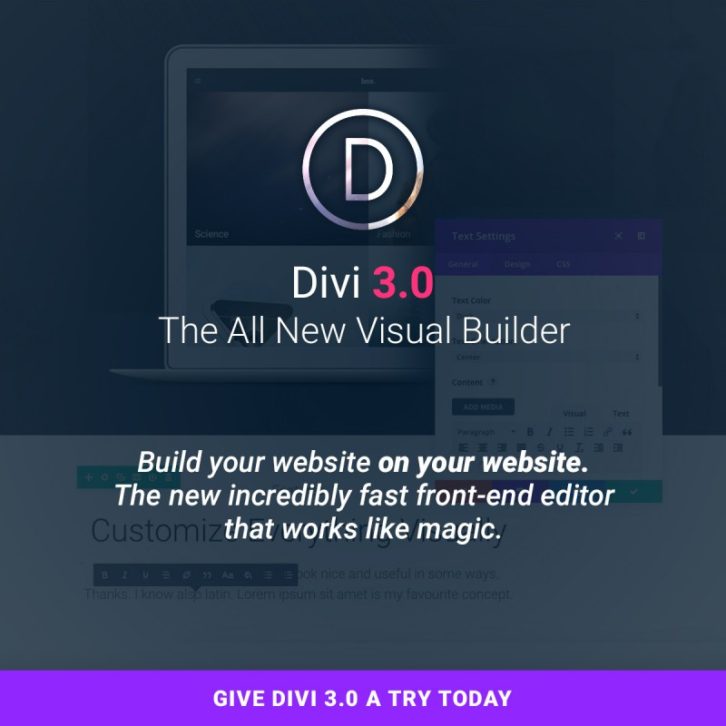
Divi 3.0 introduces a complete new front-end editor that has been re-built from the ground up using React, a modern JavaScript library for user interfaces. This new builder allows users to edit their WordPress pages on the front-end of their website using simple and beautiful visual controls. When you activate the builder, you see your page exactly as it would appear on the front-end of your website. With the builder active, however, the page becomes editable using Divi’s vast array of content elements and design settings. You can click into a paragraph and start typing, highlight text and adjust its font, size and style, or open up the settings for any element and change its content, appearance and positioning.
Dragging, dropping, resizing, copying, pasting, deleting and duplicating elements is also easy. The page becomes alive and each element feels tangible because you are able to manipulate everything in natural and intuitive ways. When you make a design change or add new content to a page, these changes appear instantly. This is because the new visual builder doesn’t rely on traditional loading, so there is need for page refreshes or Ajax loading bars during the majority of the builder experience. This is the future of WYSIWYG.
This content is sponsored via Syndicate Ads.







