Cinder is a C++ library for programming with aesthetic intent – the sort of development often called creative coding. This includes domains like graphics, audio, video, and computational geometry. Cinder is cross-platform, with official support for OS X, Windows, iOS, and WinRT. Cinder is production-proven, powerful enough to be the primary tool for professionals, but still suitable for learning and experimentation. Cinder is released under the 2-Clause BSD License.

Requirements: C++
Demo: https://libcinder.org/
License: BSD License
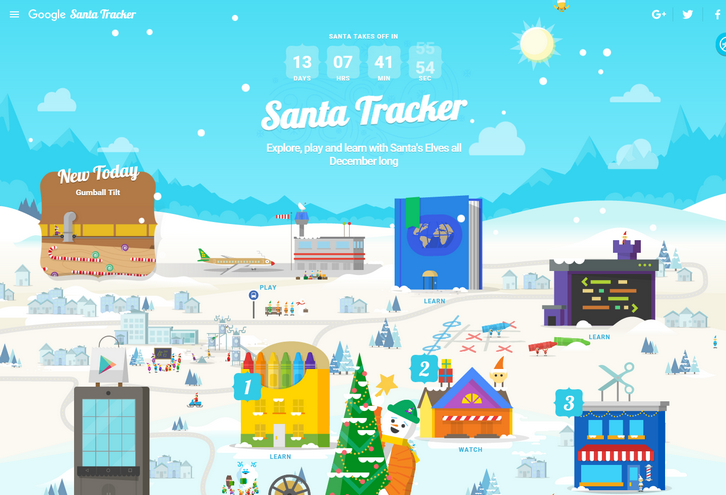
On Christmas Eve Google is proudly showcasing a Santa’s dashboard, the technology that powers his sleigh during his around-the-world journey. They have received this special preview from one of Santa’s many developer elves, who are hard at work in the North Pole helping Santa prepare for his big day. Santa’s dashboard – featuring the latest and greatest in Google Maps technology and sleigh engineering – will allow you to follow his progress around the world, and also learn a little about some of his stops along the way.
Their friendly elves have also invited you to explore Santa’s village while Santa gets ready for his journey. So go ahead and explore his village, you might just find some fun activities and meet some interesting elves.
Requirements: –
Demo: https://santatracker.google.com/
License: License Free
Swift is a powerful and intuitive programming language. It’s increasingly popular because writing Swift code is interactive and fun, the syntax is concise yet expressive, and apps run lightning-fast. Swift.org is the open source community where developers may collaborate on the Swift programming language.
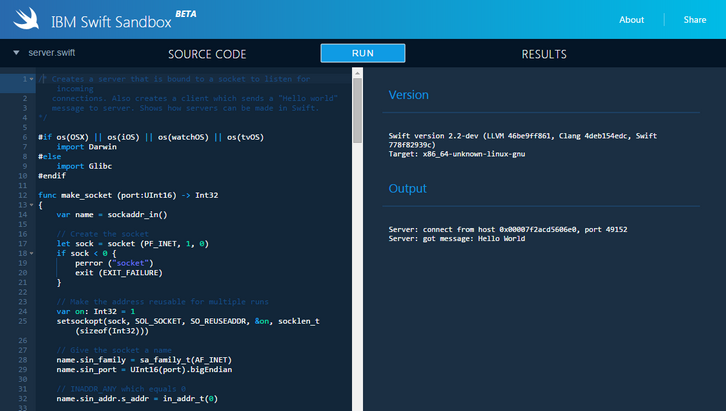
The IBM Swift Sandbox is an interactive website that lets you write Swift code and execute it in a server environment – on top of Linux! Each sandbox runs on IBM Cloud in a Docker container. Both the latest versions of Swift and its standard library are available for you to use. They’ve also provided a collection of sample programs for you to experiment with. Click Source Samples in the upper left corner to see the list of available samples.
Requirements: –
Demo: http://swiftlang.ng.bluemix.net/
License: License Free
Gogs (Go Git Service) is a painless self-hosted Git service. The goal of this project is to make the easiest, fastest, and most painless way of setting up a self-hosted Git service. With Go, this can be done with an independent binary distribution across ALL platforms that Go supports, including Linux, Mac OS X, Windows and ARM.
Gogs has low minimal requirements and can run on an inexpensive Raspberry Pi. Some users even run Gogs instances on their NAS devices. It’s all on GitHub! Join them by contributing to make this project even better.
Requirements: Git
Demo: http://gogs.io/
License: License Free
ESLint is an open source JavaScript linting utility originally created by Nicholas C. Zakas in June 2013. Code linting is a type of static analysis that is frequently used to find problematic patterns or code that doesn’t adhere to certain style guidelines. There are code linters for most programming languages, and compilers sometimes incorporate linting into the compilation process.
The primary reason ESLint was created was to allow developers to create their own linting rules. ESLint is designed to have all rules completely pluggable. The default rules are written just like any plugin rules would be. They can all follow the same pattern, both for the rules themselves as well as tests. While ESLint will ship with some built-in rules to make it useful from the start, you’ll be able to dynamically load rules at any point in time. ESLint is written using Node.js to provide a fast runtime environment and easy installation via npm.

Requirements: JavaScript Library
Demo: http://eslint.org/
License: License Free
Learn how to code in Java: Whenever, wherever. With Javvy and its 150+ bite-sized, interactive tutorials, getting started with programming has never been so easy and so much fun. Javvy is the easiest and most entertaining way to make your first steps in programming. Javvy picks you up at the very beginning and allows you to learn at your own pace. With bite-sized tutorials, no break or subway ride is too short for a little coding. Javvy has a ready tongue and is packed with jokes and references to popular culture.

Requirements: –
Demo: http://javvy-app.com/
License: License Free
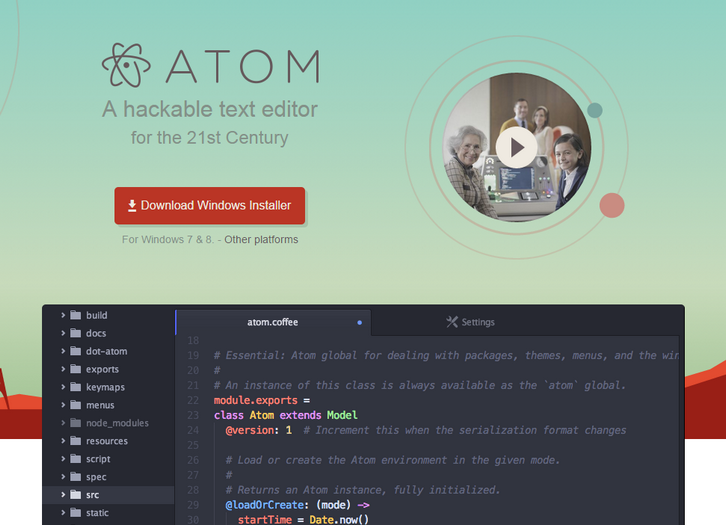
Atom is a text editor that’s modern, approachable, yet hackable to the core—a tool you can customize to do anything but also use productively without ever touching a config file. Atom works across operating systems. You can use it on OS X, Windows, or Linux. Atom helps you write code faster with a smart, flexible autocomplete.
You can easily browse and open a single file, a whole project, or multiple projects in one window. Split your Atom interface into multiple panes to compare and edit code across files. And also Find, preview, and replace text as you type in a file or across all your projects.
Requirements: –
Demo: https://atom.io/
License: License Free
Vorlon.js is an open source, extensible, platform-agnostic tool for remotely debugging and testing your JavaScript. Powered by node.js and socket.io. You can install Vorlon.JS and add a single line of JavaScript to your web app. Run your server and start the Vorlon.JS dashboard. You can remotely connect up to 50 devices simultaneously. Run your code on each or all of them with a single click. Debug JavaScript on nearly any platform with a web environment. Plugins allow you to add new features and resources.

Requirements: Node.js Framework
Demo: http://www.vorlonjs.com/
License: MIT License
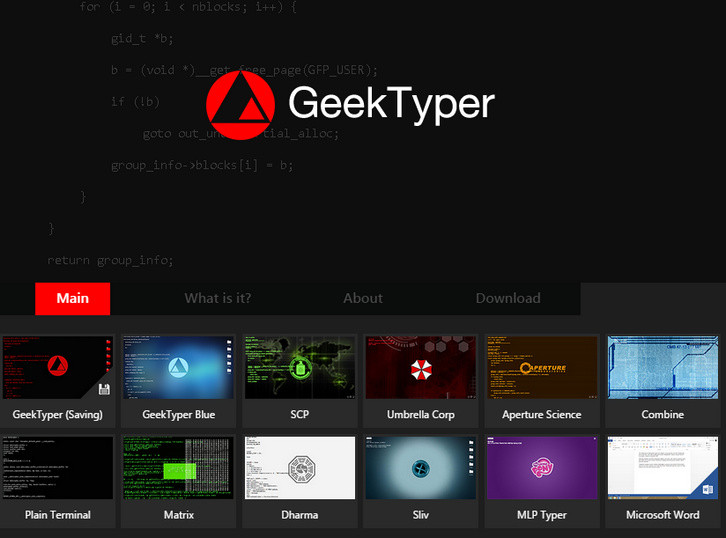
“Hack” like a programmer in movies and games. GeekTyper was inspired by the various media where hacking is usually portrayed incorrectly. Simply randomly mash your keyboard and code will display on your screen. Press TAB to display hotkeys that activate various effects. The “hacking” isn’t real, and everything you type isn’t stored anywhere. Your preferences are stored in your browser’s cache.
Requirements: –
Demo: http://geektyper.com/
License: License Free
Dom Animator is a nifty JavaScript library, used to show small ascii animations within comments in your dom. It’s a little easter egg for anyone inspecting your code. Nothing more, nothing less.
It is a stand alone library (no jQuery, or the likes) so usage is pretty straight forward. You won’t need any CSS, or HTML… just JavaScript. (since the animations live in comment nodes, in the dom, only)

Requirements: JavaScript Framework
Demo: http://tholman.com/dom-animator/
License: MIT License







