Designers of mobile interfaces are becoming more prominent in today’s faced-paced web space. App designers are in high demand now particularly in user interface. UI design focuses on user experience and interaction, and while being easy-to-use is important for a successful mobile app.
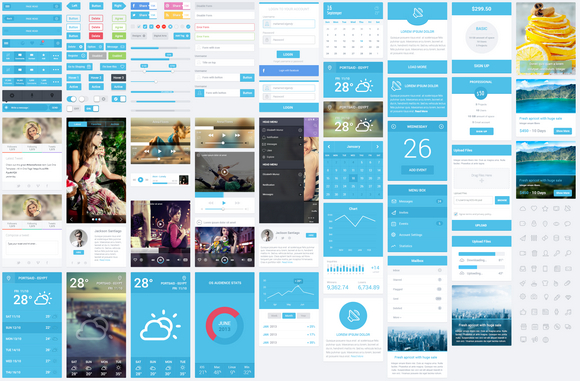
Flatastic Mobile UI Kit is a large user interface kit containing hundreds of mobile ui elements, which will help you design mobile user interface in Photoshop with ease. There are sets of icons, and actions have been included in the kit. The package includes more than 100 elements. It support both Standard and Retina Display.
Requirements: –
Demo: http://thedesigninspiration.com/flatastic-mobile-ui-kit/
License: Creative Commons and MIT License
Every designer needs inspiration once in a while, however finding inspiration is not always as simple as it sounds. The web is a wonderful thing, literally brimming with resources for people interested in the art and design. But, sometimes, too much choice can be confusing. We need the best one instead.
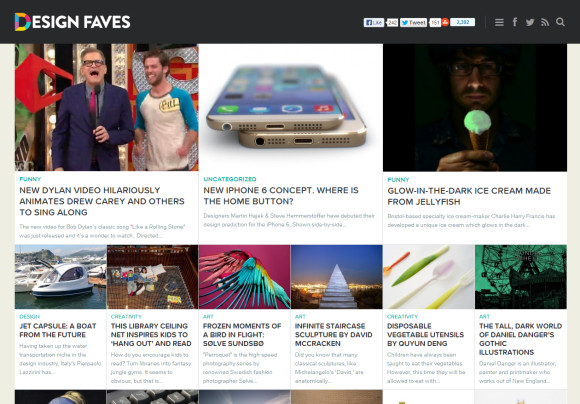
I would like to introduce to you a brand new site called DesignFaves.com, which shows some of the best design and visual culture around the world. The inspiring articles includes art, design, architecture, furniture, fashion and etc.
Creativity will never be an exact science. Sometimes the juices flow, but other times it’s easy to feel all dried up. Here are some of the best posts and exclusive articles marry the very best modern expressions and innovations from the Branding, Art and Graphic Design worlds.
Read the rest of this entry »
Touch Gesture Icons v2 has just released with more new awesome gesture icons. Using Gesture icons is a wise way to guide your users through your applications. With the help of a nice set of gesture icons, you can design a professional tour guide for your applications easily. However, it is difficult to look for a high quality set of gesture icons on the internet.
Touch Gesture Icons is free for download. It includes 48 most popular gesture icons for multi-touch devices. This icon set contains five different sizes such as 48px, 64px, 128px, 256px and 512px in PSD and EPS vector files.

Requirements: –
Demo: http://www.mobiletuxedo.com/touch-gesture-icons/
License: License Free
Here we have some exmaples of Image Caption Animations with CSS3 Transitions and Transforms. There is no Javascript used so it will work on modern browsers where CSS3 animations are supported. You can check the source code of the page to understand how the animation is working.

Requirements: CSS3
Demo: http://hasinhayder.github.io/ImageCaptionHoverAnimation/
License: License Free
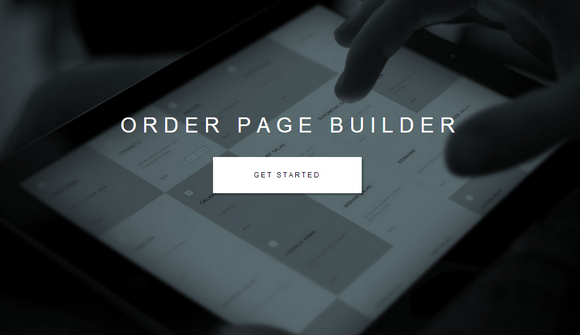
Typepick is a simple a webpage builder that you can use to create an online order page for your products or services. You can provide a questionnaire for customers to tell you exactly what they need. You can also set up a product customization wizard and online survey.
At any time you can click the “Download Files” button which will generate all the files for your order page. The files will be downloaded as a zip file to your computer. Unzip your files and open up page.html in your web browser to see your order page. To make your order page live online, you will need to have a web server where you can upload the files to.
Requirements: –
Demo: http://www.typepick.com/
License: License Free
PictoFoundry Elite Pro gets you all 852 premium icon fonts in one epic pack. The master vector files are include in .AI + .EPS + .PDF formats. Neatly layered, Infinitely scalable. This icon set is also a collection of web fonts, so you can simply use basic CSS to control how they look on your site, no images necessary. Best of all, the license allows designers and developers to resell the icons on themes/templates.
This uniquely awesome set of 852 icons from PictoFoundry normally sells for $199, but for a limited time only, you can get the entire set for only $29. That’s a massive 85% off the regular price.

Echo is a standalone JavaScript lazy-loading image tool. Echo is fast and uses HTML5 data-* attributes. Echo works in IE8+. Echo.js is probably as simple as image lazy loading gets, it’s less than 1KB minified and is library agnostic (no jQuery/Zepto/other).
Lazy-loading works by only loading the assets needed when the elements ‘would’ be in view, which it’ll get from the server for you upon request, which is automated by simply changing the image src attribute. This is also an asynchronous process which also benefits us.

Requirements: JavaScript Framework
Demo: http://toddmotto.com/echo-js-simple-javascript-image-lazy-loading/
License: License Free
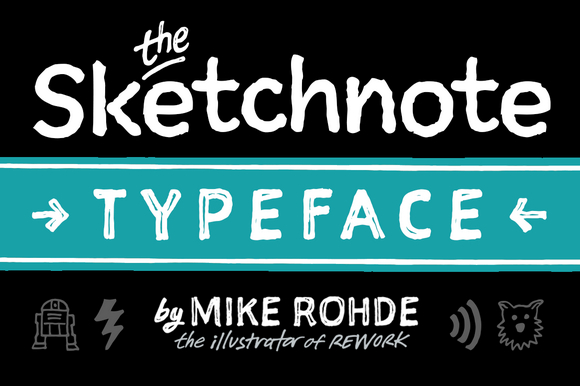
Creative Market is a platform for handcrafted, mousemade design content from independent creatives around the world. It helps creatives easily access a wealth of beautiful design content for their projects. Whether it’s finding a unique vector pattern for a textile, the perfect font with personality for a new logo, or any other kind of digital creative content that helps you produce something amazing.
Creative Market is currently running a Black Friday Promotion, you can get 20% off your next purchase until midnight of 2nd with this Coupon link. In order to help you, we have selected the following great creative products you can take a look at.

Read the rest of this entry »
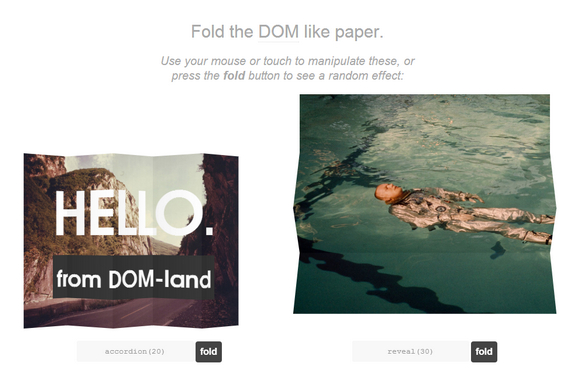
The web is flat, but now you can fold it up. OriDomi is an open source JavaScript library that folds up DOM elements like paper. OriDomi does plenty of DOM manipulation behind the scenes to create what you see.
OriDomi compositions adapt to dynamic dimensions just as well as normal elements. This means that if your OriDomi composition’s size is changed by percentage-based sizing, media queries, CSS transitions, scripting, et cetera, the panels will resize themselves relative to their parent container.
OriDomi requires a modern browser with support for CSS3 transforms, particularly preserve-3d support. You may notice that OriDomi looks significantly worse in Firefox compared to WebKit browsers.
Requirements: JavaScript Framework
Demo: http://oridomi.com/
License: License Free
Last year, Google published the 1st edition of “The Mobile Playbook: The Busy Executive’s Guide to Winning with Mobileâ€. Based on the hundreds of conversations they had with businesses at the time, we saw that most of their questions weren’t around ‘why I should invest in mobile’ but ‘how I should invest in mobile’. They originally created the playbook to help executives find answers to those questions and help them take action in mobile.
They are regularly asked for specific recommendations and best practices around mobile. As a result, they’re excited to bring you the 2nd edition of the playbook, complete with updated strategies, new examples of leaders getting it right in mobile, and a prescriptive list of actions to help you win in mobile. While you’ll find that most of the key recommendations are largely in place from the 1st edition, they’ve updated the whole playbook with new examples, and added exclusive deep-dives from industry leaders on topics such as organizational approaches, local mobile marketing and showrooming strategies.
Source: http://www.themobileplaybook.com/







