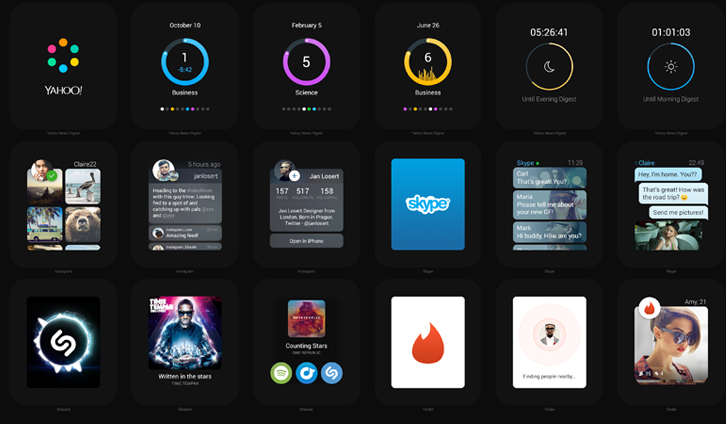
Jan Losert and Lukas Kus were fascinated by the Apple Watch since they were announced. The question is: how current apps will be able to adapt to their experience. We took this question seriously and try to find experience which users can get.
They spend a lot of time thinking about adopting their favorite apps to Apple Watch. They are curious what you think about these apps and maybe you can take their progress further. Let’s grab the Apple Watch PSDs and show them your ideas. They are eager to see your stuff created with their files.
Requirements: Photoshop
Demo: http://watch.janlosert.com/
License: License Free
SocialDoe provides a simple and effective solution to present your projects and passion. It is an online space where creative personalities and professionals can exchange ideas, share feedback and get inspired.
Any creative human being, who wishes to move on with their passion, will feel at home here. Socialdoe is the right place for designers and everyone who wishes to share their inspirations with others. Join the group of art enthusiasts who want to enhance the world with their work.
All plans include the use of custom domains, portfolio editing, Google Analytics, HTTPS password protection, embeding URL’s on profile (e.g. external links to your shop, social media profiles like behance), unlimited bandwidth, responsive page (view your page on laptop, smartphone or tablet), Socialdoe audience (followings, likes & comments).

Source: https://socialdoe.com/
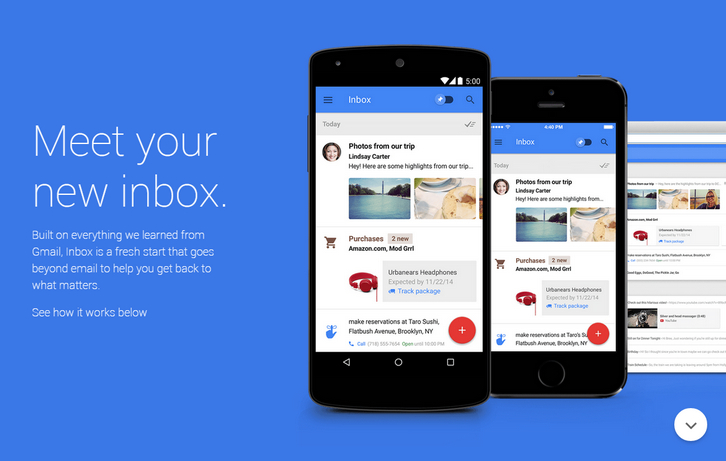
Google has introduced a new email app, from the same team that builds Gmail, but intended as something completely different from Gmail. Inbox is an app that built on everything they learned from Gmail, Inbox is a fresh start that goes beyond email to help you get back to what matters.
Inbox automatically categorizes your incoming messages into “Bundles,†which are broken out into things like Travel, Purchases, and Social. You can also create your own Bundles from tags, or by grouping messages into Bundles. The app’s still in the invite stage, and Google says the first round of invites are already out in the world.
Requirements: –
Demo: http://www.google.com/inbox/
License: License Free
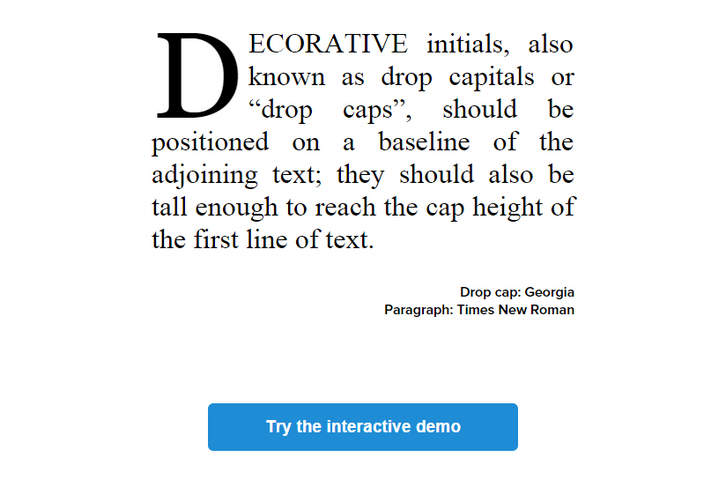
Decorative initials, also known as drop capitals or “drop capsâ€, should be positioned on a baseline of the adjoining text; they should also be tall enough to reach the cap height of the first line of text.
Though drop caps are very common in magazines and books, they remain rare on the web. We believe this is because doing it right simply and reliably is too difficult. A simple CSS float:left on a ::first-letter pseudo-element is not enough. Dropcap.js makes beautiful drop caps easy for the web. We tested dropcap.js on Windows (IE10+, Firefox, Chrome) and OSX (Firefox, Chrome, Safari).
Requirements: JavaScript Framework
Demo: http://webplatform.adobe.com/dropcap.js/
License: Apache 2.0 License
Mobile App Introduction Template is a basic template to showcase the best features of your app, enriched with a video slider for a better user understanding. It’s a customisable, responsive template which turns into video slider on desktop screen.

Requirements: –
Demo: http://codyhouse.co/demo/app-introduction-template
License: License Free
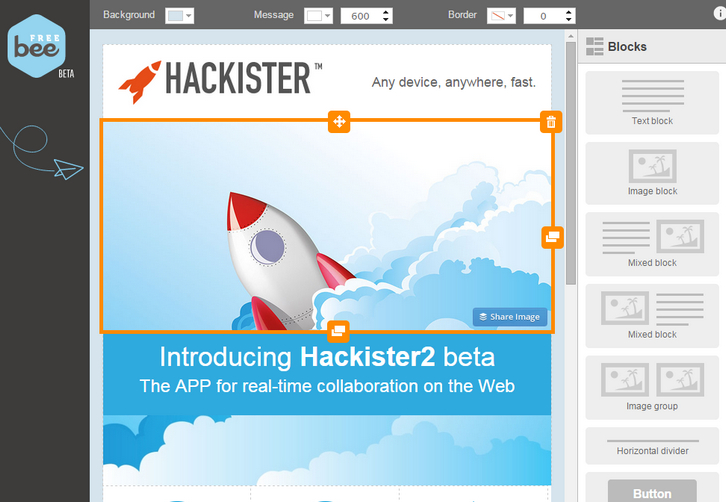
BeeFree makes it easy to create an email message that can be used to send a company newsletter, announce a new product, promote a sale, etc. It’s free to use: you don’t even need to create an account of any kind.
You can use BeeFree to create an email message using its innovative, easy-to-use features. You can then preview the message to see how it will likely look in your email client, send a test to yourself, download the HTML source code so that you can use it in another application, or use it in an email campaign by signing up for a MailUp account.
Requirements: –
Demo: https://beefree.io
License: License Free
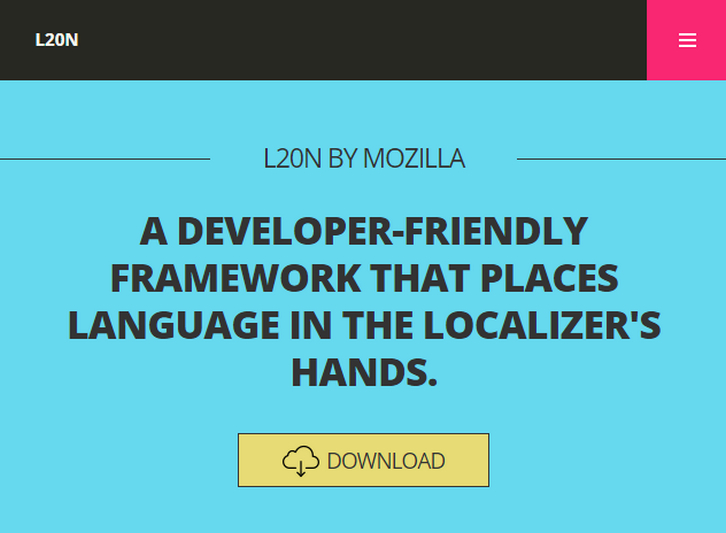
L20n is a localization framework developed by Mozilla for the Web. It allows localizers to put small bits of logic into localization resources to codify the grammar of the language. L20n’s framework removes the need for developers to thoroughly understand the specifics of a natural language and provides an opportunity for localizers to create better translations.
L20n reinvents software localization. Users should be able to benefit from the entire expressive power of a natural language. L20n keeps simple things simple, and at the same time makes complex things possible. You can take advantage of HTML bindings to localize your HTML documents with L20n.
Requirements: –
Demo: http://l20n.org/
License: Apache 2.0 License
ClockPicker is a clock-style timepicker for Bootstrap or jQuery. All major browsers are supported, including IE 9+. Both desktop and mobile device are supported. It also works great in touch screen device. ClockPicker was designed for Bootstrap in the beginning. So Bootstrap and jQuery is the only dependency(s). It is licensed under MIT License.

Requirements: Bootstrap or jQuery Framework
Demo: http://weareoutman.github.io/clockpicker/
License: MIT License
ProgressBar.js is a beautiful and responsive progress bars with animated SVG paths. With ProgressBar.js, it’s easy to create arbitrary shaped progress bars. This library provides a few built‑in shapes like Line, Circle and Square but you can also create your own progress bars with Illustrator or any vector graphic editor.
ProgressBar.js is lightweight, MIT licensed and supports all major browsers including IE9+. You can change the color of progress bar smoothly with animation. You could also animate any property like stroke width, fill opacity, fill color etc.

Requirements: JavaScript Framework
Demo: http://kimmobrunfeldt.github.io/progressbar.js/
License: MIT License
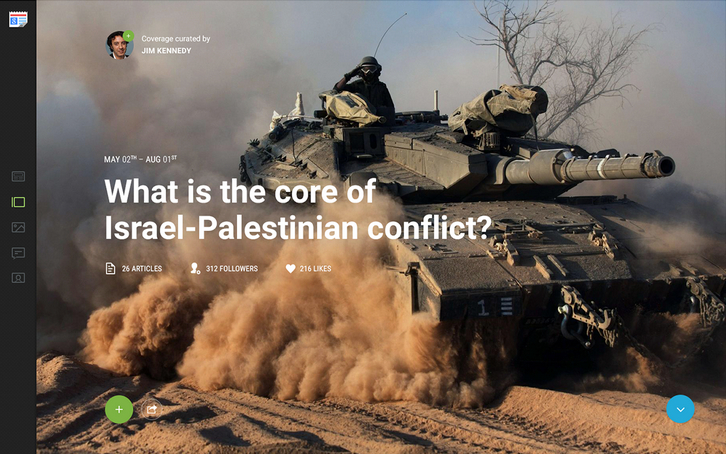
Like most of the services from Google, Google News is a great tool to work with while searching for news, which offers unique opportunities. Google developed a unique algorithm, which allows reading the news on the same topic from different sources. They have just redesigned Google News from the ground up. Take a look at the design process.
Source: http://googlenews.gkvasnikov.com/







