Move over Moo and Vistaprint and clear a desk for the new hip out-of-town-kid sporting long hair and ripped up jeans!
Over the last 7 years, Print Peppermint has produced thousands of innovative print projects for industry-leading creative companies such as: Vice, Google, Geico, Wendy’s, and even printed circular die-cut business cards for Grammarly – one of our office-favorite web apps!
Right now, you can get a taste of the peppermint freshness without having to pay a dime!
We are showing some love to all the cuddly freaks, geeks, web devs, and designers out there, by giving away a free set of 500 Holographic Raised Foil Business Cards, printed on our lusciously tactile 20 pt soft-touch suede stock.
All you have to do to qualify for the contest is share this post on facebook or twitter and you are automatically in the running for this groovy prize.
We will give everyone a chance to sleep off their hangovers and circle back on January 22, 2020 to announce the lucky winner.
It may seem a bit curious that more than a few app websites are only given a cursory inspection by app owners. It is given before being largely ignored because visitors have gone elsewhere.
The reason for a given website may be completely valid in that it addresses a well-established need. It has a poor showing when it comes to converting visitors to users of the app in question.
The fault doesn’t lie with the app itself, especially if it’s one that a visitor will see as having value. It lies rather with the design of the website, a design which somehow fails to guide a visitor to the point where he or she decides to buy.
The design has to accomplish three things; attract a visitor, engage that visitor, and lead that visitor to the desired goal – selecting the product.
Creating a design that will accomplish these three things doesn’t need to be difficult; and it won’t be if you take advantage of these 5 simple tips.
5 Simple Tips for Creating High Quality App Websites
Tip # 1: Choose a spellbinding color palette
Beauty lies in the eye of the beholder. Not everyone will necessarily agree with what you consider to be a spellbinding color palette. You don’t have to please everyone of course, and you likely have a very good idea of what a color palette should consist of to attract attention.
Still, if you stick to the following 3 simple rules you should be dead right every time.
• The palette should highlight colors that immediately attract attention
• The colors you rely on most heavily should be on brand
• The palette you choose should visually support the website’s message
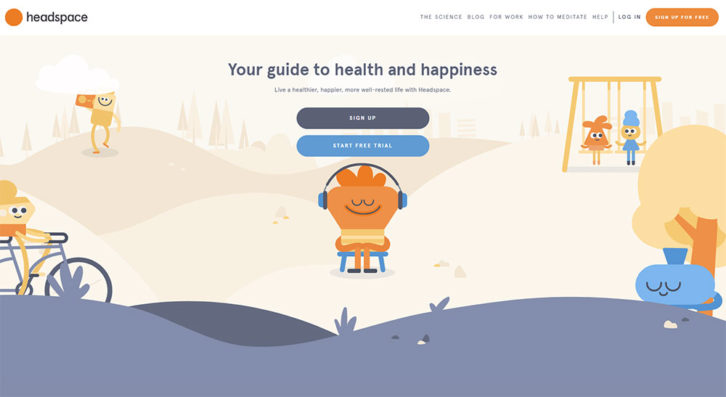
This Headspace example illustrates how pastel color touches can not only be as effective as bold, brash colors, but even more so. Pastel colors tend to give your site a lighthearted look; one that helps support the message.
On the other hand this Be Theme pre-built website effectively uses an eye-catching palette of bold colors to attract and engage visitors.
Whether you’re skipping Black Friday to concentrate on Cyber Monday or planning for a shopping spree during both days doesn’t matter. The subject here is Cyber Monday Deals, and there are some great ones indeed. Some Cyber Monday deals expire at midnight on Monday December 2nd, others are valid a day or two longer, and some are valid to mid-December.
It’s a good idea to check so you don’t miss out and have to wait a year for the next great deals to appear.
That said, let’s see why some of these Cyber Monday deals can prove to be a wise investment.
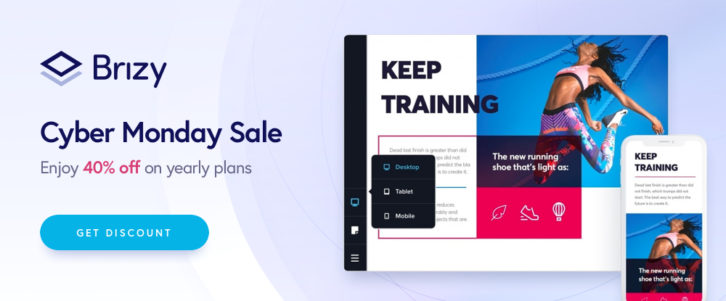
The Brizy Cloud Website Builder offers a Free Forever Plan in addition to two paid plans. We suggest you take advantage of the free plan to check this remarkable tool out, see if one of the paid plans would make sense, and make your decision before the Cyber Monday discount deal expires.
With Brizy, you can create beautiful multiple page websites quickly and efficiently. You’ll have more than 150 customizable layouts to work from together with 700+ design blocks. Coding is not a requirement and you have full control over how you design and build your sites.
Although the Free plan is just that, we suggest you open a free account. You’ll need to do that if you’re pleased with what you’ve created and wish to save what you’ve built.
The Cyber Monday deal applies to Personal and Studio paid plans; two very affordable plans that have more to offer than the free plan and are available at a 40% discount on December 2nd and 3rd. The discount code is CM40OFF. Read the rest of this entry »
If you’re a professional wanting to showcase your products, what better way is there to do so than with a personal portfolio? Maybe one that’s presented in a way that invites close study?
A portfolio used to be a folder of papers you would carry around with you when visiting one potential customer after another. Today, you can get not only the same results, but far better ones. You can do it by using a website builder to create a portfolio website.
A portfolio website is perfect for displaying your work to existing clients and attracting potential ones.
There are plenty of platforms to choose from to build a stunning portfolio website. You’ll find six of the very best ones right here. They’re all easy to work with, flexible, and you can try and test most of them at no cost.
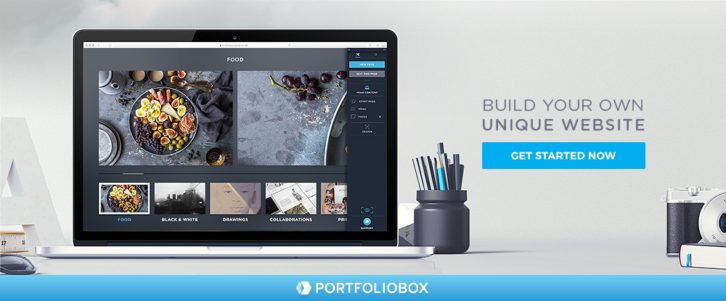
Portfoliobox is a highly-suitable online website building tool for photographers, artists, designers, and other creative types. It’s not theme-based, it’s super easy to use, and it’s extremely flexible; plus, you don’t need to know anything about code to use it.
As its name implies, it gives you all the tools needed to create a stunning, professional-looking portfolio, the type that not only keeps visitors engaged but encourages them to spread the word.
While you naturally will spend as much time as you feel you can afford to create a next-to-perfect portfolio, you could easily create a very attractive one within a few hours.
Portfoliobox offers two plans, including a free one that includes hosting of 10 pages, 30 images, and 10 products – plenty for you to see if it’s the right choice for you.
The pro plan includes web hosting for 1,000 images and an unlimited number of pages, blog posts, and products. Portfoliobox has more than 1 million users. Version 4 is in the works and scheduled for release within a few months.
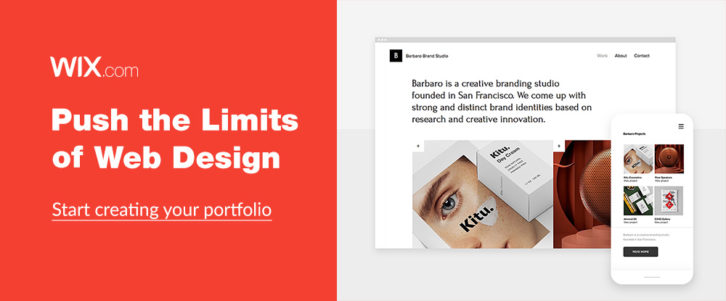
You can use Wix to promote your business, set up and online shop, or test out new ideas. Or, to create a portfolio website to showcase your art. That’s this website builder’s strong suit. With this innovative drag and drop tool you can start from scratch, work from any of the 500 designer-made templates, customize to your heart’s content, and create the most stunning portfolio you could imagine, and any other type of website for that matter.
Your portfolio doesn’t have to consist of static displays either since you can make it come to life using clever scroll effects, animations, and even video backgrounds.
If creating an award-winning portfolio is your objective, and you want to have total design freedom to be able to obtain that objective, the Wix website builder and Wix editor is for you.
You’ve decided over your morning cup of coffee that today’s the day to start building an online portfolio to showcase your wares, you make Weebly your portfolio website builder of choice, and before day’s end your website is up and running.
It’s that easy with Weebly. You have access to a host of customizable webpage designs, useful tools, custom fonts, video backgrounds, site search, and last but not least, a powerful website builder that’s free.
Weebly even hosts your portfolio website free of charge and you can either purchase a domain or easily transfer one you already have. If you have a product line to display in your portfolio the folks at Weebly will gladly take professional-class photos for you if you ship them the products. Otherwise, there are plenty of tools to help you display products, photos, and works of art in all their glory.
This is it! Your one-stop shop for developer tools and resources. Designed to save you time and money, streamline project workflows, boost productivity, or all the above,
Choosing the right tool for the job is never easy for several reasons. There’s a huge number to choose among, you have to know what to look for, and your needs can sometimes be project-dependent.
Better tools for developers continue to appear over the horizon as app developers seek to bridge the development-operations gap that exists for many software solutions. Fortunately, there are already more than a few tools and services on the market. These tools can help to bridge that gap that also tend to be project independent.
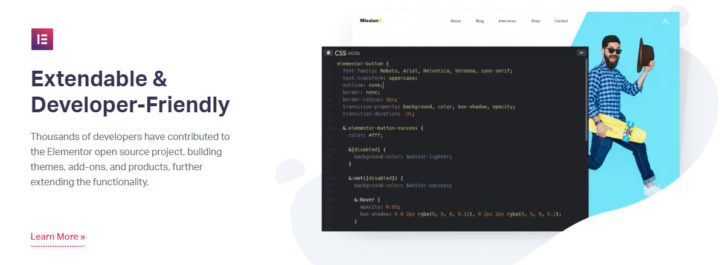
While Elementor has established an impressive reputation as a web design tool, not everyone may be aware that this open source tool was created with designers in mind. Because it’s an open-source software solution it’s natural to assume that Elementor has many powerful features, it’s flexible, and it’s easily extendable; which is indeed the case.
Elementor’s software development features include the ability to compile, minify, and externally load CSS files as well as the capability to easily assimilate custom CSS into any page, section, or widget. You can also trigger tasks via the Command Line (CLI), track data across multiple pages, and call up earlier versions and switch between versions.
As a user, you can access Beta versions, help the Elementor team uncover bugs and fix issues. You can also join thousands of others who have contributed to this project to immeasurably extend its functionality and extensibility. The documentation provides all you need to know to get the most from its frontend features, editor, and useful widgets.
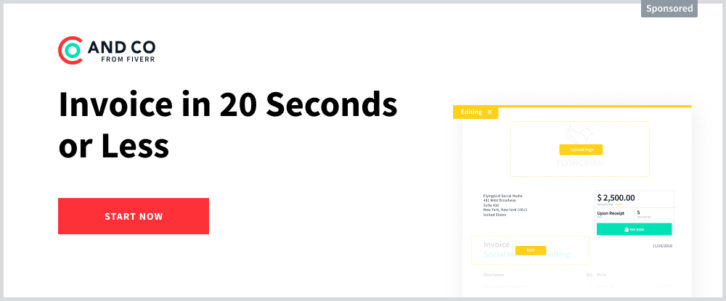
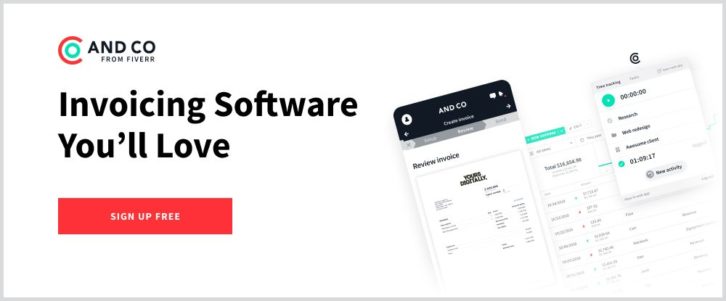
With AND.CO, you can automatically generate invoices from a single platform, based on data contained in your contracts, proposals, and time tracking results. AND.CO relieves you of manual or semi-automated duties such as manually inputting billable hours or having to constantly check when it’s time to invoice again. The platform lets you set up recurring invoices, receive alerts when clients view your invoices, and accept online payments
Since AND.CO’s mobile app can easily be synced across all your devices, you can view your invoices or create them on the go and keep abreast of your billings and cash flow. When payments are received, AND.CO automatically deposits them into your bank account.
Once you have this handy application in-house, you’ll have that much more time to spend on your core activities and responsibilities. Read the rest of this entry »
With the global market expanding without limits, clients are more demanding than ever before. They understand that the highly competitive business realm requires creative websites. That’s good news: as competition increases, web development projects become more challenging. That’s good news for Be Theme too as it is the largest and extremely versatile.
It’s important to realize that the high level of competition demands creative websites for the most demanding eyes. They clearly understand the need for websites that are flexible and conversion-optimized. That’s more good news: This is your opportunity to wow these clients by building great creative websites for them.
Bonus GREAT news: Below you can find the 5 simple steps to creating a website that’s both eye-catching and built to convert visitors into users.
5 steps to building astonishing creative websites
Step 1: Choose a mesmerizing color palette
When it comes to creativity, choosing a color palette needs to follow a few simple rules:
it needs to attract attention instantly
it needs to be on-brand
it needs to visually support the messages
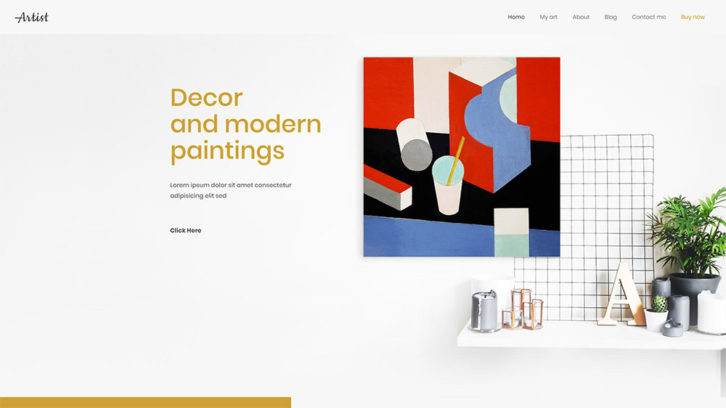
Artist has BOLD color touches that instantly attract attention.
You can find another great example of the eye-grabbing color palette on this pre-built website included in Be Theme.
Carbon8 does a great job at aligning the color palette with its brand – deep green and shades are abundant (and makes for a visually memorable website).
BeInsurance uses a subtle, crisp color palette. It is perfect for reinforcing their message: Give crisp, clear images to gain the clients you need.
And if you’re looking for a color palette that appeals to a larger audience, BeFestival can be a perfect example.
With roughly 55,000 WordPress Plugins and Services to choose from, you shouldn’t have any trouble finding one or more that can take your business to the next level
Right?
The answer is “Noâ€.
Sifting through all 55,000 tools and services will not only take up a huge amount of your valuable time, but after a while, everything will begin to look alike. You could pass by something that could really help you, and even end up with nothing to show for your td trouble.
In this article, we’ve shared our expert pick of “must-have†WordPress tools and services for websites in 2019. You should have no problem finding a game-changing tool or service in hardly anytime at all.
If you’re in dire need of improving your design workflow and speeding up your production time Elementor, the most advanced WordPress page builder on the market can provide a solution to those problems and several others that could be getting in your way.
Are you spending too much time coding, or finding yourself limited as to what you can accomplish because of a lack of coding skills? Elementor’s powerful drag and drop page builder lets you create professional WordPress pages and sites without having to produce a line of code.
Furthermore, since Elementor works with any theme and any WordPress plugin you can avoid a couple of other common problems. More than a few themes place design constraints on you and many plugins have a nasty habit of slowing your sites down. Not so with Elementor. When this amazing tool helps you avoid problems like these, it can pay big dividends in time saved.
You also have the option of working with super-useful widgets if you prefer to start a project from scratch or select among hundreds of pre-designed templates and special effects to build your pages.
Page and website-building tools can be intimidating. The Brizy WordPress website builder is exactly the opposite. If you’ve been yearning for an easy-to-use drag and drop website building experience, Brizy delivers it in spades. No coding is required, nor do you need any design or special skills to work with this exceptional tool.
Since you get 150 layouts, 16 popups, and 240 pre-made building blocks right out of the box, you’ll have no problem figuring out your page structure and putting together a website in mere minutes. 4,000 icons are also included with the package and working with colors and fonts is super easy; With Brizy it’s easy to control how your site will display on tablets or mobile devices.
Since Brizy is free to download you can start using it right now and create websites for free with no strings attached. Read the rest of this entry »
There’s a host of things to decide, manage, try, and keep track of while building a portfolio. Text for example has to catch people’s attention and inform them, without shifting the focus away from the works being showcased.
There are plenty of themes on the market that have the tools and features necessary to create a decent portfolio website. There are so many in fact that settling on one that you believe will meet your needs can be a challenge; and, finding one that has the features necessary to create a portfolio website that’s far beyond “decent†can be a far bigger challenge.
You need a theme that makes it easy to organize your work, one whose features provide you with the all the flexibility and extendibility you’ll ever need, and enables you to create a portfolio website you’re eager to share with the rest of the world.
These 8 creative WordPress themes meet these criteria in spades.
Be Theme has the web-building tools, functionalities, and design options web designers need to create top-quality portfolio, blog, and eCommerce websites, and any other website type or style. Thanks to Be’s library more than 450 professionally-crafted and customizable pre-built websites and 200+ shortcodes plus a shortcode generator, it’s possible to create a portfolio website in as little as 4 hours without any need for coding.
Be Theme’s pre-built websites cover more than 30 industry sectors, a host of small but popular business niches and all website types, from one-pagers and online shops to blogs and portfolios. For individual artists, photographers, agencies, or businesses looking for an efficient, effective, and easy to work with portfolio building tool, this multipurpose theme will be an excellent choice.
The BeAgency pre-built website is especially popular with businesses and agencies, but there are many others as well. Browse Be’s library to find what works best for you. Be Theme is flexible, SEO friendly, responsive, and provides first-class support.
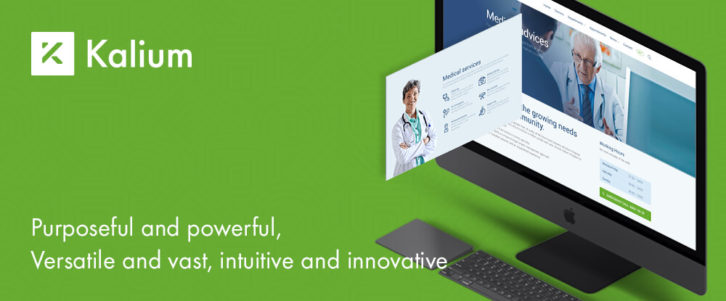
You could call Kalium purposeful and powerful, intuitive and innovative, versatile and vast, or all the above; and throw in elegant as well. It’s easy to use for website portfolio building, and as it was built by coders for coders, Kalium is extensible and developer-friendly.
There are 30+ different portfolio types and styles to work with, consisting of 7main types and a variety of options and sub-options. You should have no problem creating a stunning portfolio website to showcase your work the first time you use Kalium and do so without any need for coding.
Highest rated among the top themes, Kalium provides endless website building beyond portfolio websites. Simply clone and customize the content you need from any of Kalium’s demos. A selection of layout designs, plugins, premium fonts, and drag and drop design elements is at your fingertips to create a stunning portfolio website or any other website type. Read the rest of this entry »
A visual drag and drop editor is great for building a website quickly and easily, but the final product will only be as good as the design elements that were drag-and-dropped into it.
The Visual Composer Hub is a colossal library of content elements, blocks, and templates that make web design faster and easier and the final products better.
You don’t have to settle for what happens to be available. Since all the Hub content is personalized, “what’s available†is virtually anything you want or need.
Sounds great? Maybe its time to take a close look and see what the Hub is really all about.
What is Visual Composer Hub
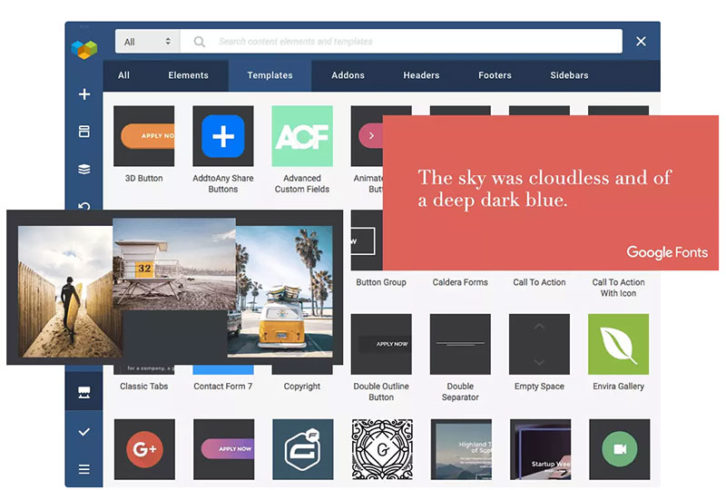
The Visual Composer Hub is a cloud-based repository of templates, content elements, and more. It’s a virtual marketplace of website-building goodies, and it’s connected to your Visual Composer account.
Once in your account, the content is ready to drag, drop, and put to practical use.
The Visual Composer Hub Library
The size of the Hub’s library of content is amazing. It’s so enormous that you’ll find everything you need for any project. The content is completely compatible with any theme, including favorites you may already have used or intend to use.
If you want full access to all the Hub’s content along with unlimited downloads, you’ll want to subscribe to and unlock Visual Composer Premium. In any event, you can always view all the content in the forever-free Visual Composer Hub.
What’s Inside the Visual Composer Hub
First of all, downloading material from the Hub is as easy as it gets since its built right into the Visual Composer live-preview website builder. This easily accessible and downloadable material consists of these 4 main types of content.
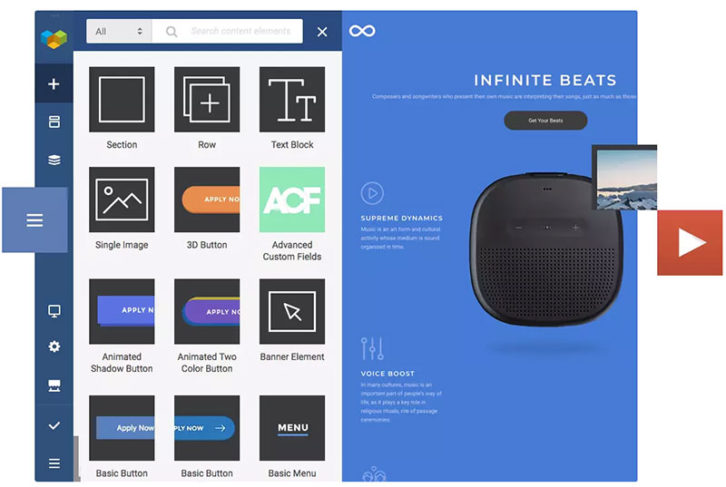
Content Elements
Page Templates
Block Templates, and
Stock Images
1. Content Elements
The content elements in the Hub’s colossal library are first class and searching for them is a simple and slick process.
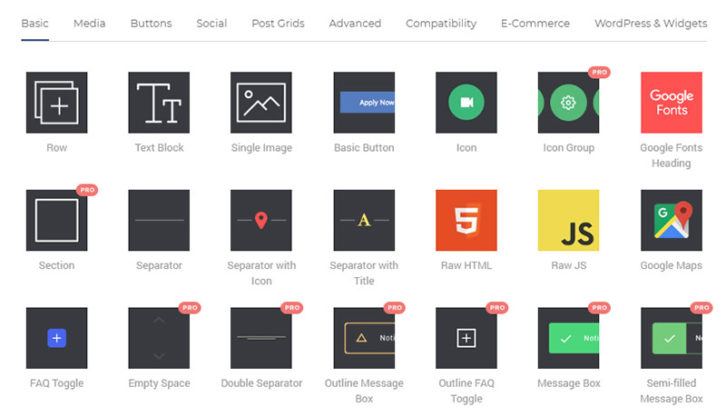
There’s plenty to choose from among the Content Elements; anything you’re likely to need in fact. What you’ll find are:
Media
Buttons
Post Grids
Social
Compatibility Elements You can integrate with Ninja Forms, Mail Chimp, Envira Gallery and more.
Advanced Elements These include logo sliders, hover boxes, tabs and more.
And, an E-Commerce plug
Since you can personalize what you select, there’s never a need to resort to coding to build an awesome, unique site. There will always be more to come too, since the Content Elements on the Hub are constantly updated.
And not to forget; with Visual Composer Premium there’s no limit on the number of Content Elements you can download.
What can you do with a Content Element once you’ve downloaded it into your account?
You can:
Edit it
There are multiple edit options for each element, including Element CSS Animations to create beautiful transitions right out of the box.
Replace it easily
You can also switch between elements. With the Smart Replace option you can easily change the look of your content.
You can also Use advanced features that include turbo-powered editing flexibility, creating content “types†for organizing and hierarchy-building purposes, and leaving notes to compatriots. Some of these advanced features are only available with a Visual Composer Premium account.
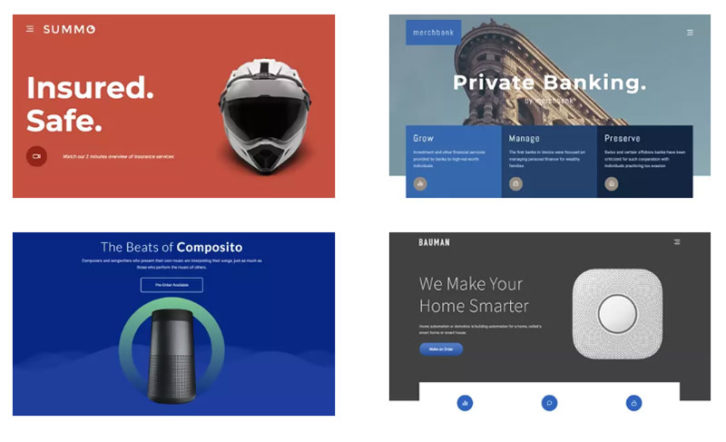
Page templates make up an important section of the Hub library. There’s a WordPress template to match any theme and whichever template you select will be fully editable.
It’s simply a matter of finding a template that fits your website look and feel and clicking download to place it in your account. Edit or tweak it to fit your needs and you’ll have a beautiful page in minutes.
There’s plenty you can do in the Hub WordPress template section to make designing a site easy. You can for example:
Store any template automatically in your template library
Store pages you create as templates
Export, import, and customize any template
Apply global templates, and
Add template widgets
You don’t even have to be a designer or possess impressive design skills to create awesome pages. Instead, you can rely entirely on drag and drop design backed up by this Visual Composer comprehensive and unique designer template library. It’s your cloud-based solution to building beautiful websites.
3. Block Templates
For the finer details, the Hub’s Content Elements section is the solution, and for fast and easy website builds it’s the Hub’s WordPress templates.
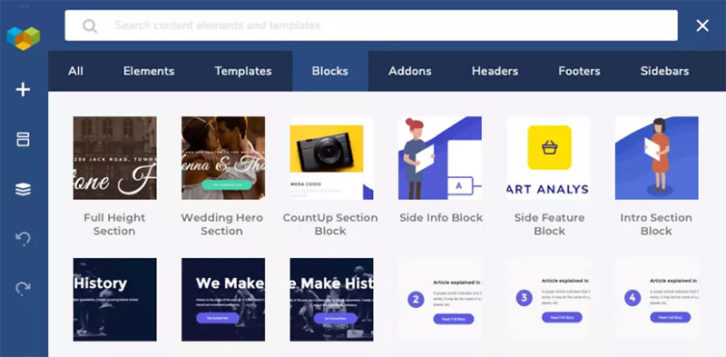
But, what about “in between� For that “sweet spot†the Block Templates library is where you’ll want to go. Block Templates represent the Goldilocks standard for achieving custom design using easy drag-and-drop functionality.
With a Visual Composer Premium subscription, you can unlock and enjoy the ease and flexibility of using Block Templates.
4. Stock Images
The Unsplash library of stock images is super-cool, it’s seamlessly integrated into the Hub, and your Hub downloads whichever images you select right into the Visual Composer Website Builder. How’s that for efficiency?
Best of all, you can view and select the images you want right from the Frontend editor.Â
If you come across an image you really like and would like to see what else its author may have contributed, simply hover over the image and click the author’s name. It’s one good way to give your website a more unified look and feel.
Conclusion Â
It’s true, the best drag-and-drop visual website editor you can find won’t get the job done if your choice of content elements is too narrow. You need a very large library with editable content elements and page and block templates, along with stock photography to make web design fast and truly simple.
These then, are the basics of what you’ll find in the Visual Composer Hub. We weren’t kidding when we said the library is colossal. There are add-ons and additional premium hub elements to check out too.
Keeping up with the latest design trends is a challenge. It’s always been that way. But these days, changes come more frequently. This is thanks to the rapid pace of digital design technological advancements.
If it weren’t for the tools that allow us to keep pace, it would probably be a hopeless situation. The problem is, you still have to find those tools. The fact that they’re constantly flooding the market doesn’t make it easy. Most web designers don’t have the time or inclination to test out every new tool that appears over the horizon.
We’ve found 15 we consider the tops in their respective classes, and we’d like to share our findings with you. One or two of these top tools and resources should help you keep pace. You can also deliver better products than you ever thought possible.
Elementor is the industry’s best website builder. Simple, Powerful & Flexible. Now you can customize every detail without code. With over 2 million active installs and over 4,500 5-star reviews on WordPress, it is by far the most popular page editor out there. What Elementor does for you is to give you a solid website-building foundation on which you can create virtually anything, and do so  without complications, limitations, or constraints thanks to its super-clean code.
Elementor works with any theme and with any plugin. As such it gives you virtually unlimited design flexibility. It won’t slow down your site – a characteristic of all too many page builders. And, it’s powerful drag and drop editor enables you to quickly create pages and websites without ever having to resort to code.
You can dig into Elementor’s library of super useful widgets to build pages from scratch, or if you prefer, start with one of the 100+ pre-designed Elementor templates.
You’ll find a few nice surprises as well; like the Pop Up Builder, the Advanced Forms feature, and Scroll and Hover animations.
In short, with Elementor you can create pages and websites easily and in ways you never could before.
There are many software applications you can use for creating invoices, but few if any do as much of the work for you as AND CO from Fiverr. AND CO creates invoices for you automatically based on your project terms, contracts, and time tracking—all of which are available in the one app.
AND CO’s invoicing feature integrates perfectly with your project management workflow, enabling it to automatically create invoices when a project is completed or a milestone has been reached.
You’ll be alerted when clients view your invoices and when they’re paid, or when the system thinks it’s time for you to invoice again. Plus, you can set up an online ‘PayMe’ page to allow clients to pay you via credit card, ACH, and PayPal, and deposit the payments into your bank account. You can also set up recurring invoices so that clients who are on a subscription plan have their credit card charged automatically on a recurring basis.
AND CO is an invoicing software that lets you spend less time on invoicing and more time on doing the work you love. Read the rest of this entry »