Protip is yet another jQuery tooltip plugin for any situation. It’s not so lightweight but it doesn’t intends to be. We needed a solution which can fit into every scenario we face with. It supports 49 position, Live refresh of tooltip options, Live element checking, Gravity, DOM targets, Placements, Click activated and sticky tooltips, Custom HTML content, Interactive tooltips, In/Out delays, Auto-hide, Icon support, Skins, sizes, schemes, Animations support, Mixins, Custom event callbacks and UMD Support.

Requirements: jQuery Framekwork
Demo: http://protip.rocks/
License: MIT License
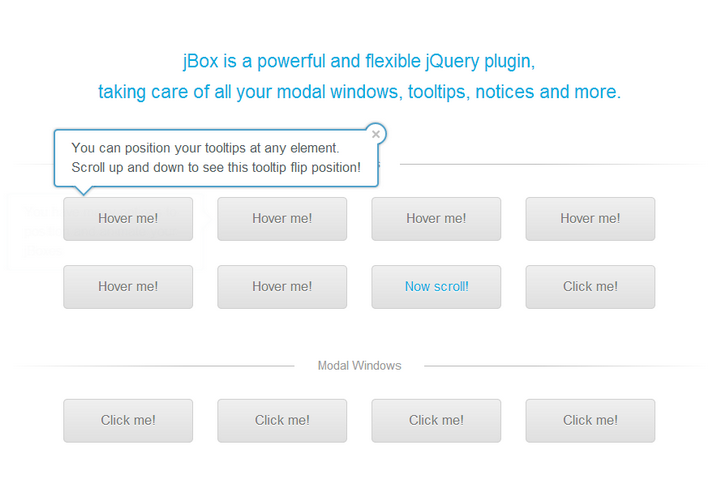
jBox is a powerful and flexible jQuery plugin, taking care of all your modal windows, tooltips, notices and more. You can use jQuery selectors to add tooltips to elements easily. You can set up modal windows the same way as tooltips. But most of times you’d want more variety, like a title or HTML content. The jBox library is quite powerful and offers a vast variety of options to customize appearance and behavior.
Requirements: jQuery Framework
Demo: http://stephanwagner.me/jBox
License: MIT License
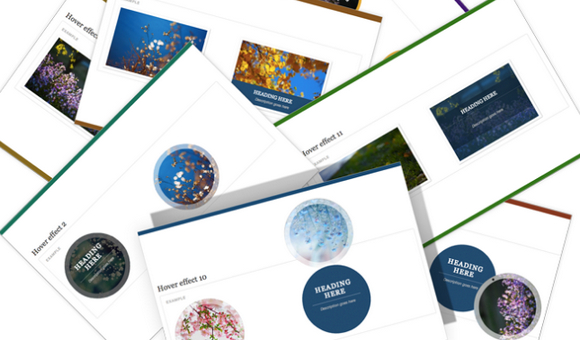
iHover is an impressive hover effects collection, powered by pure CSS3, no dependency, work well with Bootstrap 3. It’s built with Scss CSS (file included), easy modification with variables. There is Modular code, no need to include the entire file.
There are over 30+ hover effects in one pack. And it’s well documented. iHover is pretty easy to use. All you need to do is to write some HTML markup. You just need to include the CSS file and you are ready to go.
Requirements: CSS
Demo: http://gudh.github.io/ihover/dist/index.html
License: MIT License
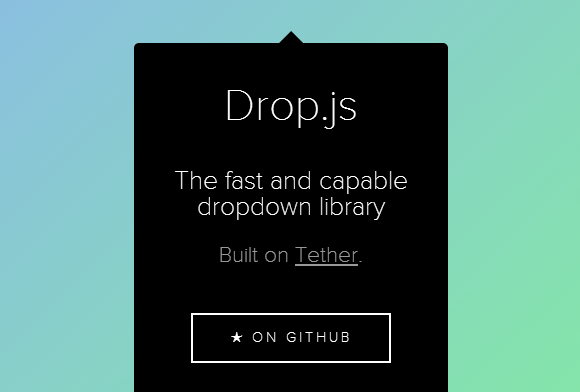
Tether is a javascript library for efficiently making an absolutely positioned element stay next to another element on the page. For example, you might want a tooltip or dialog to open, and remain, next to the relevant item on the page.
Tether includes the ability to constrain the element within the viewport, it’s scroll parent, any other element on the page, or a fixed bounding box. When it exceedes those constraints it can be pinned to the edge, flip to the other side of it’s target, or hide itself.
Tether optimizes it’s location placement to result in the minimum amount of ‘jankyness’ as the page is scrolled and resized. The page can maintain 60fps scrolling even with dozens or hundreds of tethers on screen. Tether is 5kb minified and gzipped, and supports IE9+, and all modern browsers.
Requirements: JavaScript Framework
Demo: http://github.hubspot.com/tether/
License: MIT License
Simptip is a simple CSS tooltip made with Sass. You can have a tooltip in different directions (top, left, bottom, right). Secondly as you know color is an important factor. You can also have a Tooltip in different color such as success , info , warning and danger. And finally other features like (soft edge, half arrow, movable effect, fade effect, multiline tooltip). You can use these items either together or separately.

Requirements: Sass Framework
Demo: http://arashm.net/lab/simptip/
License: MIT License
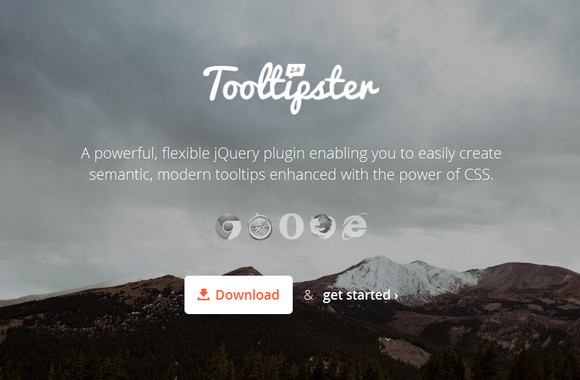
Tooltipster is a powerful, flexible jQuery plugin enabling you to easily create semantic, modern tooltips enhanced with the power of CSS. Tooltipster allows you to use any HTML tag you can think of inside your tooltips. This means you can insert things like images and text formatting tags.
The style of your Tooltipsters can be easily changed by modifying the default Tooltipster theme in the tooltipster.css file. You also have the option to create and attach a brand new theme. Tooltipster’s options gives you a wide range of variables to tweak your tooltip to your heart’s content as well.
Requirements: jQuery Framework
Demo: http://calebjacob.com/tooltipster/
License: License Free
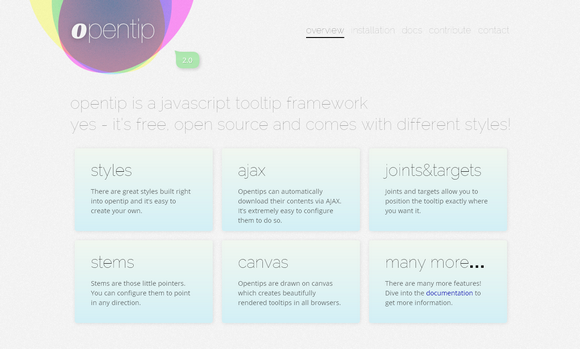
Opentip is a free opensource Java-Script tooltip class. There are great styles built right into opentip and it’s easy to create your own. Opentips can automatically download their contents via AJAX. It’s extremely easy to configure them to do so.
Joints and targets allow you to position the tooltip exactly where you want it. Stems are those little pointers. You can configure them to point in any direction. Opentips are drawn on canvas which creates beautifully rendered tooltips in all browsers. Opentip has been developed for and tested in all major browser, including IE7+.
Requirements: JavaScript Framework
Download Link: http://www.opentip.org/
License: MIT License
Codrops has written a tutorial: Circle Hover Effects with CSS Transitions, about how to create different interesting hover effects on circles with CSS transitions and 3D rotations.
Since we have the border radius property, we can create circular shapes and they have been appearing more often as design elements in websites. Sometimes, we do enjoy seeing is the circular thumbnail which just looks so much more interesting than the usual rectangular. And it is because the circle is such a special shape, we are going to create some special hover effects for it.

Requirements: CSS3
Demo: http://tympanus.net/Tutorials/CircleHoverEffects/
License: License Free
Annotator is an open-source JavaScript library and tool that can be added to any webpage to make it annotatable. Annotations can have comments, tags, users and more. Morever, the Annotator is designed for easy extensibility so its a cinch to add a new feature or behaviour.
The Annotator project also has a simple but powerful plugin architecture. While the core annotator code does the bare minimum, it is easily extended with plugins that perform such tasks as: serialization, authentication and authorization, prettification and tagging.

Requirements: CSS3 Support
Demo: http://okfnlabs.org/annotator/demo/
License: MIT, GPL License
qTip2 is the second generation of the advanced qTip plugin for the ever popular jQuery framework. Building on 1.0’s user friendly, yet feature rich base, qTip2 provides you with tonnes of features like speech bubble tips and imagemap support, and best of all… it’s completely free under the MIT/GPLv2 licenses.
qTip2 utilises a separate stylesheet to contain all tooltip styles, which allows you to easily add new styles without additional JavaScript code, as well as easily editing pre-existing styles.

Requirements: jQuery Framework
Demo: http://craigsworks.com/projects/qtip2/
License: MIT, GPL License







