Inky Deals has recently launched this premium bundle packed with thousands of resources valued at $8,228, which you can now get at the small price of $59. ItÂ’s the perfect deal for both graphic and web designers looking to save precious hours (and thousands of dollars), but without sacrificing the quality of their works.
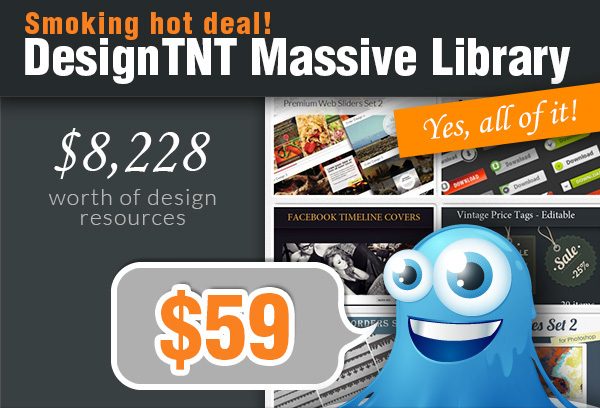
You will get:
– 630 Vector Illustrations worth $2,520
– 233 Vector Sets worth $2,290
– 101 Web & Print Resources Packs worth $1,070
– 109 Photoshop & Illustrator Addons worth $1,036
– 69 High-Resolution Texture Packs worth $729
– 67 Brushes Sets worth $486
– 10 Premium Tutorials worth $97
Read the rest of this entry »
This Mighty Deal features a beautifully unique take on the typeface with a double dose of Hilton. You’ll get 2 fantastic font collections in one fabulous deal: Hilton Sans and Hilton Serif. You’ll get over 500 glyphs spread out over two beautiful fonts.
Each version of the Hilton font includes 299 glyphs. Those include Basic Latin, Diacritics, and special characters of the West and Central European languages and Turkish. Not to mention proportional and tabular lining figures, as well as other unusual characters.
Normally, Hilton Sans & Hilton Serif together cost $78 (for the Desktop versions), but for a limited time only, you can get the combination of both fonts for just $15. That’s a massive savings of 81% off the regular price. OR get both the Desktop and Web Font versions together for just $22.

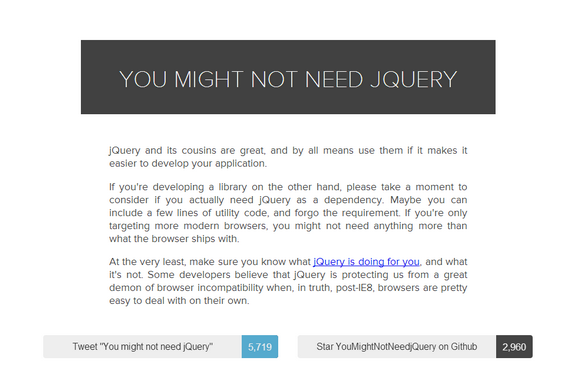
jQuery and its cousins are great, and by all means use them if it makes it easier to develop your application. If you’re developing a library on the other hand, please take a moment to consider if you actually need jQuery as a dependency.
Some developers believe that jQuery is protecting us from a great demon of browser incompatibility when, in truth, post-IE8, browsers are pretty easy to deal with on their own. Go and check out this tool: You Might Not Need jQuery.
Source: http://youmightnotneedjquery.com/
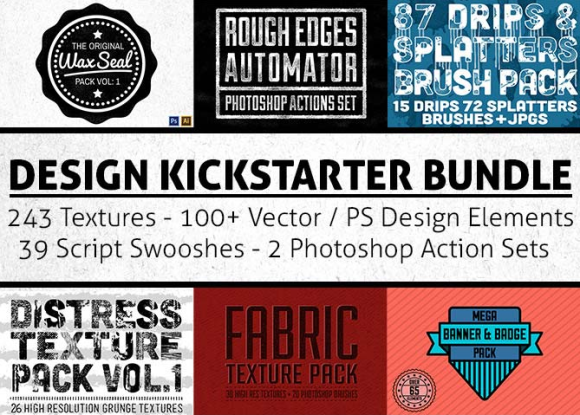
The Design Kickstarter Bundle offered by Mighty Deals will keep you busy for a long time. There are more than 350 different pieces, you’ll get loads of new textures, Photoshop brushes, vector elements, swoosh typefaces, Photoshop action sets, and more.
Your designs will really shine with this mammoth collection of vector and Photoshop design elements. Every vector includes the original Photoshop files so you can easily customize them to your specifications. This collection of over 350 professional design elements normally costs $59, but for a limited time only, you can get the entire bundle for only $17. That’s more than 70% off the regular price.
Mighty Deals has just offer an amazing deal today. Up to 90% off on Stock Photos. Depositphotos offers one of the largest stock photo libraries on the Web, and you can nab either 100 or 200 images of your choice for up to 90% off the regular price.
What makes this deal so spectacular is that besides a ginormous library to browse, you can select any size photo you want, including the much sought-after and generally pricey XXL and XXXL sizes. It may take you an entire lifetime or two to get through DepositPhoto’s entire library of stock images. With more than 20 million high-quality photos, and vector images, it would be downright impossible for you not to find exactly what you’re looking for.
There are two incredible pricing options: 100 images of any size for $99, and 200 images of any size for $160. Every image you download from Depositphotos is 100% Royalty-Free. That means you can use them on any of your projects, whether they’re for personal or commercial use.

Gesture icons are created to aid in the design and promotion of multi-touch interfaces. With the help of a nice set of gesture icons, you can design a professional tour guide for your applications easily.
There are total 70 vector icons in 64, 128, 256, 512px size. They come in AI, PSD & PNG format. Gesture Vector Icon Set includes common touchscreen interactions such as Tap, Double Tap, Drag, Slide, Hold/Pres, Swipe, Rotate, Press and Drag, Pinch, Spread. The Original price is $25. Opening Sale $9 for a limited time only.

Microsoft has recently launched Modern.IE, aimed at simplifying the sometimes arduous process of getting websites to work in older versions of the company’s Internet Explorer web browser.
There is a site scanner that will look at your code and detect potential problems for older versions of IE. And there is a cross-browser testing tool and a set of guidelines for building sites with web standards. And there are other useful tools for web developers available too.
I do recommend checking out article: Cross Browser Development Standards & Interoperability Best Practices. That is a list of our 20 top coding patterns and practices that they’ve picked-up from attending endless conference sessions and reading hundreds of tutorials. Hope they’ll save you some time as you build.

Startup Design Framework contains components and complex blocks which can easily be integrated into almost any design. All of these components are made in the same style, and can easily be integrated into projects, allowing you to create hundreds of solutions for your future projects.
All components are responsive design with full mobile support. It works fine on devices supporting Retina Display as well. Best of all, each component is already coded for you with HTML5, CSS and LESS. The only thing you need to do is to pick your favorite components and then build them like Lego blocks. It’s fun and super easy.
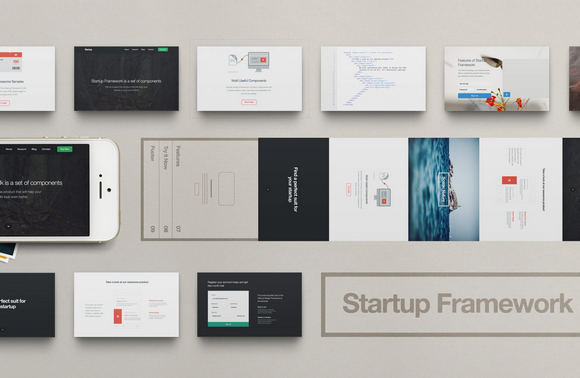
You can check out their demo version with some great examples of how you can build your website easily with Startup Design Framework. Read the rest of this entry »
A Best-Of list is just like a football team. You shouldn’t only take into account the best players as individuals, but the best team; the players that harmonize best. In the list of The Best Fonts of 2013, Typefacts have taken this into stride and tried to compile a well-balanced, harmonic yet diversified overview.

Source: http://typefacts.com/news/die-besten-fonts-2013
CodePen is a playground for the front end side of the web. It’s all about inspiration, education, and sharing. Need to build a reduced test case to demonstrate and figure out a bug? CodePen is great for that. Want to show off your latest creation and get feedback from your peers? CodePen is great for that.
These are The Most Popular Pens of 2013, as decided by their super fancy algorithm modified without the age penalty. All of them are very impressive, and I am sure you can learn something from them.

Source: http://codepen.io/2013/popular/







