Codrops has written an in-depth tutorial on how to build the ripple effect outlined under Google Material Design’s Radial Action specification and combine it with the powers of SVG and GreenSock.
With the advent of Google’s Material Design came a visual language that set out to create a unified experience across platforms and devices. Google’s examples depicted through their Animation section of the Material Guidelines has become so identifiable in the wild that many have come to know these interactions as part of the Google brand. In this tutorial, they are going to show you one way of building the ripple effect specifically outlined under Radial Action of the Google Material Design specification by combining it with the powers of SVG and GreenSock.

Requirements: SVG and GreenSock
Demo: http://tympanus.net/Tutorials/SVGRipples/
License: License Free
Codrops has shared a collection of fresh button styles and effects for your inspiration. They use CSS transitions and pseudo-elements for most of the effects. What they all have in common is simplicity and effect subtleness. They tried to create a balanced set where they don’t animate too much but try to add a sensible effect that goes along with colors and shapes. Some of the styles are a bit bolder — they might fit into some special designs.

Requirements: –
Demo: http://tympanus.net/Development/ButtonStylesInspiration/
License: License Free
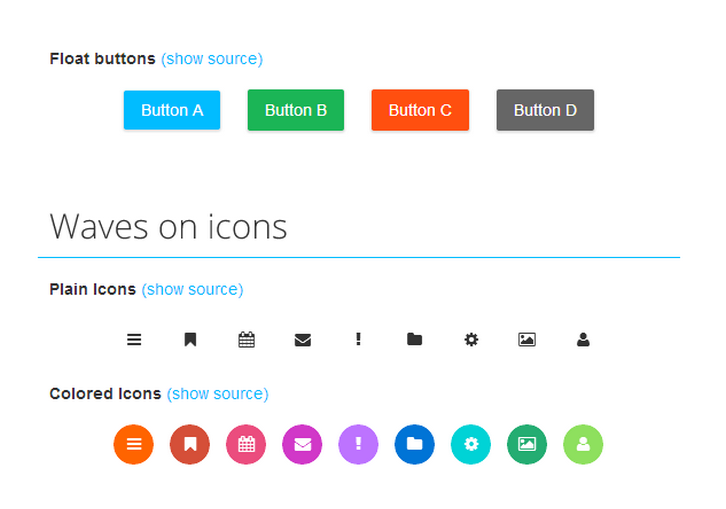
Waves is click effect inspired by Google’s Material Design. It’s easy to use Waves. Download the latest version of Waves from Github repository. Just include waves.min.css and waves.min.js to your HTML file. And Waves is ready to use.
Waves works in latest modern browser (i.e. Chrome, Firefox, Opera and Safari) and also IE10+. Waves is partially support mobile device by using touchstart and touchend event. Waves currently in beta version. It’s still buggy, and lot of changes will happen until it reach general available state.
Requirements: JavaScript Framework
Demo: http://publicis-indonesia.github.io/Waves/
License: BSD License
All the major social networks have their own share buttons but they are slow-loading, and inject a lot of extra javascript onto your page that’s not needed which makes your page slower. They don’t look sexy and fit nicely with your site like you want, and you can’t change how they look.
Share Button is a simple, light, flexible, and good-looking share button jquery plugin. It doesn’t load any iframes or extra javascript and overall load time is tons faster. It looks simple and clean by default, and can be customized in any and every way. It’s tiny and compact, expanding only when the user actually wants to share something.

Requirements: jQuery Framework
Demo: http://carrot.github.io/share-button/
License: License Free
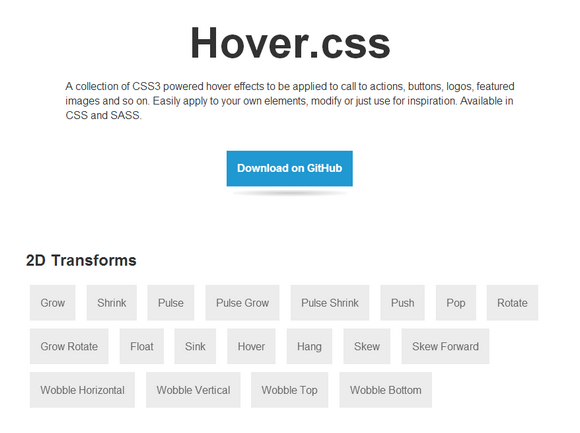
Hover.css is a collection of CSS3 powered hover effects to be applied to call to actions, buttons, logos, featured images and so on. Easily apply to your own elements, modify or just use for inspiration. Available in CSS and SASS.
All Hover.css effects make use of a single element (with the help of some pseudo-elements where necessary), are self contained so you can easily copy and paste them, and come in CSS and SASS flavours. Many effects use CSS3 features such as transitions, transforms and animations. Old browsers that don’t support these features may need some extra attention to be certain a fallback hover effect is still in place.
Requirements: CSS3
Demo: http://ianlunn.github.io/Hover/
License: MIT License
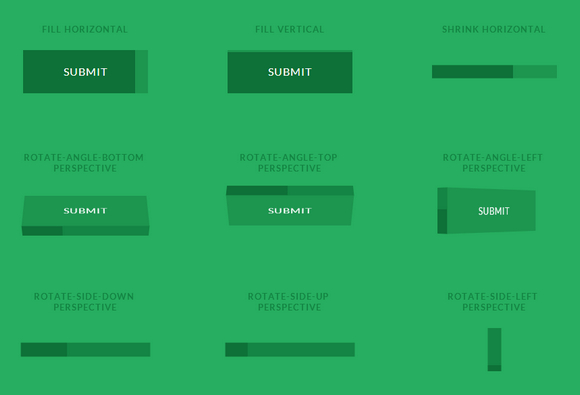
Progress Button Styles is a set of flat and 3D progress button styles where the button itself serves as a progress indicator. 3D styles are used for showing the progress indication on one side of the button while rotating the button in perspective.
Please note that they are using transitions on pseudo-elements which are still not supported in some browsers (e.g. Safari and Mobile Safari). Also note that we need transform-style: preserve-3d support for the 3D styles, which neither IE10 nor IE11 support.
Requirements: –
Demo: http://tympanus.net/Development/ProgressButtonStyles/
License: License Free
Bulletproof Email Buttons Generator helps you design gorgeous buttons using progressively enhanced VML and CSS. You can change the background text, background image, background color, border width and color easily as well. You can also create rock-solid background images in emails too. �

Requirements: –
Demo: http://www.campaignmonitor.com/resources/buttons/
License: License Free
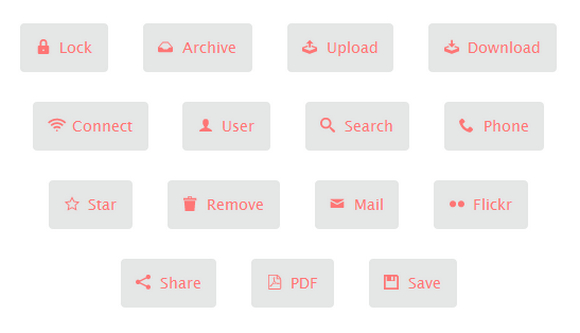
Loda Button is a simple jQuery plugin animates the button’s icon as the data are being fetched from the server. The classes loda-btn and loda-icon are used by the plugin to style the button. The styling is quite simple and done in loda-button.css. The animation is created using CSS3’s animation, transitions and transforms, which are supported by Chrome, Firefox, Opera, and IE10.
Requirements: jQuery Framework
Demo: http://lugolabs.com/blog/2013/06/23/loda-button
License: License Free
Codrops has shared some Creative Button Styles for our inspirations. This button set consists of some simple, creative and subtle styles and effects to inspire you. The effects can be seen when hovering on some buttons and clicking on others. Mostly, CSS transitions are used but also CSS animations and for some buttons we use a bit of JavaScript to add/remove effect classes.

Requirements: CSS
Demo: http://tympanus.net/Development/CreativeButtons/
License: License Free
Ladda is a set of buttons which merge loading indicators into themselves to bridge the gap between action and feedback. It’s a UI concept which merges loading indicators into the action that invoked them. Primarily intended for use with forms where it gives users immediate feedback upon submit rather than leaving them wondering while the browser does its thing.

Requirements: JavaScript Framework
Demo: http://lab.hakim.se/ladda/
License: MIT License







