Beautiful web pages aren’t always enough to keep a visitor engaged. In fact, if a site’s UI and UX aren’t carefully designed, visitors aren’t apt to stay around for long.
Consequently, there’s a huge and ever-growing demand for UX designers. Salaries that are in keeping with the demand make the thought of diving into UX an attractive one.
If you’ve already gone this route, you need to understand the importance of having the proper UX tools. You need to know what they are, and what they do. These tools include support collaboration, prototyping, interactive design, and user testing.
User flow diagrams make up an important piece of the puzzle. So does the ability to tweak specific design elements. These can be changed during the design phase and after product deployment.
Here are 7Â top UX tools, any one of which can make your work life a lot easier.
1. Mason
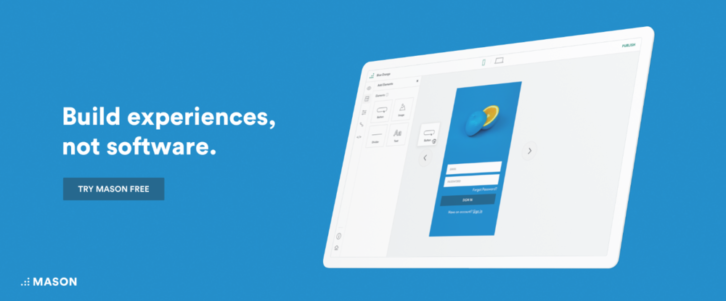
Mason’s simple visual interface enables you to design real digital and software features without having to resort to building mockups or prototypes, and the overhead expenses they sometimes entail when handed over to engineering for comments and feedback.
Mason allows you implement your design exactly as you built it, all without a single line of code. The QA process involved in ensuring that the final product matches the design is eliminated, and you can make edits and changes immediately via the Mason platform, and watch them go live in real-time.
This is a radically different way to build, modify, deploy, and maintain desktop and mobile features. Radically doesn’t mean complex or difficult either. Mason’s creators have followed the best design practices and solutions. Mason’s feature-building process is straightforward, and you’ll realize significant savings in time and overhead expenses, and the team collaboration process will be smoother and more efficient and effective.
Another of Mason’s benefits is that it doesn’t lock you into specific platforms or hosting environments. You can simply work with a tech stack that makes the most sense to you.
2. Overflow
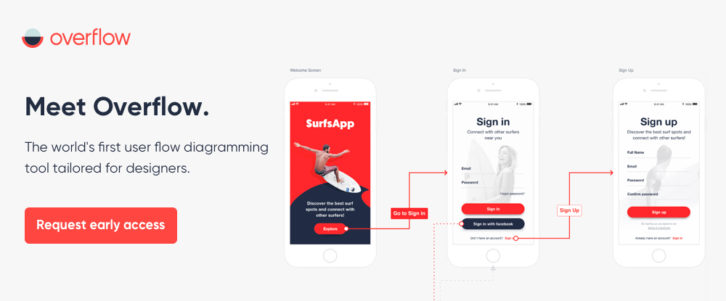
Most of you would agree that designers find it difficult to tell a story with their designs, and to communicate their design thinking process to convey the message they want. Not anymore. Overflow is the first-ever user flow diagramming tool created specifically for designers.
It gives designers and product managers the flexibility to present their ideas in an impactful way, by navigating between their screen designs comfortably and focusing on the details when needed. Overflow is a cross-platform tool that integrates seamlessly with the most popular design tools, allowing designers to design, present, share & print their user flows, all in one place.
So in other words, Overflow makes designers look good and keeps their audience captivated so that they can follow the story throughout the entire user journey.
Overflow is currently available in private beta. Check out the above link for early access. Read the rest of this entry »
Finding just the right WordPress website builder to fit you needs can take time. First, you must determine what it is you want. Then you must take the time to research what’s available. Your research may require the skills of a Sherlock Holmes since you often need to read between the lines or request a trial offer to determine what a website builder is genuinely capable of.
Even then, you may have to settle for a compromise. The product may be of superior quality but is lacking in one or more important features; or it may be loaded down with features (including many you may never use), but you’ll have to sit through six hours of tutorials before you can even get it operational.
You can avoid all the searching, researching, free trials, and trying to live without certain features by going with #1 – Elementor.
1. Why Choose Elementor?
Elementor makes website building painless and effortless, but it does so without placing any design constraints on its users. It does what you tell it to without ever begging for a line of code to help get the job done.
This #1 WordPress website builder gives you all the design flexibility you’ll ever need. Whether you come across a client who has no idea what to ask for, or a very demanding, fabulously- creative client, neither one will be a problem for you.
You have full control over customizing your layouts, full access to the necessary design elements and features, you do your design work on the frontend, and you can see the results of your efforts instantly and in real time.
Elementor 2.0 is even better! 2.0 will be released incrementally over the remainder of 2018 with some great surprises in store. Elementor’s 600,000+ customer base is expected to increase dramatically. Read the rest of this entry »
Today I would like to introduce Codester. Codester is an online platform for buying and selling web development assets like scripts, app templates, themes, plugins and graphics. These assets make any developer or designers life a lot easier as they can help to reduce development time a lot.
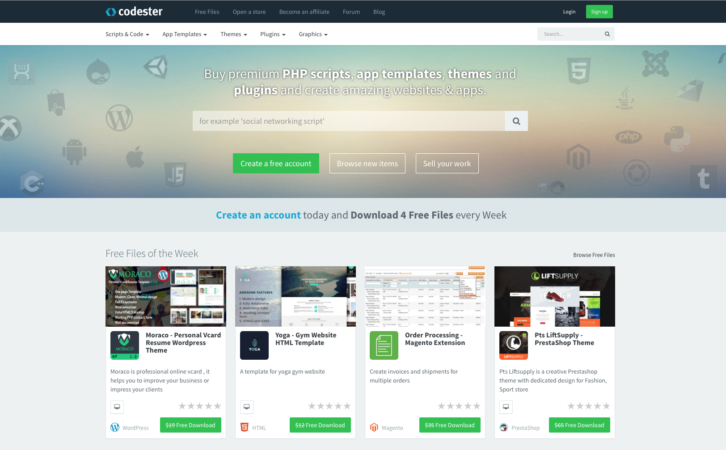
Codester is not the first platform that offers ready to use web development assets and is also not the biggest, but they have a great unique selection of items that are not available anywhere else. They have by far the best payout rate for sellers, which results in a lot of professional developers who normally ignore marketplace platforms  to turn to Codester to sell their work. Codester is gaining a lot of traction and is growing quickly.
Scripts & Code
Starting from the scripts and codes that are available on the website for the most programming languages such as PHP, JavaScript, CSS, Python, Java, Ruby, C and C++, C# and VB.NET. Each of these languages has subcategories and include scripts that can be used to add valuable features to any website. Each of which adds a value to your website. Read the rest of this entry »
WordPress has many pluses, but it’s not necessarily the most glamorous platform to work with. Still customize it with themes and plugins to fit a designer’s needs has made it the most popular CMS.
Plugins are great to have access to when you need to embed certain functions into your websites. There are a great many to choose from, and you can even have one developed that is customized to fit a particular need.
The main problem with plugins is the sheer number that are available. When you look for one to fill a special need, you may come across several that seem to fill the bill. Finding the best of the lot can be a challenge. To make life a little easier, we’ve chosen some of the best WordPress plugins out there that you can use to add key functionality to your websites.
9 Top WordPress Plugins
wpDataTables
wpDataTables provides a host of data management functionalities. For instance, tables you create with it can be made editable. Editing in wpDataTables is no more difficult than editing in Excel, and the tables can be very large. wpDataTables can work quickly when confronted with large amounts of data. All the data management functions associated with a given table are handled by the MySQL server.
The tables you create will be natively responsive, so you needn’t be concerned as to how they will display on various device types. Furthermore, the tables you create can be used as sources for creating charts. Just as the tables themselves are editable, the charts can be changed in real time to reflect up-to-date data and results.
A truly beneficial feature of wpDataTables is the ability to highlight cells, rows, and columns of data, in relationship to their content. By visiting the website, you can view the full range of this plugin’s features and capabilities.
Content Timeline
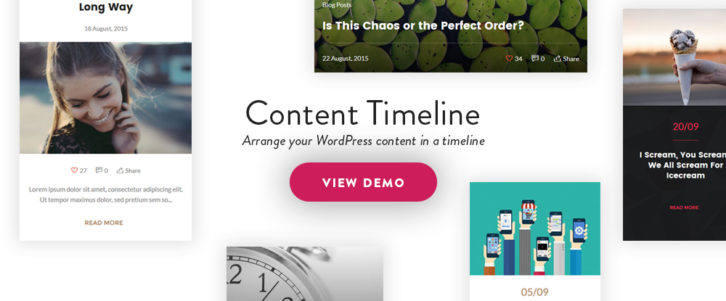
Content Timeline is a handy WordPress plugin to have if you want to display content in a sliding timeline. Content Timeline is responsive, and since it’s fully customizable, you can drag and drop to sort, add, or delete items of content as you like.
Should you need to edit an item in a timeline, you can edit it in its own window. 12 customizable Card Layouts are included to add a cool look to your timelines, or you can create a card from scratch.
Features you can easily incorporate into your timelines, include Swipe functionality, sorting by year, month or category (great for timelines of your posts), and dynamic loading of new posts. Content Timeline even makes it possible to display your posts in a slider. Users have given this plugin nearly solid 5-star ratings. Read the rest of this entry »
This article will be interesting to all Monstroid fans, all curious nerds who want to be the first and know about all innovations and inventions taking place in web design and development field, and just to thrifty entrepreneurs who never pass by a lucrative bargain.
2016 was a special year for TemplateMonster.com. The guys improved their products considerably, so now they match even higher quality standards. The team made deeper niche analysis, totally overhauled Cherry Framework, developed their own WordPress plugins, and switched to the GPL license.
Monstroid 2 can be called a result of all these as well as other positive changes.

This product combines the best practices of company work and makes an outstanding start for 2017.
TemplateMonster gives you a brilliant opportunity to try out this multi-purpose WordPress theme before the official release. Pre-order it for a reduced price now, and they’ll send Monstroid 2 alpha version right to your mailbox.
Want to pre-order Monstroid 2 right now? Click here.
To view its live demo follow this link.
Read on to know more details about this remarkable product. Read the rest of this entry »
If you are reading this article, you most likely have worked with a tech company or startup. You’ve noticed that this niche has its own rules. And you probably had to answer some hard questions. What’s the audience’s main treat? What’s the suited design style for tech clients? Do web design trends matter in this domain?
We gathered some answers to those questions that will help you in the future. We’ve also analyzed ten tech related pre-built websites. Using them will save you valuable time.
When Designing for Tech Companies, Following Current Trends is Essential
The educated Internet user will quickly decide if your website is hot or not. Trends are not only a matter of fashion, but using them transmits a message of freshness and coolness. Here are some of the most important trends that you should follow when designing for tech companies:
- Use Flat Icons – Drop the shadows, skip the gradients, and avoid the clever special effects. In other words, go “all Appleâ€. It’s the best way to engage your tech client’s clients – simple is best.

When working on a tech-related website, it’s all about fine touches.
- Use Bold Colors. You may have your favorite color schemes, but be prepared to let them go. Bold colors are hot for these types of websites. Look for color combinations that are fresh, dynamic, but not too noisy.
- Work on Your Own Data Visualization. Using data-driven elements needs to be your goal. Tech clients feel a need to communicate various types of data on their website. With data driven elements you can work on your own visualization schemes and not those that involve working with other software.
- Typography. in-browser fonts that are built for all screens, to be precise. Needless to say, an expressive, typography font should be delivered to all types of screens. Read the rest of this entry »
First of all, how exactly do you intend to present your design, or elements of it, to others, or test the UX? With a prototype of course, but there are also wireframes and mockups to consider. All three serve a purpose, but they are not one and the same. The problem is, the names are used often incorrectly.
So, let’s set things straight so you’ll know what to try and buy.
- A wireframe is a low-fidelity depiction of a design. A wireframe can say a lot about a design, but it is a static model. A wireframe cannot simulate a product’s look and feel.
- A mockup is one step up. A mockup typically provides much more information than a wireframe. Although interactive elements can be embedded in a mockup, it is a static representation. As such, a mockup is suitable for seeking feedback, but not for UI testing.
- A prototype is dynamic. A prototype will not only simulate the proposed end product, or certain functions of it. It will simulate the look and feel of the proposed design, and serve as a platform for usability testing.
Most designers create their prototypes in a three-step process.
1) They sketch out page flows. These show how a user might navigate the site or application.
2) They produce low-fidelity versions of each page which are individually tested for usability.
3) From lessons learned from testing, the high-fidelity, interactive prototype is created.
One of the following prototyping aids should be just the right solution for you.
Prototyping Tools that can Streamline Your Design Activity
InVision

InVision enables designers, developers and their teams to produce high-fidelity prototypes to review, refine, and user test their web and mobile product designs, all without requiring a single line of code.
This prototyping and collaboration platform is highly recommended by Forbes, who has designated InVision as one of the premier cloud companies in the world. InVision’s always-on platform turns static designs into interactive prototypes, speeding up the collaboration and feedback process, saving you valuable time and money.
The project management tools you need to share information while maintaining version control are there as well. Pixel-perfect prototypes, that have the look and feel of the final app or website you’re envisioning, can be built with ease. You can also conduct an unlimited number of usability tests with real users at no charge.
Sign up for a free trial today, and you’ll discover why over 2 million users have adopted this platform. InVision is driving design for some of the world’s smartest companies, including Twitter, Shopify, and LinkedIn. Now is your chance to design better, smarter products more quickly.
Pidoco

Pidoco is easy to learn and easy to use. It’s a nice solution for a team that wants to get rolling quickly. If click-through wireframes are what you need, or even a sketch, or a low-fi prototype, this tool gets it done, but where it really shines lies in the creation of fully-interactive UX prototypes.
Pidoco’s smart template feature offers a building block approach that allows your prototyping activity to move along at a rapid rate. Exports and specs is another useful feature. You can create specification documents to give to your team, or to your client for signoff, with the click of a button, and you can export your prototypes as PNG or vector files, or even as HTML.
Whether it’s for a website or an app, Pidoco can definitely speed up your design process and workflow, and deliver better designs at the same time. Read the rest of this entry »
We are excited to bring your attention to the most recent update of Monstroid – a multipurpose WordPress theme packed with premade designs, tools for developers, plugins, and many other awesome features.
We have already featured Monstroid in one of our posts, and even hosted a giveaway. Today you have a unique opportunity to save 40% on this theme – learn the terms of the discount at the end of this post. Right now, we want to introduce you to what’s new in Update 1.1.3 for the owners of Monstroid.
5 New Child Themes to Choose From
In addition to 40+ existing child themes you receive 5 absolutely new designs suitable for a broad range of website topics. What these themes have in common is the professional code, attention to detail and rich functionality powered by numerous original Monstroid plugins. Check out all of them in our overview, or take a closer look at the entire gallery of child themes on the official website.
Hang Gliding
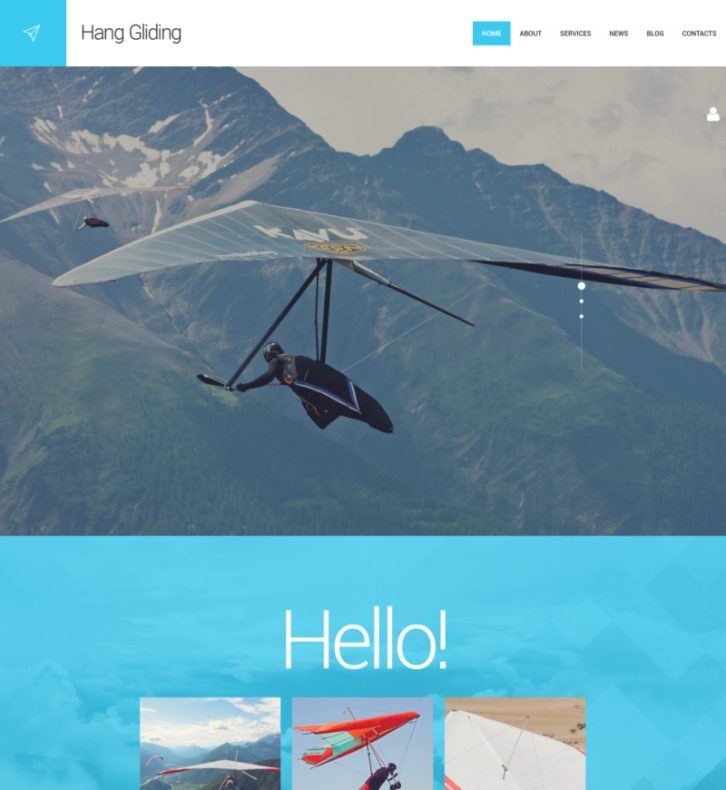
Hang Gliding is an image-rich WordPress theme with a full-width layout and a stick-to-top mega menu. The uppermost part of its homepage includes a large slider with a creative, minimalist navigation bar. The homepage itself is divided into separate content blocks, each serving its own specific purpose. Here you will find nicely designed company service lists illustrated with icons, contact forms, a timeline with the latest events covered on your website, social media buttons, and more. There is also a customizable Google Map, which can be used to indicate the location of your office to the clients.
LIVE DEMO | MORE INFO
Arch
Arch is a versatile responsive business WordPress theme created with architecture and real estate companies in mind. It boasts a wide responsive layout composed of flat and image-based content areas enhanced with various visual effects. You can change the color scheme or replace the images to make the design unique. This theme features clean lines, large fonts and buttons, integrated Google Maps and modern ghost buttons. The convenient menu is minimized into a hamburger button, and is supplemented with a back-to-top button. Read the rest of this entry »
Do you often find yourself struggling to find the right graphic asset to complete your projects? How does access to 5000+ highly curated fonts, graphics templates, icons, UI kits and much more for just one low monthly price sound?
Envato Elements promises all this and more. Just launched, it offers top quality handmade items created by a global network of independent designers. Regularly updated to include new content daily and plans to rapidly expand the item categories to match demand. Each item you download is covered by a broad commercial use license giving you peace of mind for client projects.


And if you decide it’s not for you simply cancel your subscription at any time.
Don’t miss your chance at special launch pricing just $29/month for unlimited downloads of all 5000+ items.
Have you ever stopped to look back at what your job was like 10 years ago? It’s common knowledge that web designers’ responsibilities have changed over the years.
In the past, you either needed some serious coding skills to be a website designer, or you had to rely on coding help from others. You needed creative skills as well. That need hasn’t changed. Your creativity is now focused on design and visualization, with a touch of marketing expertise thrown in. You also need to have a basic understanding of how WordPress works.
All this hasn’t made your work any easier. It may in fact be harder. To be competitive, you have to keep up with the the latest design trends and constantly work at improving your design skills.
You have the tools you need, but it’s how you use them that adds value to a project.
Read this article to discover how buying a 0.28$ website, like this one, will be the smartest purchase you’ll make this month.
When you buy a WordPress theme, are you really paying attention to the value for money?
A WordPress theme can be one of the most useful products you can buy to build a website. WordPress themes relieve you of most of the technical aspects of building a website. And you can concentrate on creativity, making smart design choices, and working with your clients.Â
Most WP themes do this for you, but some contain features you don’t need. Or features you need, but require hours of learning. For efficiency’s sake, you would greatly prefer a WP theme that offers most of what you need, and little or nothing more.
That’s what value for money is all about. Purchasing a product that offers the most in efficiency and effectiveness. In other words, a smart buy. Read the rest of this entry »







