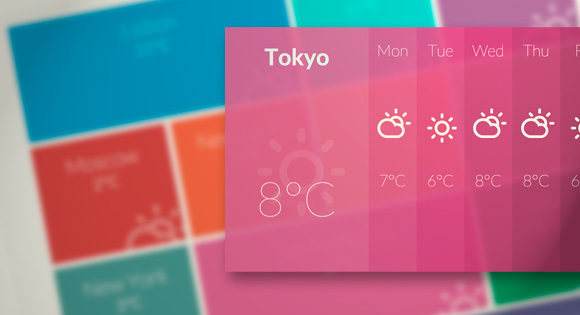
Hugo Giraudel offered a great overview of the CSS clip property and the rect() function. Codrops has published a tutorial: Putting CSS Clip to Work – Expanding Overlay Effect, which is going to create a neat and simple effect for revealing some extra content and expanding a fullscreen overlay.
The article will teach you how to leverage the CSS clip property to make a smooth transition when clicking on a box element. The idea is to show some kind of overlay as if it’s actually underneath the respective element. Clicking an element will create a cut-out effect, revealing another layer that will expand.
Requirements: CSS
Download Link: http://tympanus.net/Tutorials/ExpandingOverlayEffect/
License: License Free
Web Lab is made of up 5 Chrome Experiment installations that bring the extraordinary workings of the internet to life and aims to inspire the world about the possibilities of the web.
The installations make up a year-long public exhibition at the Science Museum, London and can be interacted with by anyone, anywhere at chromeweblab.com.
Worldwide visitors both on and offline will be able to make music with people across the world; launch information into cyberspace and see where images on the web live; watch their portrait being processed, translated, and then drawn in sand by a robot; and travel instantly to far away places all over the world.

Source: http://www.chromeweblab.com/
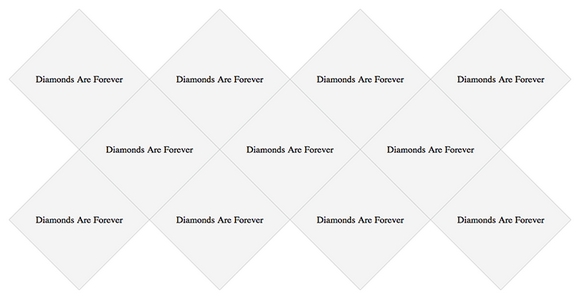
With the continued adoption of advanced CSS by browsers, we are starting to have the ability to do more and more using just CSS. As we have seen, you can make all kinds of crazy shapes with only CSS. On a recent client project, Trevor Davis has created a grid of diamonds with CSS and shared the tutorial: Who Says the Web is Just for Squares?
He is using Modernizr to detect if the browser supports CSS3 Transforms. And, he is using Sass and Compass for all of the CSS. You may now go forth and make some creative layout with different shapes.
Requirements: Sass and Compass CSS
Download Link: http://davist11.github.com/css-diamond-grid/
License: License Free
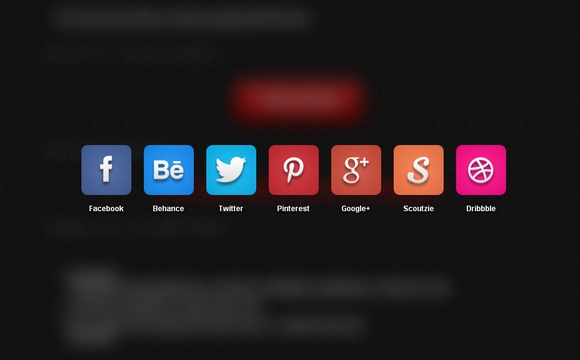
#50C1AL is a jQuery Plugin for Listing accounts and Sharing page. There are some options for animations like launchpad, launchpadReverse, slideTop, slideRight, slideBottom, slideLeft and chain effect.
It supports blogger, delicious, digg, facebook, friendfeed, google, linkedin, myspace, pinterest, reddit, stumbleupon, tumblr, twitter, windows and yahoo. You can also make the background blur easily as well.
Requirements: jQuery Framework
Download Link: http://tolgaergin.com/files/social/
License: License Free
Modern browsers like Internet Explorer 10 are implementing stable versions of some interesting HTML5 features, including the offline, drag and drop and file APIs. These features are bringing us a new era of Web applications and fresh, quickly emerging gaming scenarios. In this two-part article, I’ll show how I used these new features to modernize my last HTML5 game, HTML5 Platformer. In this article, I’ll cover hardware scaling and CSS. In Part 2, I’ll cover the offline, file and drag-and-drop APIs. I hope you’ll get some great new ideas for your own games!
Note The URL demo is at the end of this article. Feel free to play using your favorite browser, and check out the Internet Explorer 10 gameplay video. The source code will be available for download in Part 2.
Scaling Across Devices
If you’re building an HTML5 game, you’re probably interested in the cross-platform nature of this standard programming language. But compatibility with a broad variety of devices means you have to take into account a huge number of resolutions. Compared to SVG, Canvas—at first—seems ill-prepared to handle this.
However, with a casual game based on sprites, there is a simple solution to implement. David Catuhe has done a great job of describing this on his blog, Unleash the power of HTML 5 Canvas for gaming – Part 1 (see the section called “Using the Hardware Scaling Feature†for specifics).
The idea is as simple as it is smart. You’re working inside a canvas at a fixed, predictable resolution, and you’re stretching it to the current displayed resolution using the canvas.style properties. Read the rest of this entry »
Vagrant is a tool for building complete development environments. It helps you create and configure lightweight, reproducible, and portable development environments. With an easy-to-use workflow and focus on automation, Vagrant lowers development environment setup time, increases development/production parity, and makes the “works on my machine” excuse a relic of the past.
Vagrant remains and always will be a liberally licensed open source project. Each release of Vagrant is the work of hundreds of individuals’ contributions to the open source project. You can download and install Vagrant within minutes on Mac OS X, Windows, or a popular distribution of Linux. No complicated setup process, just a simple to use OS-standard installer.
Requirements: –
Download Link: http://www.vagrantup.com/
License: MIT License
ThingLink helps you create and discover rich images. Make your images come alive with music, video, text, images, shops and more. Every image contains a story and ThingLink helps you tell your stories. Follow image channels from your favorite bands, bloggers and friends.
Uploading images to your account is easy. Upload them straight from your hard drive or import from the web, Flickr or Facebook. You can add links to every site imaginable inside a ThingLink image. User can also comment on images you like, and follow image channels of creative.

Requirements: –
Download Link: http://www.thinglink.com/
License: License Free
Dropzone.js is an open source library that provides drag’n’drop file uploads by simply including a java-script file. It views previews of images and you can register to different events to control how and which files are uploaded.
It supports Chrome 7+, Firefox 4+, IE 10+, Opera 12+ and Safari 5+. For all the other browsers, dropzone provides an oldschool file input fallback. It is released under MIT License.

Requirements: jQuery Framework
Download Link: http://www.dropzonejs.com/
License: MIT License
Email is how you keep in touch with friends and family across the country. Unfortunately, important messages are often hard to find among everything else that’s crowding up your inbox.
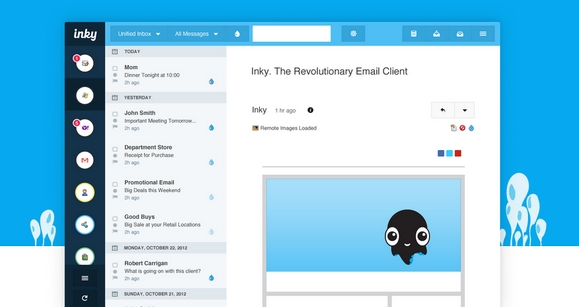
Inky saves you time by displaying all your email messages in one place sorted by relevance. As soon as you sign in for the first time, Inky goes to work figuring out what mail is important to you and helps you find it by placing it above all the other clutter. Inky is customizable and can sort and filter by all the usual criteria as well.
Whether you have one account or five, Inky provides a new, refreshingly simple interface to check all your mail. From one click unsubscribe to package tracking, Inky’s smart tools help you get things done and get on with your life. Inky represents a fresh take on email. Enjoy your email again.
Requirements: Windows and Mac
Download Link: http://inky.com/
License: License Free
Charts are a great visual aid when presenting data. You can’t build a professional admin panel without them. They are also tricky to set up. However, there is a new library that makes things easier – xCharts.
TutorialZine has published an article: Make Pretty Charts for Your App with jQuery and xCharts, that used xCharts along with the daterange picker for Twitter Bootstrap, to build a pretty, AJAX-powered chart for your web application that fetches data from a MySQL table.
Requirements: JavaScript and MySQL
Download Link: http://demo.tutorialzine.com/2013/01/charts-jquery-ajax/
License: License Free







