Really Good Emails said “Some people have explained to them that is like a modern-day museum, full of the emails that they probably deleted. Then our parents ask why we would keep stuff that people actively delete… which is followed with a different analogy they don’t really understand. It is s vicious cycle. Really Good Emails is a website where hundreds of thousands of emailers come to get inspired to be better but probably just come to procrastinate doing their own work. We are okay with that. Whatever gives people their jollies. We are glad that we can be part of that improvement/laziness in their lives.”

Requirements: –
Demo: https://reallygoodemails.com/
License: License Free
Mixmax Sequences is easy, powerful drip campaigns for Gmail, Google Inbox, and Salesforce. You can easily add contacts, prospects or recruits to your outbound campaigns. Customize messages with variables to keep a human touch. If you’re in Salesforce – add any contact or lead to a Sequence directly. You can also save time by setting up follow-ups that automatically send based on triggers. Best of all, you can get instant stats for all your sequences, even by stage. Opens, clicks, downloads, replies, bounces — you’ll know exactly how you and your team are performing to start perfecting your messaging.

Requirements: –
Demo: https://mixmax.com/sequences
License: License Free
Their mission at Front is to help people communicate better. Usually, it means building the best communication software possible, but today they are doing something different. They are releasing a collection of emails that we think have great copy called Good Copy, so the everyone can get inspiration for their own communication.
You never have too many examples. The approach is really focused on the copy, not the design of the emails.That’s why it’s plain text: easy to search, easy to copy and paste the content and adapt it to your own “style”!

Requirements: –
Demo: http://www.goodemailcopy.com/
License: License Free
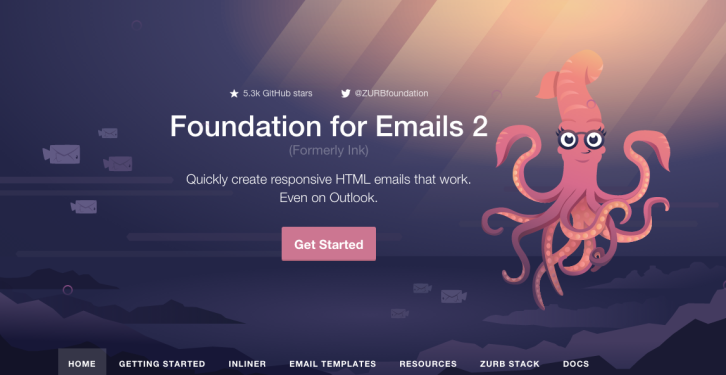
We know building HTML emails is hard, especially responsive emails. That’s why ZURB created Foundation for Emails. Get away from complex table markup and inconsistent results. Use Foundation for Emails to spend less time coding emails, and more time on other things, like building amazing products.
Making a marketing or promotional email? Drip campaign? Transactional email? Foundation for Emails is the framework that can help you easily build emails for any use case. Choose from 10 responsive HTML templates to start from that are tested on mobile and desktop versions of Outlook, Gmail, Apple Mail and more.
Requirements: –
Demo: http://foundation.zurb.com/emails.html
License: License Free
MJML is a markup language designed to reduce the pain of coding a responsive email. Its semantic syntax makes it easy and straightforward while its rich standard components library fastens your development time and lightens your email codebase. MJML’s open-source engine takes care of translating the MJML you wrote into responsive HTML.

Requirements: –
Demo: https://mjml.io/
License: MIT License
N1 is an open-source mail client built on the modern web with Electron, React, and Flux. It is designed to be extensible, so it’s easy to create new experiences and workflows around email. N1 is built on the Nylas Sync Engine which is also open source free software. Plugins lie at the heart of N1 and give it it’s powerful features. Building your own plugins allows you to integrate the app with other tools, experiment with new workflows, and more.
N1 is compatible with hundreds of email providers, including Gmail, Yahoo, iCloud, Microsoft Exchange, and more. It’s a desktop app that can run offline, and feels great on Mac, Windows, and Linux. N1 is for everyone. N1 is designed for extensibility, and includes a JavaScript plugin architecture that enables anyone to create powerful new features. Plugins can add buttons, sidebars, composer elements, or remix the entire UI. And if plugins aren’t enough, the N1 codebase is also open source free software. Developers, start your engines.

Requirements: –
Demo: https://www.nylas.com/N1/
License: GPL v3 License
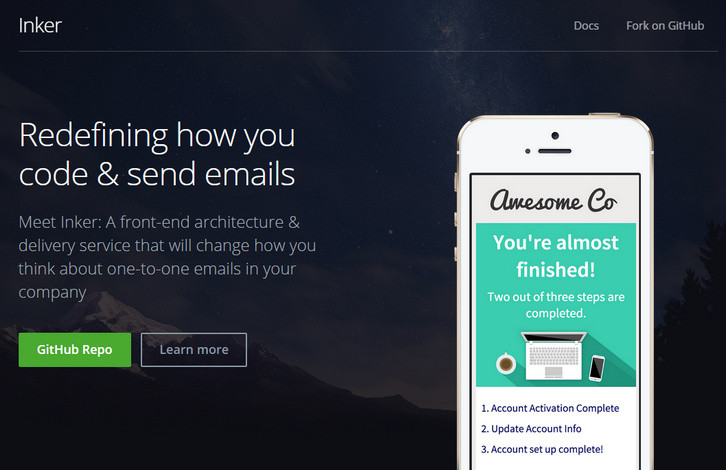
Inker is an open source front-end architecture & delivery service that will change how you think about one-to-one emails in your company. Inker takes you from coding to sending, keeping it centralized
so that your team stops losing time over emails & can focus on more important things.
Inker keeps your email code clean & gives you the tools to test faster. Free templates for transactional emails (forgot password, receipts, account creation). Inker uses Zurb Ink to provide you with a superior responsive CSS framework: you get all the goodies + a Sass component oriented structure.
Requirements: –
Demo: http://inker.position-absolute.com/
License: MIT License
The InboxSDK is a high level Javascript library used to easily build browser extensions that interact with both Gmail and Inbox by Google. It provides all of the necessary APIs to create full-fledged applications directly inside Gmail and Inbox. Because the SDK is fully maintained and evergreen, you’ll never be forced to maintain your app.
With InboxSDK, you interact with simple high level classes like ComposeView. You call straightforward methods (like adding buttons or getting the subject) on the class and the SDK abstracts the entire DOM away from you.

Requirements: –
Demo: https://www.inboxsdk.com/
License: License Free
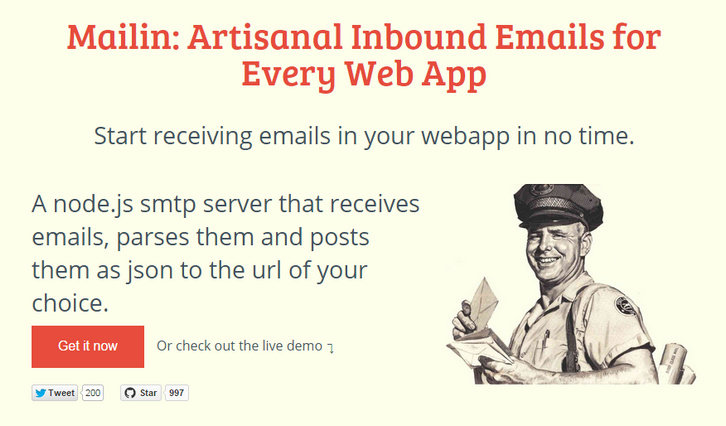
Mailin is a A node.js smtp server that receives emails, parses them and posts them as json to the url of your choice. It checks the incoming emails dkim, spf, spam score (using spamassassin) and tells you in which language the email is written.
Mailin can be used as a standalone application directly from the command line, or embedded inside a node application. Mailin relies heavily on the excellent work of @andris9 for the smtp and mail parsing services.
Requirements: Node.js
Demo: http://mailin.io/
License: MIT License
What makes a truly standout email newsletter? In this year’s edition of the Top 100 Email Marketing Campaigns of 2014, Campaign Monitor went beyond simply good looks and presented 100 of the best performing emails from their customers, on a stunning new site.
In this free guide, you’ll see Top 100 Email Marketing Campaigns of 2014 presented with no details spared. Each of the email campaigns comes with thoughtful analysis, subject lines, designer details and a mobile view (where applicable). Across 5 categories, being “All-Stars”, “Design Leaders”, “Nonconformists”, “Optimization Experts” and “Top Performers”, you’ll find designs from household names like Buzzfeed, Rip Curl and UNICEF, agencies like Saatchi & Saatchi, as well as respected, design-oriented companies like Realmac, Panic and more.

Requirements: –
Demo: https://www.campaignmonitor.com/guides/best-email-marketing-campaigns/
License: License Free







