ScrollReveal.js is a library to easily reveal elements as they enter the viewport. It’s very small in size, as its weight is roughly 3Kb if minified and gzipped. It has no dependencies, so you don’t need to add other libraries to use it like jQuery. In addition to the nice effects it supports, what I really like about this library is that you can use natural language to define the animation you want to run. ScrollReveal supports 3d rotation out of the box, but you may want to emphasize the effect by specifying a perspective property on your container.

Requirements: JavaScript Framework
Demo: https://scrollrevealjs.org/
License: MIT License
Toshi is a complete implementation of the Bitcoin protocol, written in Ruby and backed by PostgreSQL. It provides a RESTful API that is ideal for building scalable web applications or analyzing blockchain data.
Toshi is designed to be fully compatible with Bitcoin Core. It performs complete transaction and block validation, and passes 100% of TheBlueMatt’s regression test suite. For much of the core protocol logic, Toshi makes use of the bitcoin-ruby library written and maintained by Julian Langschaedel.
Toshi was built at Coinbase, with the goal of replacing our core Bitcoin network infrastructure in the near future. It is currently in beta, and not recommended for production use until it has received sufficient testing from the Bitcoin community.

Requirements: bitcoin-ruby library
Demo: https://toshi.io/
License: MIT License
Layers CSS is Lightweight. Unobtrusive. Style-agnostic. Build your look on the web, not Twitter’s – and build it fluid. Layers CSS is a CSS framework aimed for practical use cases. It comes with a small footprint and zero bullshit.
- Normalizations & sensible defaults
- Fluid grid + progressively enhanced columns
- Preserves native form styles by default
- No px definitions
- No colors, no borders, no rounded corners
- No dependencies

Requirements: –
Demo: http://eiskis.net/layers/
License: MIT License
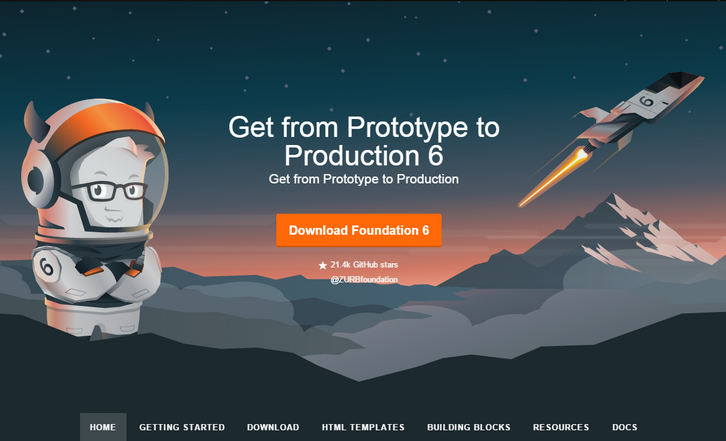
Foundation for Sites 6 has been designed to get your project from prototype to production more efficiently than ever before! It includes a wide range of modular and flexible components that are easily styled. These versatile and lightweight building blocks make it easy to bring your ideas to life. Total filesize of every component and class now weighs in at 60KB CSS & 84KB JS, with plenty of room to make them even smaller when selectively removing unused components.
All code snippets come with ARIA attributes and roles along with instructions on how to properly use these components. This helps ensure that every website built on Foundation 6 can be used anywhere, on any device, by anyone. The base styles act as a coded wireframe rather than a final design. Simpler CSS styles allow you to more easily modify them to fit your brand.
Requirements: –
Demo: http://foundation.zurb.com/sites.html
License: MIT License
jQuery DrawSVG uses the jQuery built-in animation engine to transition the stroke on every inside the selected <svg> element, using stroke-dasharray and stroke-dashoffset properties. It weights less than 2KB minified and 800 bytes gzipped. It’s easy to use with easing and stagger support. Best of all, it’s completely Free!

Requirements: jQuery Framework
Demo: http://lcdsantos.github.io/jquery-drawsvg/
License: MIT License
Cropper is a simple jQuery image cropping plugin. It supports options, methods, events, touch (mobile), zoom, rotation, scale (flip), canvas, multiple croppers and Cross-browsers. The outputted cropped data bases on the original image size, so you can use them to crop the image directly. If you try to start cropper on a cross-origin image, please make sure that your browser supports HTML5 CORS settings attributes, and your image server supports the Access-Control-Allow-Origin option. It has been tested on Chrome, Firefox, Internet Explorer 8+,Opera, Safari.

Requirements: jQuery Framework
Demo: http://fengyuanchen.github.io/cropper/
License: MIT License
Simply put, CSSgram is a library for editing your images with Instagram-like filters directly in CSS. What we’re doing here is adding filters to the images as well as applying color and/or gradient overlays via various blending techniques to mimic these effects. This means less manual image processing and more fun filter effects on the web!
They are using pseudo-elements (i.e. :after) to create the filter effects, so you must apply these filters on a containing element (i.e. not a content-block like <img alt=”” />). The recommendation is to wrap your images in a <figure> tag.

Requirements: CSS
Demo: http://una.im/CSSgram/
License: MIT License
Grav is a Fast, Simple, and Flexible, file-based Web-platform. There is Zero installation required. Just extract the ZIP archive, and you are already up and running. It follows similar principles to other flat-file CMS platforms, but has a different design philosophy than most. Grav comes with a powerful Package Management System to allow for simple installation and upgrading of plugins and themes, as well as simple updating of Grav itself. The underlying architecture of Grav is designed to use well-established and best-in-class technologies to ensure that Grav is simple to use and easy to extend.

Requirements: –
Demo: http://getgrav.org/
License: MIT License
Codrops has just published a Page Stack Navigation template for a simple page stack navigation based on the Dribbble shot by Ilya Kostin, Stacked navigation. The idea is to show a navigation when clicking on the menu button and transform all pages in 3D and move them to the bottom of the viewport. The next two pages are shown in the back of the current page as a stack. When clicking on a menu item, the respective page comes up.

Requirements: CSS & JavaScript
Demo: http://tympanus.net/Blueprints/PageStackNavigation/
License: MIT License
Expose is a simple static site generator for photoessays. If you’re into photography, you probably have folders of images and videos. Expose is a Bash script that turns those images and videos into a photoessay. If you’re not a fan of that look, a Medium-style theme is included. It has been tested on Windows/Cygwin, OSX, and should be fine on Linux.

Requirements: –
Demo: https://github.com/Jack000/Expose
License: MIT License







