Timedropper is a jQuery UI timepicker. Manage time input fields in a standard form. Focus on the input to open an small interactive timepicker. You can set time in 12-hour clock in which the 24 hours of the day are divided into two periods. You can also enables time change using mousewheel. Animation Style to use when init timedropper. There are three available animation values: fadeIn(default), dropDown.

Requirements: jQuery Framework
Demo: http://felicegattuso.com/projects/timedropper/
License: MIT License
Reason is a meta language toolchain to build systems rapidly. It is a new interface to OCaml – a highly expressive dialect of the ML language featuring type inference and static type checking.Reason provides a new syntax and toolchain for editing, building, and sharing code, and will evolve in the open as a community collaboration. Reason already has contributors across several organizations/companies.

Requirements: –
Demo: http://facebook.github.io/reason/#reason
License: MIT License
StringBean is the featherweight responsive CSS Framework based on a 24-point system, rather than the traditional 12-point system that other frameworks use. Sometimes, 12 is just too few, especially on a high resolution screen, such as 4K – at 4K String Bean comes into its own! This gives the developer the power to divide the screen up in more finite segments providing you with greater control over the widths of content on your site, especially at higher resolutions (think HD & UHD (2K, 3K, 4K, and above).

Requirements: CSS
Demo: http://stringbean-lang.com/
License: MIT License
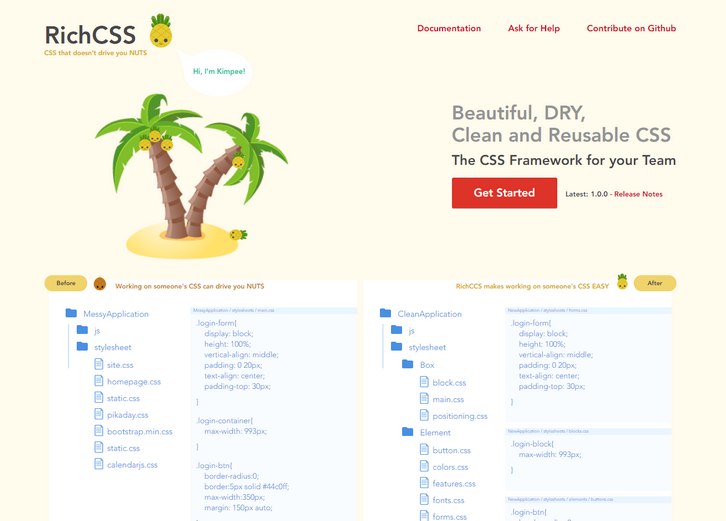
RichCSS is an Object Oriented CSS framework providing default structures for reusable css elements. It’s built around an Architectural Style that organizes your code in a way that allows: reusability of your css, versioning, the use of css plugins and the ease of using it. RichCSS is bringing convention and organization to CSS that anyone can understand and use.
RichCSS is the V2 of ROOCSS. It’s a CSS Framework that makes it easy to organize and use CSS in teams. RichCSS id driven by a community of individuals that power it’s development and use every day. It’s an open source project created by Richardson Dackam, hosted, developped and maintained on Github.
Requirements: –
Demo: http://www.richcss.com/
License: MIT License
Chart.js is a simple yet flexible JavaScript charting for designers & developers. Chart.js merges configurations and options in a few places with the global defaults using chart type defaults and scales defaults. This way you can be as specific as you want in your individual chart configs, or change the defaults for Chart.js as a whole. Chart.js offers support for all browsers where canvas is supported. Chart.js is open source and available under the MIT license.
Requirements: –
Demo: http://www.chartjs.org/
License: MIT License
We’ve accepted the jankiness of page loads as a quirk of the web even though there is no technical reason for it. SmoothState.js lets you add transitions to eliminate the hard cuts and white flashes of page loads that deface the beauty of the user experience.
Javascript SPA frameworks, sometimes referred to as MVC frameworks, are a common way to solve this issue. However, these frameworks often lose the benefits of unobtrusive code, such as resilience to errors, performance, and accessibility. smoothState.js lets you start adding transitions that eliminate the hard cuts of page loads to improve the beauty of the experience. It does this with:
Progressive enhancement – a technique that exemplifies the principles universal design
- jQuery – a library a great many of us are familiar with
- history.pushState() – a method that lets us maintain browsing expectations
- Ajax – a way for us to request and store pages on the user’s device without refreshing the page
SmoothState.js will unobtrusively enhance your website’s page loads to behave more like a single-page application framework. This allows you to add page transitions and create a nicer experince for your users.

Requirements: –
Demo: http://smoothstate.com/
License: MIT License
OpenBazaar is a different way to do online commerce. Instead of visiting a website, you download and install a program on your computer that directly connects you to other people looking to buy and sell goods and services with you. This peer to peer network isn’t controlled by any company or organization – it’s a community of people who want to engage in trade directly with each other. OpenBazaar is an open source project to create a decentralized network for peer to peer commerce online using Bitcoin that has no fees and no restrictions.

Requirements: –
Demo: https://openbazaar.org/
License: MIT License
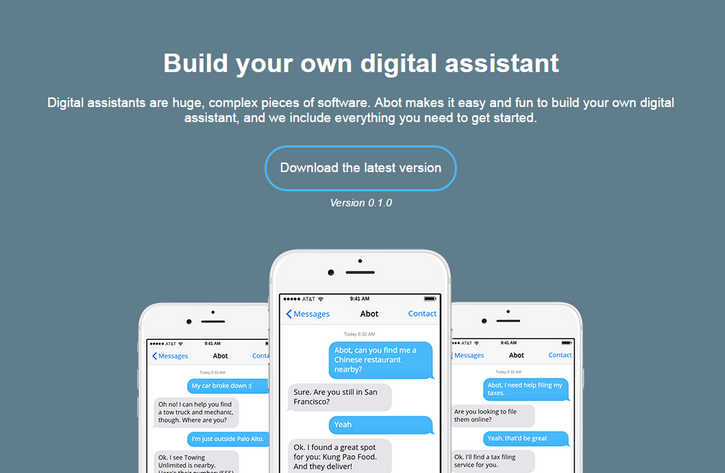
Abot (pronounced Eh-Bot, like the Canadians) is a digital assistant framework that enables anyone to easily build a digital assistant similar to Apple’s Siri, Microsoft’s Cortana, Google Now, or Amazon Alexa. Further, Abot supports a human-aided training backend enabling anyone to build services like Facebook M.
Unlike those proprietary systems, Abot is open-sourced and extensible. By providing an extensible platform onto which anyone can easily add functionality, Abot is the first A.I. framework that aims to be available everywhere and— ultimately—to do everything.
Requirements: –
Demo: https://www.itsabot.org/
License: MIT License
You know feeling when you just need a simple animation for your awesome concept and you realize that it’s a huge process to move all assets into some other application? That’s a lot of hassle! That’s why AnimateMate is made in order to produce and export simple animations straight out of Sketch. It’s not exactly rocket science, but it can lighten your workflow in some cases. It is released under MIT License.

Requirements: –
Demo: http://animatemate.com/
License: MIT License
Pressure is a JavaScript library that makes dealing with Apple’s Force Touch and 3D Touch simple. Force Touch for new Macs and 3D Touch for the new iPhone 6s and 6s Plus, all bundled under one roof with a simple API that makes working with them painless. Pressure gives you a handle on browsers that do and don’t support Force or 3D touch so you can have sensible fallbacks for users that don’t support it.

Requirements: JavaScript Framework
Demo: http://pressurejs.com/
License: MIT License







