Obtaining international addresses from clients and customers just got a whole lot easier. Streetlayer offers a seamless address data processing add-on. The JSON API helps to analyze, validate, and format international addresses immediately upon entering the system.
The primary benefit is that you get higher quality data sets. The full address is verified and with postal code filtering, you never have to worry about not having sufficient data in order to effectively reach your customers.
There are a number of uses for Streetlayer. It’s capable of validating a customer address on an order form to ensure their package reaches them. It can be used on a registration form to ensure you have collected the correct information. It’s also possible to maintain a standard format for your database so that valuable information is not lost.

The straightforward validation web service works behind the scenes and does a complete geocode lookup. They offer a high level of accuracy with our search algorithm. Plus, it enables accuracy with addresses from around the globe. This allows you to be fully organized regardless of where you do business.
This is a necessary tool to incorporate into your business – and an affordable one. They offer free and paid subscriptions, providing something for everyone. This ensures you get a solution that meets the needs of your business.
Once you have international address validation, it will allow you to organize your database, keep better data sets, and ensure you have the right address for everyone who registers or orders on your site. This eliminates the costly mistakes that could otherwise ensue, which means you can’t afford NOT to have Streetlayer.
Within minutes, you can be signed up and using it within your website with the easy-to-integrate structure. Sign up now!
Streetlayer makes it easier than ever to verify international addresses. I was surprised by how easy it is to use. My data sets always seemed to be messed up because addresses were entered incorrectly. Now that I have integrated this into my website, I get the ideal format for my database. The postal code filtering also ensures that there are no mistakes, which makes it easier to send out mailings and packages without them being returned to me. I’m on a premium plan and it’s affordable, too. This has been a game changer within my business and our company simply can’t beat the cost of it.
Really Good Emails said “Some people have explained to them that is like a modern-day museum, full of the emails that they probably deleted. Then our parents ask why we would keep stuff that people actively delete… which is followed with a different analogy they don’t really understand. It is s vicious cycle. Really Good Emails is a website where hundreds of thousands of emailers come to get inspired to be better but probably just come to procrastinate doing their own work. We are okay with that. Whatever gives people their jollies. We are glad that we can be part of that improvement/laziness in their lives.”

Requirements: –
Demo: https://reallygoodemails.com/
License: License Free
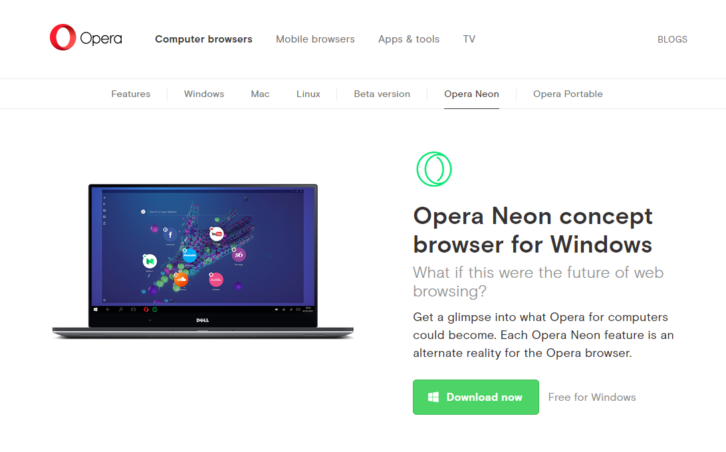
Opera Neon Concept Browser for Windows. What if this were the future of web browsing? Get a glimpse into what Opera for computers could become. Each Opera Neon feature is an alternate reality for the Opera browser. The Opera browser features you love have been rebooted, with a fun, fresh take on Speed Dial, visual tabs and the omnibox, which float in to kickstart your browsing session. Opera Neon wipes away your desktop clutter by bringing your computer’s wallpaper into the browser.
Opera Neon’s newly developed physics engine is set to breathe life back into the internet. Tabs and other objects respond to you like real objects; they have weight and move in a natural way when dragged, pushed, or even popped. This desktop browser is more than just a window to the internet – with Opera Neon, you are in control of everything you see.
Requirements: Windows
Demo: http://www.opera.com/computer/neon
License: License Free
Mixmax Sequences is easy, powerful drip campaigns for Gmail, Google Inbox, and Salesforce. You can easily add contacts, prospects or recruits to your outbound campaigns. Customize messages with variables to keep a human touch. If you’re in Salesforce – add any contact or lead to a Sequence directly. You can also save time by setting up follow-ups that automatically send based on triggers. Best of all, you can get instant stats for all your sequences, even by stage. Opens, clicks, downloads, replies, bounces — you’ll know exactly how you and your team are performing to start perfecting your messaging.

Requirements: –
Demo: https://mixmax.com/sequences
License: License Free
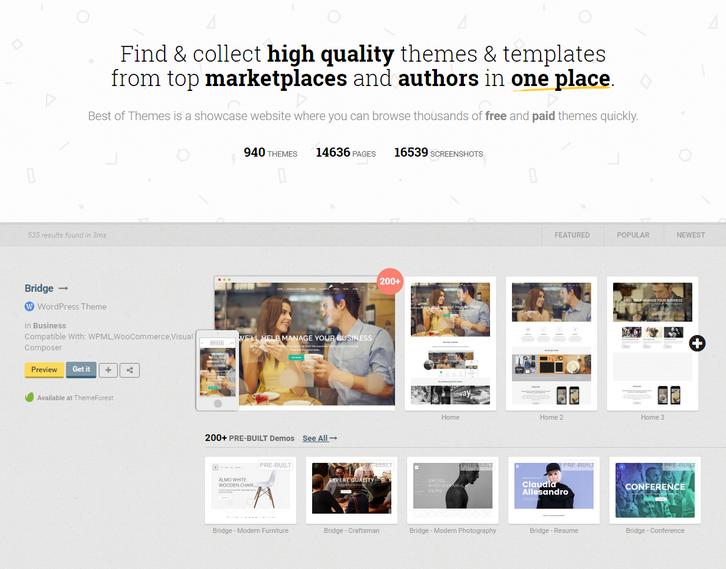
Best of Themes is a showcase website where you can browse thousands of free and paid themes quickly, so you can focus what matters. We had always the problem of finding a matching theme to our product. The current process is amazingly time consuming and consists of going to each theme provider, clicking on each theme and checking the demos; mind you only themeforest has 8000 themes only for wordpress. One can do probably 20-30 trials before giving up and picking up the most common ones.
So, to solve the problem they made this platform, a curated collection of free and commercial themes added daily, with a screenshot of their most important pages together for both mobile and desktop to quickly browse through. Today we have 936 Themes, 14548 pages indexed, and total of 16443 screenshots on the platform.
Requirements: –
Demo: https://www.bestofthemes.com/
License: License Free
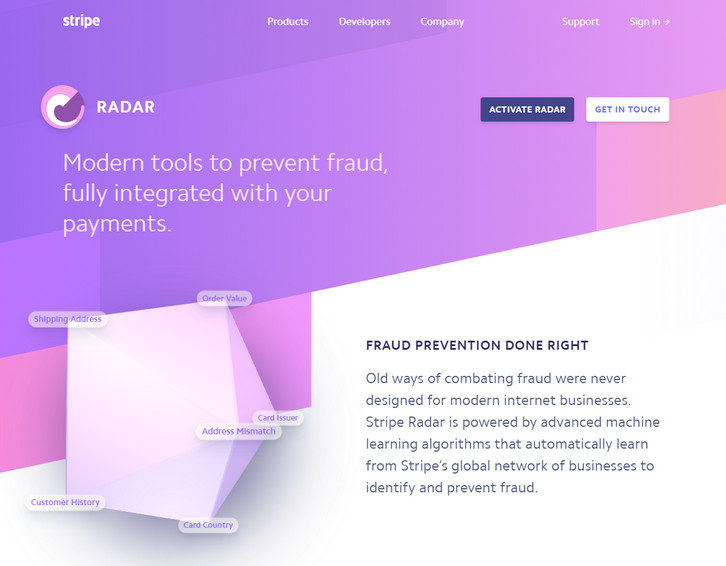
Stripe Radar is modern tools to prevent fraud, fully integrated with your payments. Old ways of combating fraud were never designed for modern internet businesses. Stripe Radar is powered by advanced machine learning algorithms that automatically learn from Stripe’s global network of businesses to identify and prevent fraud. Stripe Radar scans every transaction using the most relevant signals to detect and block fraud. And Radar’s algorithms are constantly tweaked by Stripe engineers to adapt to new fraud vectors.
They pinpoint fraud by building behavioral signals from across 100,000+ global companies. (Even if a card is new to your business, there’s an 80% chance it’s been seen before on the Stripe network.) Unlike systems that require weeks to train and only mimic human reviewers, Radar lets you instantly use rich payments data (including info from banks and card networks) to fight fraud.
Requirements: Stipe
Demo: https://stripe.com/radar
License: License Free
Nuage is a simple interface that allows you to buy, import and manage your domain names in just a few clicks. They know how painful it is to transfer all your domain names to a new provider. That’s why they had the idea to create a bypass between all your providers, with the help of the APIs.

Requirements: –
Demo: https://www.nuageapp.com
License: License Free
Hero Patterns is a collection of repeatable SVG background patterns for you to use on your digital projects. With SVG quickly growing as the preferred method for using graphics on the web, there are still few resources available in this format. Steve Schoger created Hero Patterns so that you can easily incorporate high quality backgrounds in to your digital products.

Requirements: –
Demo: http://www.heropatterns.com/
License: License Free
Opentest is the fastest way for you to share knowledge and collaborate more easily through video. The seamless experience makes it perfect for: Walking a co-worker through a project, Bug tracking/QA (both web & mobile), Personalized sales demos, Customer support. Opentest let’s you do all that for free without having to worry about video storage, upload time, or recording time limits.

Requirements: –
Demo: https://www.opentest.co/
License: License Free
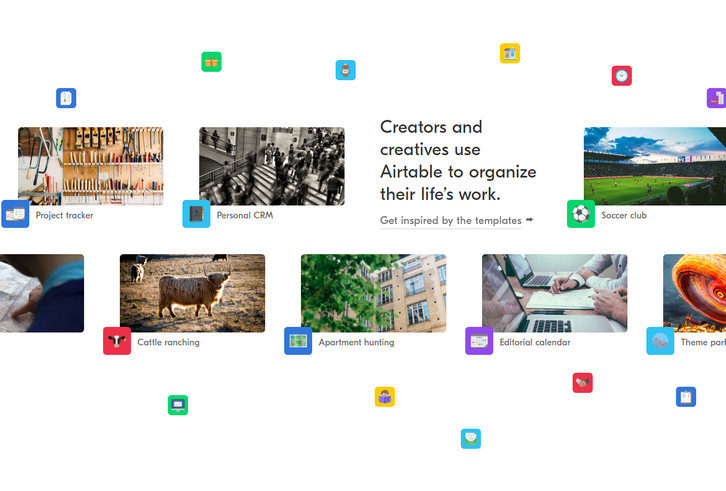
Airtable is not just a spreadsheet replacement, nor just a user-friendly database. Their mission is to democratize software creation by enabling anyone to build the tools that meet their needs. Creators and creatives around the world use Airtable to do everything from cattle tracking to filmmaking, and they have.
They think of it as a completely new medium for expressing and collaborating on structured information. Over 2 million bases have now been created by Airtable users, and your support has been crucial to our success from day one.
Requirements: –
Demo: https://airtable.com/
License: License Free







