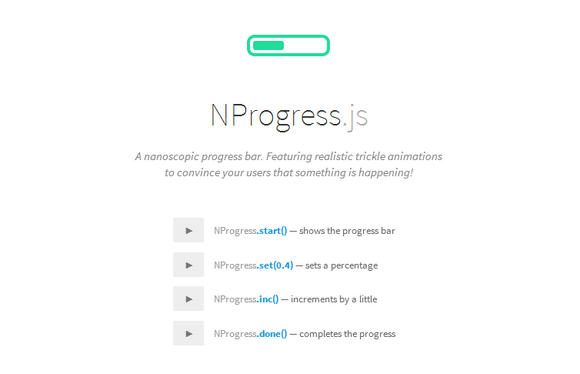
NProgress.js is a nanoscopic progress bar. Featuring realistic trickle animations to convince your users that something is happening. It’s a slim progress bars for Ajax’y applications inspired by Google, YouTube, and Medium. It’s perfect for Turbolinks, Pjax, and other Ajax-heavy apps.
Requirements: JavaScript Enabled
Demo: http://ricostacruz.com/nprogress/
License: MIT License
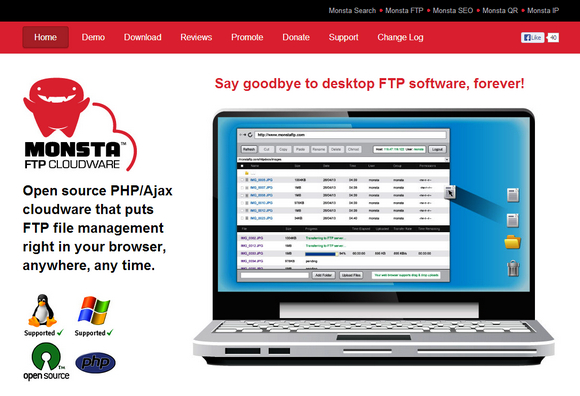
Monsta FTP is an open source PHP/Ajax cloudware that puts FTP file management right in your browser, anywhere, any time. You can drag & drop files into your browser and watch them upload, like magic. It supports on-screen file editing. There is multi-language support as well.
It has been tested on Chrome, Firefox, Internet Explorer and Safari. It is released under GNU General Public License. You can download for free and install it on your own server.
Requirements: PHP Framework
Demo: http://www.monstaftp.com/
License: GPL License
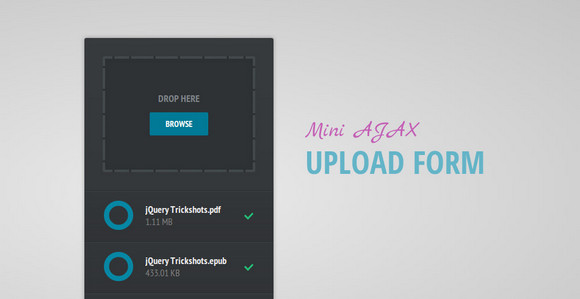
Tutorialzine has shared a tutorial: Mini AJAX File Upload Form, which tell us how to create an AJAX file upload form, that will let visitors upload files from their browsers with drag/drop or by selecting them individually.
For the purpose, we will combine the powerful jQuery File Upload plugin with the neat jQuery Knob to present a slick CSS3/JS driven interface. Currently, the files are simply moved to the uploads folder, but you can extend it by adding authentication or creating records in your database.
Requirements: jQuery Framework
Demo: http://demo.tutorialzine.com/2013/05/mini-ajax-file-upload-form/
License: License Free
Dropzone.js is an open source library that provides drag’n’drop file uploads by simply including a java-script file. It views previews of images and you can register to different events to control how and which files are uploaded.
It supports Chrome 7+, Firefox 4+, IE 10+, Opera 12+ and Safari 5+. For all the other browsers, dropzone provides an oldschool file input fallback. It is released under MIT License.

Requirements: jQuery Framework
Download Link: http://www.dropzonejs.com/
License: MIT License
Uploading in HTML has always left much to be desired from developers. With the introduction of the File and Drag-and-Drop APIs, we are beginning to see improvements across many sites whose core functionality relies on uploading.
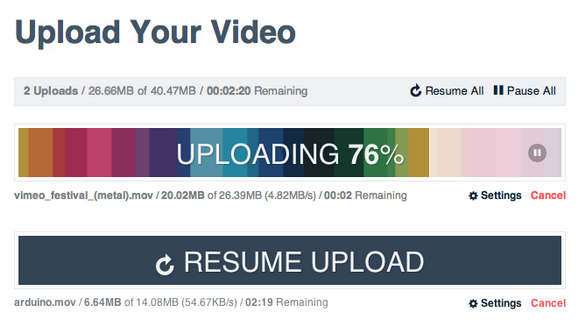
In Part I of Advanced Uploading Techniques, we will discuss reading file information and posting that up to a server. Of particular importance to this will be the concept of chunked uploading. In the Part II, we will address is the lack of a connection. Hardwired ethernet connections will always provide the most stable uploads, but for mobile browsers, especially ones not connected via WiFi, we must be able to react to a loss of connection.
Requirements: JavaScript Framework
Part I: http://creativejs.com/tutorials/advanced-uploading-techniques-part-1/
Part II: http://creativejs.com/advanced-uploading-techniques-part-2/
License: License Free
InsertHTML has written a tutorial: Creating a Complete HTML5 Drag and Drop File Uploader with jQuery. They tell us how to create a file uploader using HTML5 drag and drop, along with the file reader API and some PHP. We will also be using local storage to remember which files were uploaded by the user.
As you’d imagine, this doesn’t work in the latest stable release of internet explorer. However, it should work fine in any other modern browser.

Requirements: jQuery Framework
Demo: http://www.inserthtml.com/demo/file-upload/
License: License Free
jQuery.PercentageLoader is a jQuery plugin for displaying a progress widget in more visually striking way than the ubiquitous horizontal progress bar / textual counter. Installation and use is quick and simple.
It makes use of HTML 5 canvas for a rich graphical appearance with only a 10kb (minified) javascript file necessary (suggested web font optional), using vectors rather than images so can be easily deployed at various sizes. It is open source released under BSD licensed.

Requirements: jQuery Framework
Demo: http://widgets.better2web.com/loader/
License: BSD License
Filepicker.io is basically a handy upload form for the web. Most websites only allow you to upload files from your local computer, so if you want to upload your facebook profile picture, it’s a big pain. Filepicker.io makes it super simple to allow users to upload their online content.
When you want a file of users, you can let user selecting the file via a popup window of Filepicker.io. Once the user clicked “Upload”, it will then return a unique URL pointing to the file the user chose for your website. Users can also upload files from Dropbox or Facebook too.

Requirements: –
Demo: https://www.filepicker.io/
License: License Free
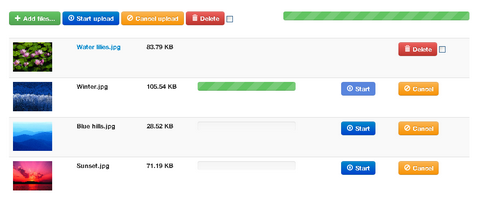
jQuery File Upload is a File Upload widget with multiple file selection, drag&drop support, progress bars and preview images for jQuery. It supports cross-domain, chunked and resumable file uploads and client-side image resizing. It also works with any server-side platform (PHP, Python, Ruby on Rails, Java, Node.js, Go etc.) that supports standard HTML form file uploads.
The jQuery UI widget factory is a requirement for the basic File Upload plugin, but very lightweight without any other dependencies. The User Interface is built with Twitter’s Bootstrap Toolkit. This enables a CSS based, responsive layout and fancy transition effects on modern browsers. The demo also includes the Bootstrap Image Gallery Plugin. Both of these components are optional and not required.
Requirements: jQuery Framework
Demo: http://blueimp.github.com/jQuery-File-Upload/
License: MIT License
Resumable.js is a JavaScript library providing multiple simultaneous, stable and resumable uploads via the HTML5 File API. The library is designed to introduce fault-tolerance into the upload of large files through HTTP. This is done by splitting each files into small chunks; whenever the upload of a chunk fails, uploading is retried until the procedure completes.
Resumable.js allows uploads to automatically resume uploading after a network connection is lost either locally or to the server. Additionally, it allows for users to pause and resume uploads without loosing state. Currently, it is limited to Firefox 4+ and Chrome 11+.

Requirements: HTML5 and JavaScript Framework
Demo: https://github.com/23/resumable.js
License: MIT License







