Algolia Places is a fast, beautiful and easy-to-use address autocompletion. It turns any <input> into an address autocomplete. Algolia Places provides a fast, distributed and easy way to use an address search autocomplete JavaScript library on your website. It has been designed to improve the user experience of your HTML forms. It harnesses OpenStreetMap’s impressive open source database of worldwide places.

Requirements: –
Demo: https://community.algolia.com/places/
License: MIT License
Datamaps.co is a free and simple platform for creating visualizations with data maps. It allows you to upload CSV file with region data, and fully customize your map’s appearance. Your map chart can be saved as PNG or SVG. With datamaps.co, you can create a custom map of World, USA, China, Canada and more are coming.

Requirements: –
Demo: https://datamaps.co/
License: License Free
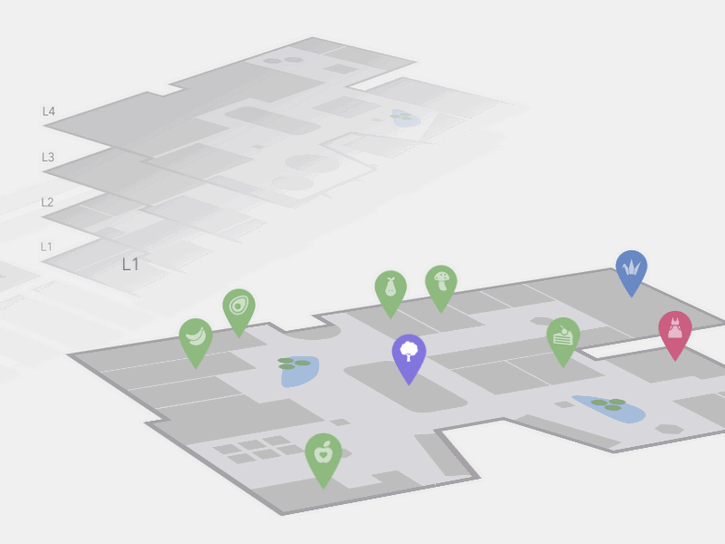
Today Codrops has shared an Interactive 3D Mall Map experiment with us. The idea is to show a mall map with all its floors in perspective. Additionally, we have a search in a sidebar that allows to filter mall spaces. Once a floor is selected, we show some pins as indicators for the different stores/spaces.
When clicking on a pin, we show some more details of that space. We’ve mostly used CSS trickery for this, applying transitions that will rotate and move the levels by adding or removing classes. The levels are represented by inline SVGs. This concept can be applied to any kind of floor map actually; any building that has several floors and spaces could be an interesting use case for this.
Requirements: –
Demo: http://tympanus.net/Development/Interactive3DMallMap/
License: License Free
You can now create stunning map visuals in just minutes with AmCharts new tool – Pixel Map Generator. Integrate the result into your website, drop into a presentation, or even use them in print brochure. Regardless of how you use it, jaw-dropping effect is guaranteed.

Requirements: –
Demo: http://pixelmap.amcharts.com/
License: License Free
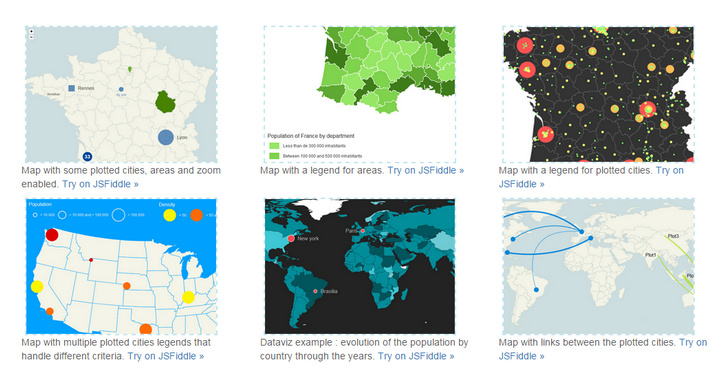
jQuery Mapael is a jQuery plugin based on raphael.js that allows you to display dynamic vector maps. For example, with Mapael, you can display a map of the world with clickable countries. You can also build simple dataviz by setting some parameters in order to automatically set a color depending on a value to each area of your map and display the associated legend.
Moreover, you can plot cities on the map with circles, squares or images by their latitude and longitude. Many more options are available, read the documentation in order to get a complete overview of mapael abilities. As Raphaël, Mapael supports Firefox 3.0+, Safari 3.0+, Chrome 5.0+, Opera 9.5+ and Internet Explorer 6.0+.
Requirements: Raphael.js
Demo: http://www.vincentbroute.fr/mapael/
License: MIT License
For Osvaldas Valutis’s latest responsive freelance project there was a contact page where he had to display several Google Maps instances on a single page. You can see where he is heading to: what if a user is not going to scroll down the page because the very first map is what a user was looking for? What if the user is accessing the page on a smartphone under the cellular internet connection?
The right way is to lazy-load the script file and map instances one by one. On every scroll and browser resize interval the Lazy-loading Google Maps Plugin checks whether there are any maps in the viewport to be displayed. If yes, it loads (if it wasn’t loaded before) Google Maps API script file and then initiates the corresponding map instances. Finally, there’s a callback function which is called within every map instance initiation so that you can continue doing whatever you need with your maps.

Requirements: jQuery Framework
Demo: http://osvaldas.info/lazy-loading-google-maps
License: MIT License
Wami Map project makes OSM data for everyone, easily. They take advantage of MongoDB potential for big data management to implement a search for relevant data from OSM data sources. Their APIs make it possible to retrieve POI in different formats including geoJSON, which allows to display them directly on the client. Wami Map project is published under Apache 2 license, so feel free to fork it, use it and make it better.

Requirements: –
Demo: http://map.wami.it/
License: Apache License
Maplace.js is a small Google Maps Javascript plugin for jQuery that helps you to embed Google Maps into your website, quickly create markers and controls menu for the locations on map. It requires jQuery and Google Maps API v3 so you need to have both in your page.It supports markers and custom icons, zoom level and custom controls menu. It is released under the MIT license.

Requirements: jQuery Framework
Demo: http://maplacejs.com/
License: MIT License
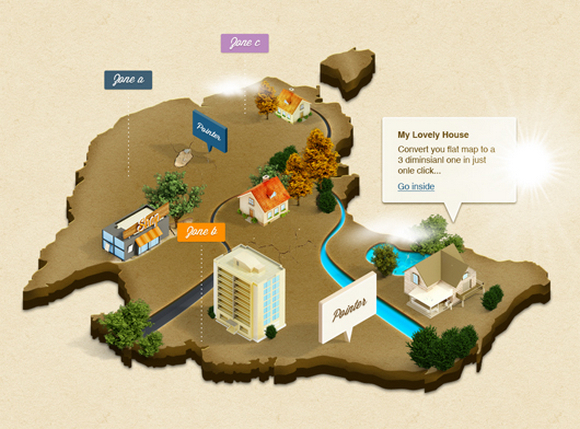
3D Isometric Map Mockup is a 3D map Photoshop action to convert a flat map to a three dimensional isometric stylish one a single click. Although It meant for maps, you can convert anything to this isometric 3D nice effect. This might include fonts, logos or anything else.
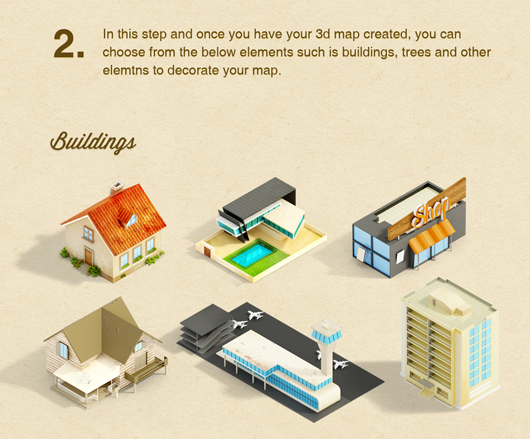
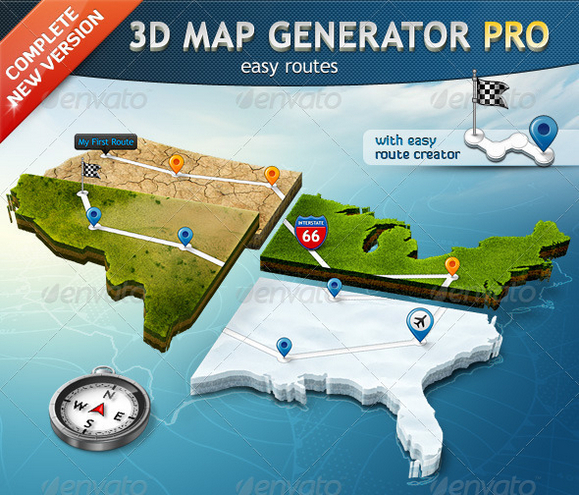
You may also interested in something similar but premium. 3D Map Generator Pro is a set of 22 one-click-actions! Automatically and with a professional result of every imaginable shape. Ideal for print and web graphics, infographics or presentations.
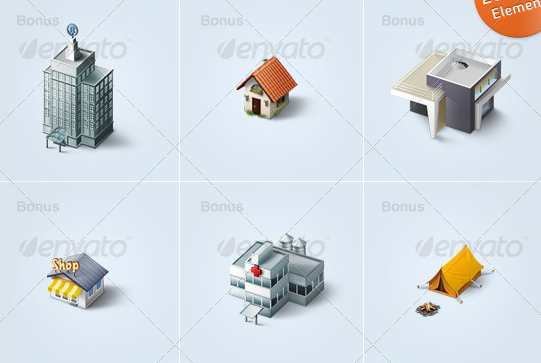
There are nearly uncountable different variations of one map possible. Choose between three terrain directions and 15 different surfaces and variations (e.g. grass, sand, snow, dry earth or wood) All surface textures are tileable and movable. You can also get some map icons and elements extension v1 and v2 as well.
Requirements: –
Free: http://www.blugraphic.com/2013/06/27/3d-isometric-map-mockup…
Premium: http://graphicriver.net/item/3d-map-generator-pro…
License: See the license on the website
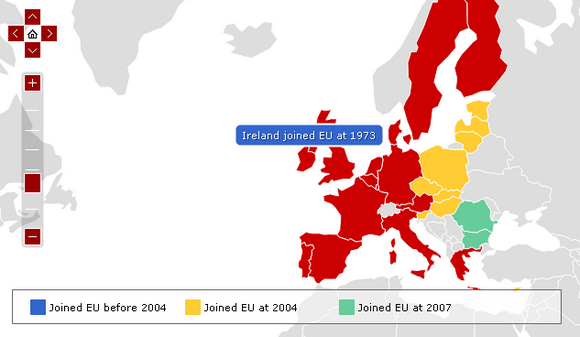
amMap is a tool that you can use to easily add interactive map functionality to your web pages and JavaScript-based applications. You can use this tool to show locations of your offices, routes of your journeys, create your distributor map, etc. Photos or illustrations can be used as layers and backgrounds of maps, so you can make different presentations, e-learning tools and more.
It is supported by all modern browsers including Firefox, Chrome, Safari, Opera and Internet Explorer . It also runs on mobile devices powered by iOS and Android. You can download and use all amMap products for free. The only limitation of the free version is that a small link to this web site will be displayed in the top right corner of your maps.
Requirements: JavaScript Framework
Demo: http://www.ammap.com/javascript-maps/
License: License Free







