TouchPoint.js is a tiny (3.6kb minified) vanilla JavaScript library made for in-browser HTML prototyping (as part of the UX process) that visually shows where the user clicks/taps on-screen using CSS3 transforms and transitions.
TouchPoint is highly customizable, mobile ready and great for screencasting, screen recording, user testing and presentations. TouchPoint is customizable. There are a number of options that you have access to to customize the look for your needs. Performance should not be an issue because each individual TouchPoint element is dynamically created and then automatically removed from the DOM after being used.

Requirements: JavaScript Framework
Demo: https://github.com/jonahvsweb/touchpoint-js
License: MIT License
Spectacle is a React-powered presentation library. With Spectacle you can write slides with JSX. It supports tags like <Deck>, <Slide>, and there are even layout tags for making text appear in the right place without too much fiddling about with CSS. It even supports a presenter view, so you can see the next side and the current time. If you’re currently addicted to React then this will probably be preferable to messing around in Keynote/PowerPoint/etc.

Requirements: ReactJS
Demo: http://projects.formidablelabs.com/spectacle/#/
License: MIT License
Hyhyhy is a tool for creating nice looking HTML5 presentations. It comes with a broad range of features: Markdown, Nested slides, Math typesetting, Compatibility, Syntax highlighter, Javascript API, Convenient skeleton. It supports Firefox 2+, Safari 3+, Opera 9.64+, Chrome, IE9, IE10, IE11.

Requirements: HTML5
Demo: http://maciejczyzewski.me/hyhyhy/
License: MIT License
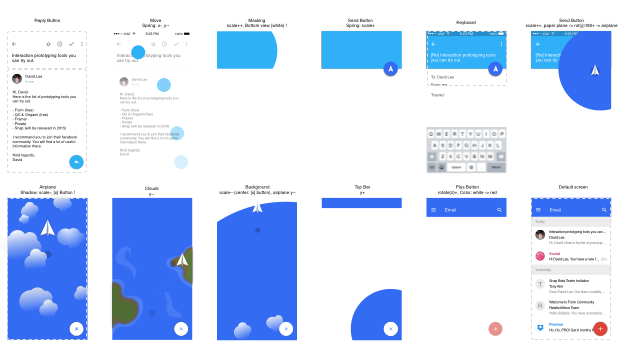
David Less has been using Form since Google acquired them. He has published his first Medium article to share the knowledge he learned while Building Email Interaction Prototype with Google Form. Even though the source code is still messy, but you can get a sense of how powerful Form is.
Every time he writes an email he feels like he is talking to a machine rather than person. He felt there was something missing in the digital communication. Should emails be always like that? That’s why he started to build this prototype. You can check out this tutorial.
Requirements: Google Form
Demo: https://medium.com/@designforhuman/how-i-built-email-interaction-prototype…
License: License Free
Shepherd is a JavaScript library for guiding users through your app. It uses Tether, another open source library, to position all of its steps. Tether makes sure your steps never end up off screen or cropped by an overflow. You can easily guide your users through a tour of your app.

Requirements: JavaScript Framework
Demo: http://github.hubspot.com/shepherd/docs/welcome/
License: License Free
Clippy.js adds Clippy or his friends to any website for instant nostalgia. It is a full Javascript implementation of Microsoft Agent (AKA Clippy and friends), ready to be embedded in any website.
Agents are composed of multiple sets of animations. However, unlike your Saturday morning cartoon, the animation is not linear. For example, while Links the cat is idle, behind the scenes a coin is flipped, and 10% of the time Links will turn about in boredom, or scratch behind his ears.

Requirements: JavaScript Framework
Demo: https://github.com/smore-inc/clippy.js
License: MIT License
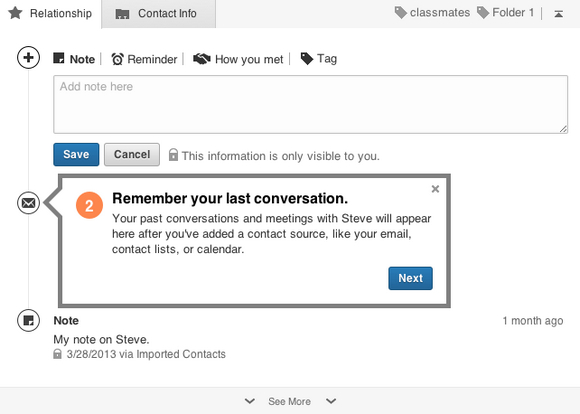
Hopscotch is a framework to make it easy for developers to add product tours to their pages. Hopscotch accepts a tour JSON object as input and provides an API for the developer to control rendering the tour display and managing the tour progress.
Hopscotch has several events to which you can assign callbacks. These events include start, end, next, prev, show, close, error. For the next, prev, and show events, you can assign callbacks within step definitions as well as in the tour itself.
Requirements: JavaScript Framework
Demo: http://linkedin.github.io/hopscotch/
License: Apache License
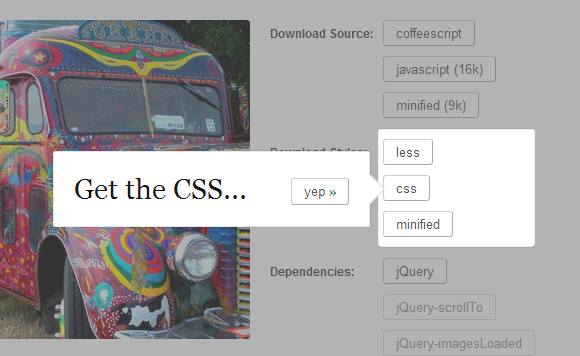
jQuery TourBus is a jQuery tour/walkthrough plugin. It takes more of a toolkit approach than some of the alternatives that try to have focusing elements, auto-progress with timers and indicators and etc.
Start by including the jQuery plugin and base styles on your page, of course. Then we can define some ‘legs’ of our tour. Imagine you have a page with some stuff you want to lead the user through. You’ll find the basics of the leg styles (padding, background color, etc) which you can either edit or override in your own stylesheets.
Requirements: jQuery Framework
Demo: http://ryanfunduk.com/jquery-tourbus/
License: License Free
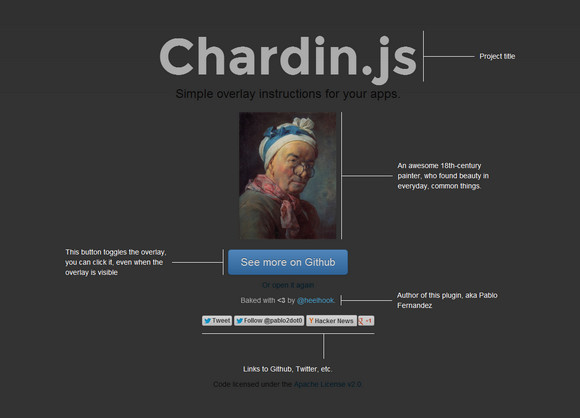
Chardin.js is a jQuery plugin that creates a simple overlay to display instructions on existent elements. It is inspired by the recent Gmail new composer tour. It is licensed under the Apache License, Version 2.0.
Requirements: jQuery Framework
Demo: http://heelhook.github.io/chardin.js/
License: Apache License 2.0
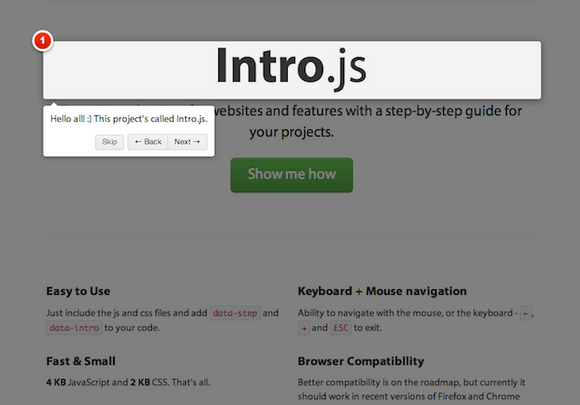
Intro.js is better introductions for websites and features with a step-by-step guide for your projects. User have the ability to navigate with the mouse, or the keyboard – â†, →, ENTER and ESC to exit. It’s fast and small, with only 4 KB JavaScript and 2 KB CSS.
Better compatibility is on the roadmap, but currently it should work in recent versions of Firefox and Chrome (probably IE10, too!). It’s Free and open-source (including commercial use). It is released under MIT license.
Requirements: JavaScript Framework
Demo: http://usablica.github.com/intro.js/
License: MIT License







