Do you remember Monstroid, a huge multipurpose WordPress theme we reviewed around a year ago? Since then, it’s grown even more as a result of multiple updates. Today, we’d like to review the latest one and give away 5 licenses for Monstroid. You can find a lot of WordPress themes designed specifically for blogs, portfolios, online stores, whatever, but Monstroid provides a versatile solution for any project. So, make sure you take this opportunity to obtain it for free. Find out how to win it and read more info about its latest update below.
Terms and Conditions of the Giveaway
The giveaway of Monstroid starts on August 12, 2016, and ends on August 16, 2016. We will pick 5 winners at random and reward each of them with a license for the theme. There are three simple steps to take in order to win it. You’ll need to spend literally just a few moments of your time.
- Go to the Monstroid page and read about its functionality in detail or view the theme in action.
- Choose the coolest feature or child theme and mention it in the comments to this post.
- Leave your valid email. We will use it to contact you and tell you how to get the license for Monstroid.
That’s all. The whole process is very fast and easy, isn’t it? Read the rest of this entry »
It’s important for web designers and agencies to keep abreast of the latest technological and design trends. It’s equally important that those who produce design tools and aids, maintain design element resources, and provide website development and implementation services
That is true with the design and development aides that are presented here. The tools, services, design aids, and design elements offered are up to date, and you can benefit by using them in several ways.xstore
- Tools can boost your productivity.
- Learning resources are designed to improve your skills.
- Services take on tasks you find excessively difficult or time-consuming; saving you time and effort.
- Tools, services, and resources, when correctly applied, will improve the quality of your deliverables. You can earn more, or charge more.
Some things in this list are free. Others are not, although they are great investments, and free trials are often available. Every resource or tool is among the best in its class.
Learning
The Dark Art of Freelancing
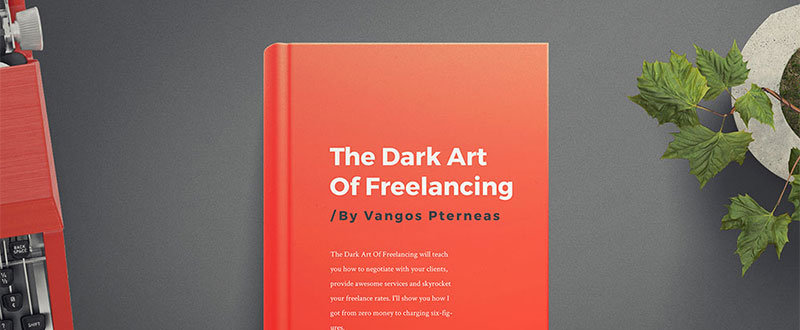
This book was written by a young entrepreneur, and former employee of Microsoft, who, through experience, has learned the ins and outs of making a living through freelancing.
Do you occasionally find yourself working for less pay than you feel you deserve? Do you sometimes encounter difficulties trying to communicate or collaborate with a client? Are you looking for ways to better present your skills? Let The Dark Art of Freelancing show you the way.
How to Build a Web Design Business: The Only Book You Need to Launch, Grow, and Succeed

The author of this multi-topic book explains, in clear and concise language, what you need to know to launch a successful web design business. No less important, it tells you in detail what you need to do to make your business grow and prosper. Black and white illustrations accompany the text.
Freebies
Design Freebies by Visual Hierarchy
Visual Hierarchy is noted for the high-quality of the products made available on its market. In this instance, VH has put together a collection of 200+ freebies ranging from UI designs to Sketch, mockup tools, fonts, and icons.
This useful assortment of design elements is free for the asking, and it is just waiting for you and others to put it to good use. Read the rest of this entry »
iOS 10 UI Kit is an open-source, collaborative UI design template for iOS 10. It’s an ultimate kit to get screens, apps, icons, effects and much more from the new delightfully designed operating system by Apple. Once downloaded, you’re free to use all the Sketch files for UI design work. You’re just not allowed to re-package it and claim it as your own.
This contains most of the new UI elements of iOS 10, such as the new Spotlight Widgets and Status Bars. It contains the templates for the newly-updated apps in iOS 10, namely Maps, Music, Messages, Health and Home. And also, contains the new iOS system screens, such as the redesigned lockscreen, Spotlight and Control Centre.

Requirements: –
Demo: http://puzzles.design/
License: License Free
You usually don’t take a hit and miss approach when making website design decisions. While you might like to try new approaches from time to time, even those are normally based on sound theoretical approaches that often take into account up-to-date website design principles and trends.
Many, if not most of these trends, are directed toward making websites more engaging to users, and to driving up traffic and conversion rates for clients.
Just like you, Be Theme’s professional pre-built website designers keep in tune with the latest design trends. As a Be Theme user, you’ll always have what you need to consistently produce high-performance websites to the delight of both your clients and the end users.
There are 200+ modern, customizable pre-built websites to choose from that, like those shown here, take into account current design trends. They are extremely easy to install, and installing and customizing them requires no coding skills.
These pre-built websites express:
- a respect for the principles of visual hierarchy, enabling you to build websites that influence user flow and decisions.
- a strategic use of special effects.
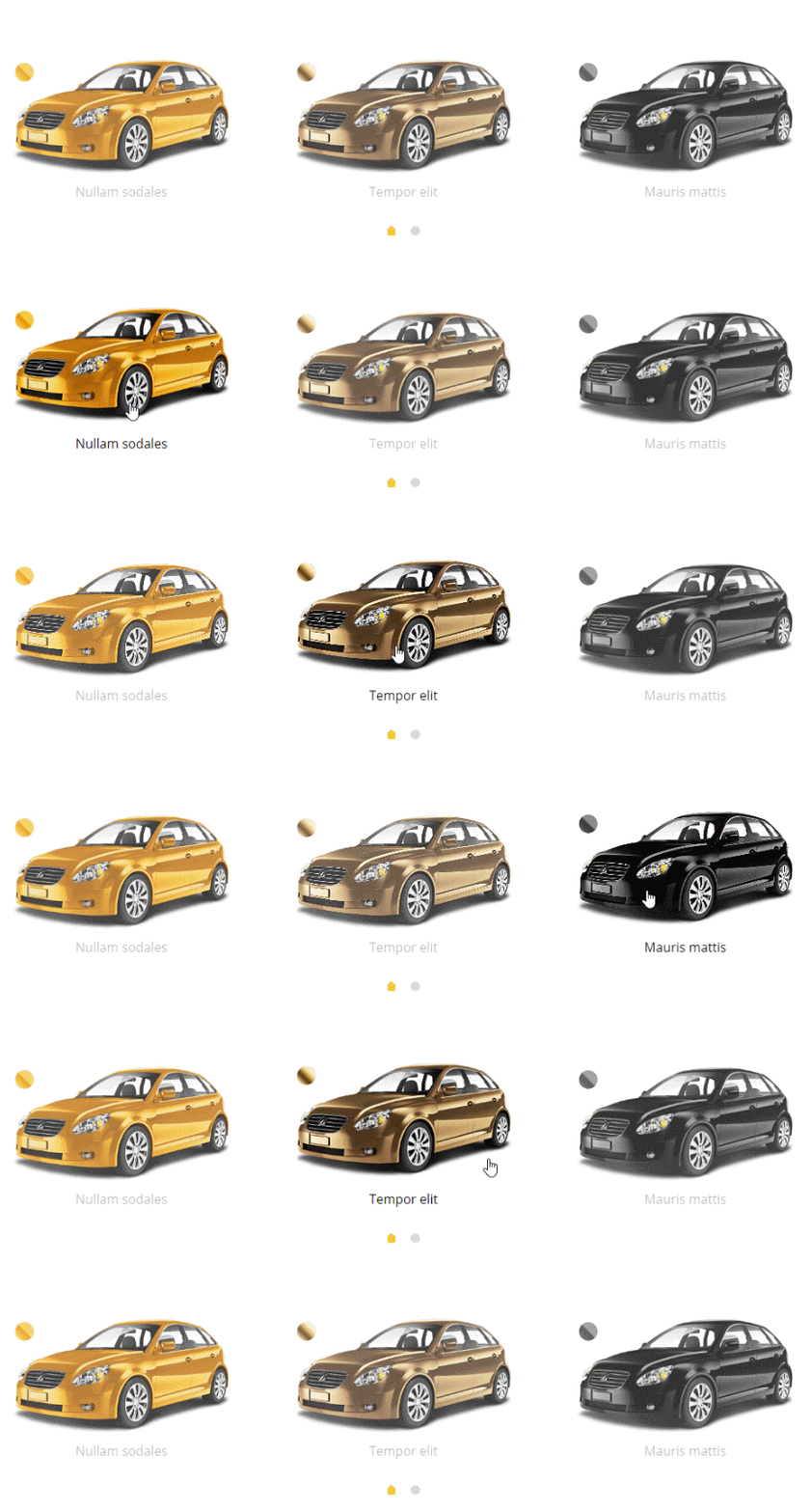
- more images and less text, including the use of hero images on home pages and key landing pages.
- effective use of minimalist design for mobile application.
How the Latest Be Theme Pre-Built Websites Follow Current Design Trends
Many if not most of today’s websites are seemingly carbon copies of one another. Themes will differ, but the layouts often look as if they all were based on a common template. Part of the reason for this is the growing number of mobile users, which has tended to place certain constraints on web design.
Does that mean there is little room left for innovation on your part? The answer – a resounding no. Past and present design trends create all sorts of design opportunities for you to put into practice, ranging from the use of hero images and minimalist design, to long scroll, flat design, and the use of special effects that help to tell a story.
The examples shown here incorporate many the latest trends. In addition, these pre-built websites can be installed with one click and are incredibly easy to customize. There are more than 200 to choose from, with each one seemingly better than the next.
Be SmartHome
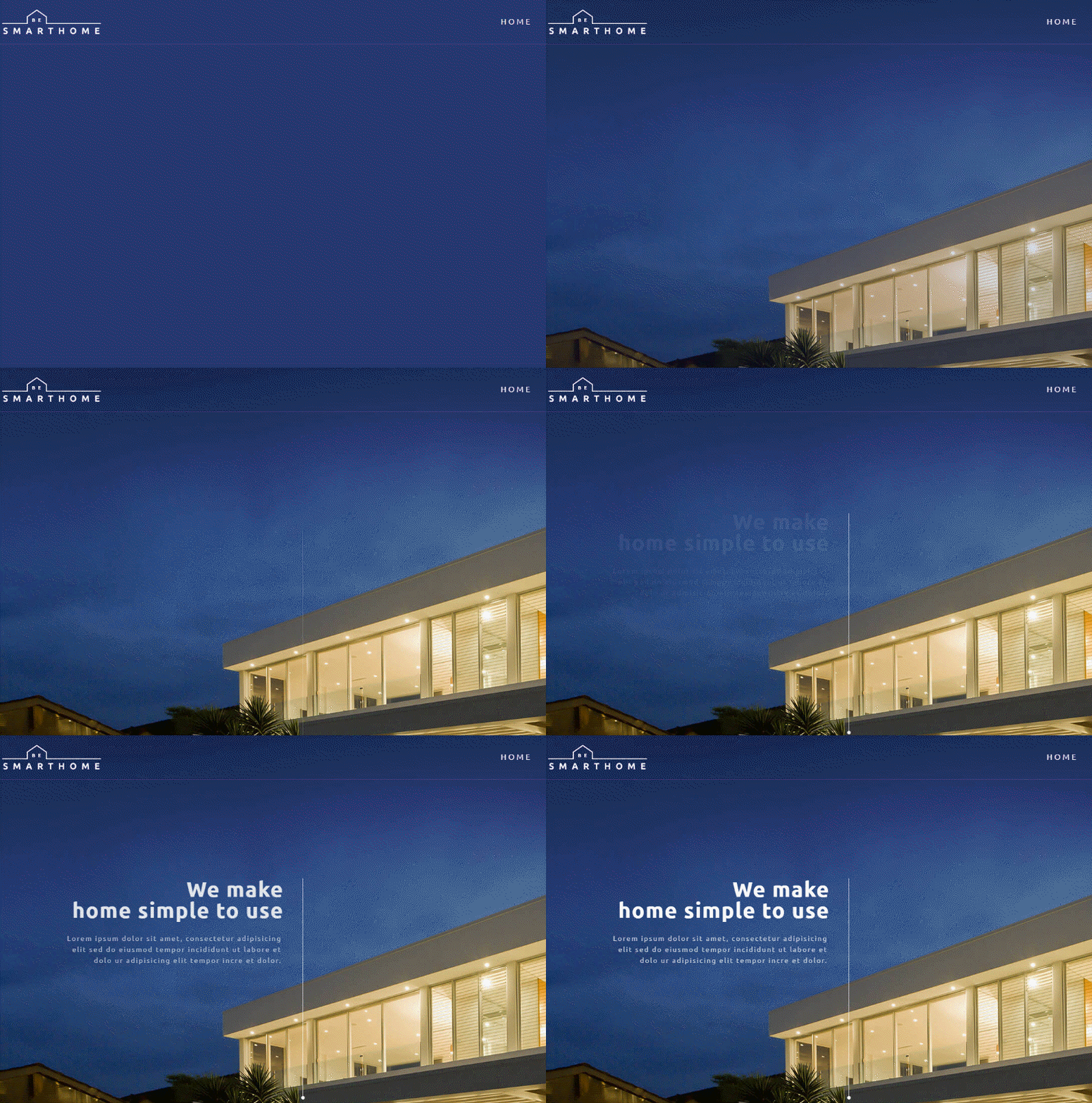
Like the Architecture example, this website’s home page has an appealing, ultra-modern look. Read the rest of this entry »
Messaging Design Kit is a design kit for Sketch, containing everything you need to craft beautiful and functional rich messaging experiences. You can quickly assemble and modify a fully rendered messaging experience using Sketch symbols. There are 84 carefully crafted icons, made especially for in-app messaging user interfaces. And also, there is a unique series of rich messaging cards, to create hybrid conversational interfaces powered by Layer.

Requirements: –
Demo: https://layer.com/messaging-design-kit
License: License Free
We always try to keep you updated on new free and premium eCommerce themes that can save loads of your time and energy on web development. When choosing the best eCommerce platform for their online stores, many retailers opt for Shopify due to its extensive functionality and a powerful community of web developers and designers who stand behind it, and keep on releasing new Shopify themes, modules and smart add-ons in order to help you build a competitive web resource.
In our new compilation today we will focus your attention on the latest premium Shopify themes and free Shopify themes. All designed according to the latest web design trends, these will help you create your own online store or a cool eCommerce site for your clients. Let’s start with the premium solutions.
20 Premium Shopify Themes
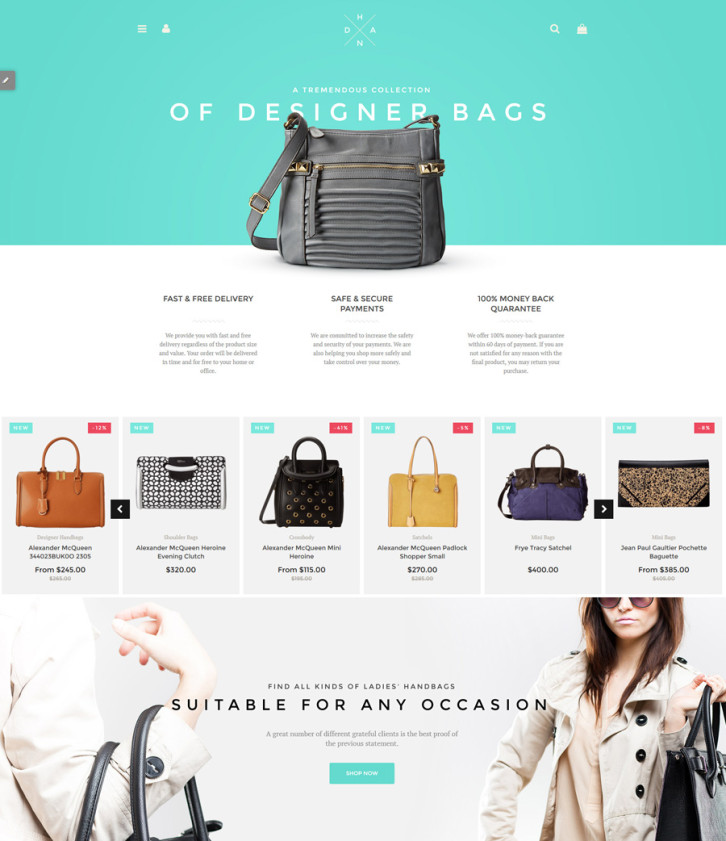
1. Handbag Boutique
Demo | More info
This feature-rich and visually impressive theme is one of the best premium Shopify themes released by TemplateMonster. Boasting an easy-to-follow and well-balanced layout, the theme invites your visitors to start making purchases right from the main page. Parallax scrolling effect, that was integrated into the theme’s header and background images, lets your web audience become immersed in the atmosphere of your business. Thanks to the spacious layout of the theme, you are free to place as many products on one page as you wish. For faster decision making, the store’s offerings have been enhanced with sale/new product badges, quick view functionality, retina ready logo, elevate zoom, and more handy features.
2. Apparel

Demo | More info
This premium Shopify theme was designed to suit fashion and beauty online stores. Featuring a newsletter pop-up form, a pre-designed contact form, live search and integrated Google maps, the theme was built with the intention of establishing a close contact with your audience. Clean style brings more focus to the store’s offerings. The latter, by the way, have been organized in a grid-based view. Each item is supplied with a functional hover effect, which reveals color variations, each item from a different point of view, etc. on the mouse-over. This fully responsive Shopify theme is integrated with social media and features a sticky MegaMenu in the header.
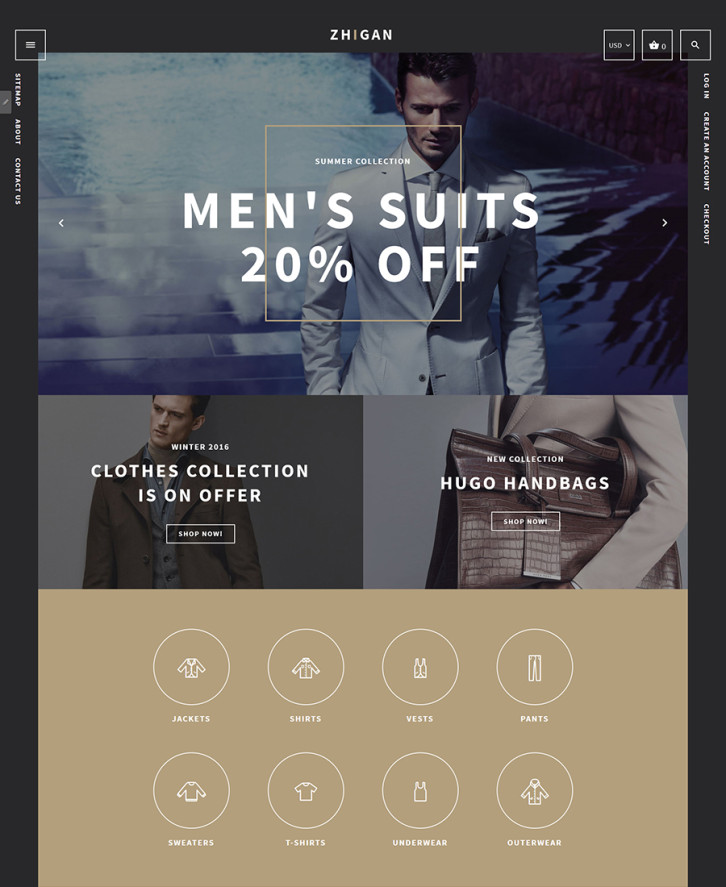
3. Zhigan
Demo | More info
Here is a stylish Shopify theme for men’s clothing stores. Its dark color scheme brings more elegance to the theme’s layout. Built with valid, semantic code, the theme features neat animation, which allows you to enhance the visual appeal of your eCommerce site just the way you wish. When you click the theme’s live demo you will see cool hover effects with which icons, banners and images have been enhanced. The main navigation panel has been minimized and presented by means of a hamburger icon, which remains fixed to the top of the page as a user browses your site. Links to Site map, About and Contact pages have also been placed in a fixed position in the theme’s left sidebar. Read the rest of this entry »
There are various ways to build a prototype, and a prototype can be used as a measure of design progress or to test final result. In most instances, a web designer goal is to create a high-fidelity prototype has the look and feel of the end product, and is also capable of supporting team collaboration and usability testing activities.
If working with a top-of-the-line UX/IU tool is your objective, you’ll find what you need right here. Before you make a choice however, ask yourself the following questions:
- What features are most important to you?
- Is the end product a website, a mobile or web app, or all of the above?
- Is an interactive feature of interest or importance? If you plan to conduct meaningful usability tests, the answer must be a definite “yesâ€.
- How large is your team or project? Size can determine the right tool for the job.
InVision

InVision is an ideal choice if you are an individual designer or belong to a small team. It is the leading product design and collaboration platform on the market, and its usability testing capabilities are without peer.
For large or interdepartmental teams, the Enterprise Edition of this product design and collaboration platform is the answer to their prototyping, collaboration, and usability testing needs. Within the platform, gathering and acting on user feedback is intuitive.
Prototypes can be tested directly on users’ devices, and their reactions—including hearing their voices and seeing their faces—makes the feedback you receive more meaningful and useful.
You don’t need coding skills to build prototypes using InVision, and the first prototype you build with it is free. InVision is a solid choice if you are looking for a platform that can produce a high-fidelity, clickable, interactive prototype with all the usability testing capabilities you could need.
Proto.io

With Proto.io, you can build a high-fidelity, interactive, and animated prototype in no time at all, without any need for coding. This UX/UI tool’s collaboration features makes it an excellent choice if you are a project team member, or you need to share design and testing information with your client for purposes of receiving feedback or approval. Read the rest of this entry »
A lot of new designers always fumble with basic designing questions. And one such popular question is ‘How much should I charge?’ There isn’t a fixed rate to be honest, designers charge as per their skills and experience. But one thing to keep in mind is, charge as per the value you provide instead of quoting what other designers do or how much hours you put in. And while we attempt to provide as many tips as we can, we also scour the web regularly to provide you with the best resources designers have needed.
Here are 14 such freebies that experts recommend for designers:
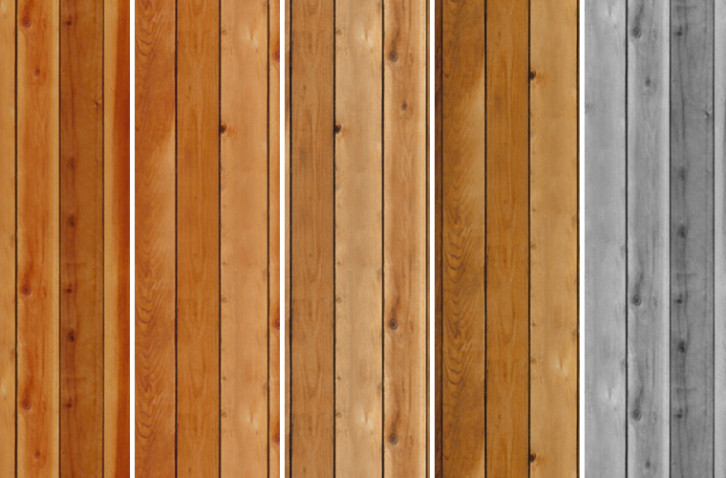
Patterns immediately add zing to your web work. Whether you need one for his backdrop of your web page, or you want to include this in a post, these icon and wood patterns would take your work several notches higher.
Use them for a quirky element on your posters and invites or just enhance the look of an image by putting a wood pattern in the background. The rustic feel complements a lot of country-specific wedding invites and website backgrounds too.
Including them in headers and footers too is a good way to put in something extra without a lot of efforts.
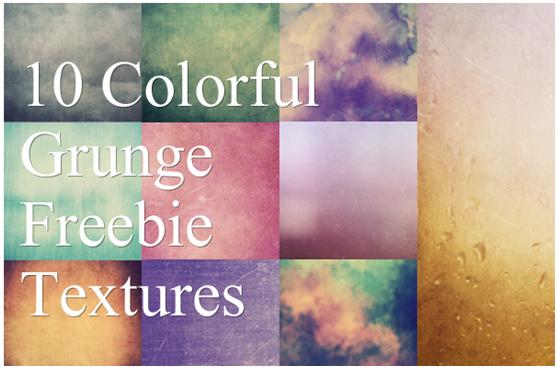
Grunge elements instantly elevate the complete look of any design but if you want to do it from scratch, be prepared to put in a lot of time and effort. Or you can go down the smarter route and choose grunge textures that do the work beautifully well, and in a jiffy.
From giving a realistic grungy feel to your work to providing depth and texture, this set of 10 grunge textures is a great resource to own. Use these varied colored textures for a diffused look or play around with soft light. Don’t like certain elements of the texture? Mask it to make it work the way you want it to.
Read the rest of this entry »
Most website designers leave the coding to professional developers; since they have neither the time, the inclination, nor the necessary skills to do so themselves. Even designers who are proficient in coding, often prefer to leave the work up to professionals who they know will get the job done right.
If you’re still fairly new to the game, you may not have a clue as to which developer to choose that will indeed get the job done right. There are many good ones; some are better than others; and a select few are best of all in terms of workmanship, speed of delivery, customer service, and affordability.
We know who the top coders, slicers, and developers are. We’ve checked them out carefully, hand-picked 9, and listed them here. Each one will be an excellent choice, but as you go down the list, you will no doubt find the one that best suits your purposes. Â
Sketch to HTML by Xfive.co
If Sketch is your design tool of choice, but you would prefer to leave conversion to someone else, you won’t find a better partner than Sketch to HTML by Xfive.co. The Xfive team will not only make certain that the conversion looks like your sketch design, but they will also advise you of any changes or enhancements that might make your website even better. The finished product will be fast loading, and cross-browser compatible.
Their code is W3C compliant, and depending on your needs or preferences, they will convert your design to HTML/CSS/JS pages, WordPress, Joomla!, WooCommerce, or one of the other content management systems. If you would like some modern animations to make your site’s UX more attractive, let the team know; they will be happy to comply. If your design files are in the .PSD, .INDD or .AI formats, they can help you with that too.
Xfive is a full stack development agency. They are based in Australia, but their operations and development team are conveniently located in Europe. Xfive fully deserves a position at the top of our best coding services list.
PSDgator
PSDgator is a small team that is capable of doing big things in theme design and development, PSD Conversion to HTML/CSS, jQuery, or various WordPress solutions. Send them your work in any of the common file formats, and they will get right on it. They will look over your project, and give you a free review and consultation before proceeding.
If it’s simply PSD to HTML you want, they will turn your design into hand-coded, pixel-perfect, W3C compliant code. If you want mobile responsive design they will give you a solution that will ensure your end users will get the most from your site. The green gator also loves providing WordPress solutions, working on Ecommerce designs, and converting PSD to Email templates.
Read the rest of this entry »
We’ve already introduced you to the special discovery of 2015, Monstroid, chosen, so far, by 3,000+ users. It is a gigantic, multipurpose WordPress theme aimed at both professionals and do-it-yourselfers. Monstroid is dubbed the “theme on steroids,†which symbolizes its constant expansion with new features and child themes. Today, we’d like to focus on the latter.
First, let’s figure out what a child theme is. In simple terms, it is a theme built with a parent theme called a framework, e.g. Cherry Framework in the case of Monstroid. Framework structuring is an optimal solution for WP themes, as there’s no need to update each of them when updates of the WordPress core are released. Instead, just update the framework itself, and that will suffice.

As a matter of fact, Monstroid is a child theme too, but is the most sophisticated one among others available in its package. Let’s recap some of its major features. Here they are.
- Installation Wizard is a one-of-a-kind tool allowing you to install the full package of this giant theme in a few clicks, without FTP.
- Innovative Backend Features of Monstroid can optimize your website management and performance. For example, Shortcode Template Editor allows you to create templates for shortcodes and modify their elements. With the help of Static Area Builder, it’s easy to customize header and footer areas by dragging and dropping. CSS Minifier can improve the performance of your site by compressing a few CSS files and grouping them into one.
- Premium Plugins are integrated into Monstroid to let you extend the functionality of your site without overpaying. For example, MotoSlider enables you to create responsive, multi-layered slideshows with both images and videos. There is also MotoPress Editor for building complex layouts in a drag-and-drop interface.
- eCommerce Functionality is provided by means of WooCommerce integration. Packed with ready-made store pages, Monstroid provides you with an opportunity to run an e-store out of the box.
Read the rest of this entry »







