Spectacle is a React-powered presentation library. With Spectacle you can write slides with JSX. It supports tags like <Deck>, <Slide>, and there are even layout tags for making text appear in the right place without too much fiddling about with CSS. It even supports a presenter view, so you can see the next side and the current time. If you’re currently addicted to React then this will probably be preferable to messing around in Keynote/PowerPoint/etc.

Requirements: ReactJS
Demo: http://projects.formidablelabs.com/spectacle/#/
License: MIT License
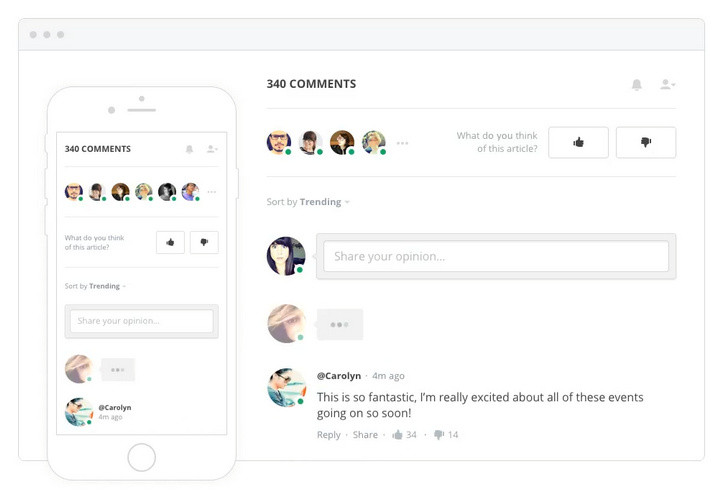
Spot.IM is the creator of the first “everywhere†social network, empowering website owners and publishers to turn their websites into a social network driven by their own content. Spot.IM’s technology enables publishers to take back ownership of the conversation going on around their content, freeing them from having to rely on larger, external social networks to provide the social space for community content engagement.
Typing users and submitted comments are seen in real-time. Hot content and trending conversations are presented in a cross-site Newsfeed. Readers are instantly notified about new comments and hot conversations. Site visitors can talk privately and share common passions and interests.
Requirements: –
Demo: https://www.spot.im/
License: License Free
Bounce is a script that allows you to publish beautiful banner bars on your site with no coding required. Target bars to users based on where they came from, what page they’re on and whether they’re blocking your ads.
You can show a bar to users who have an AdBlocker installed. Ask users to turn off AdBlock or promote alternative ways to support your site. These bars won’t be shown to users who don’t have an active AdBlocker. You can also display different bars based on which site a user was referred from. These bars display your custom message by checking the referrer that visitor came from to help convert users.

Requirements: –
Demo: http://bounce.bar/
License: License Free
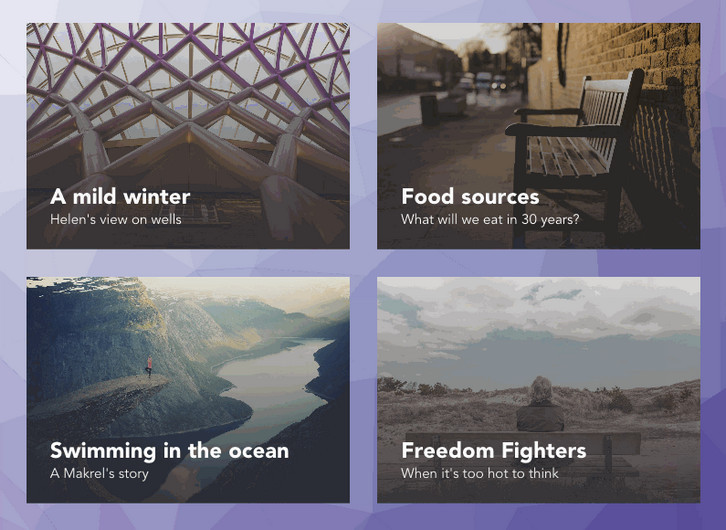
Codrops has created a experimental grid layout with “Card Expansion Effect” where they have animated the card expansion with a morphing effect on the cover image and follow its motion with a delightful animation of a low-poly pattern used as the background of the page.
They are using Trianglify by Quinn Rohlf to generate the background pattern, SVG’s clipPath to morph the card image, and GSAP to animate and control the whole sequence. They could have used the CSS clip-path property to clip and morph the image but since the support is currently quite limited and inconsistent across browsers, they are using SVG clipPath instead. This way they can make the demo work across all browsers, including IE9.
Requirements: –
Demo: http://tympanus.net/Development/CardExpansion/
License: License Free
Dynamics.js is a JavaScript library to create physics-based animations. Simply include dynamics.js into your page, and then you can animate CSS properties of any DOM element. You also can animate SVG properties. Dynamics.js has its own setTimeout. The reason is that requestAnimationFrame and setTimeout have different behaviors. And any JavaScript object. It has been tested on Safari 7+, Firefox 35+, Chrome 34+, IE10+.

Requirements: javaScript Framework
Demo: http://dynamicsjs.com/
License: MIT License
Coverr was built as a joint initiative between two startups “Veed.Me” & “CodersClan”. Since they experienced the need of homepage background videos from both sides; Video & Code, they decided to build something that will give these, for free – to the community.
Basically, Coverr lets you download any video that you want (mp4+webm+image) AND it also gives you code snippets to help you implement them (html,css,javascript). It’s copyright free and always will be. They will upload 7 new videos of 12-15 seconds each every Monday.

Requirements: –
Demo: http://www.coverr.co/
License: License Free
Discourse is the 100% open source discussion platform built for the next decade of the Internet. It works as: a mailing list, a discussion forum and a long-form chat room. Why break conversations into awkward and arbitrary pages, where you have to constantly find the Next Page button? They’ve replaced all that with the power of just-in-time loading. Want to read more? Keep scrolling down.
When someone quotes your post, they’ll notify you. When someone mentions your @name, they’ll notify you. When someone replies to your post… well, you get the idea. And if you’re not around, they’ll email you, too. Reply from anywhere. Discourse is a simple, flat forum, where replies flow down the page in a line. Expand context at the bottom and top of each post to discover the full conversation – without breaking your flow. You can even expand quotes.
Requirements: –
Demo: http://www.discourse.org/
License: GPL License
Rocket.Chat is a Web Chat Server, developed in JavaScript, using the Meteor fullstack framework. It is a great solution for communities and companies wanting to privately host their own chat service or for developers looking forward to build and evolve their own chat platforms. You can own an open source Slack-like chat. Note that Rocket.Chat is distributed under the MIT License.

Requirements: Meteor Framework
Demo: http://rocket.chat/
License: MIT License
Let’s Chat is like #Slack, but opensource and self-hosted. It is a persistent messaging application that runs on Node.js and MongoDB. It’s designed to be easily deployable and fits well with small, intimate teams. It’s free (MIT licensed) and ships with killer features such as LDAP/Kerberos authentication, a REST-like API and XMPP support.

Requirements: –
Demo: https://sdelements.github.io/lets-chat/
License: MIT License
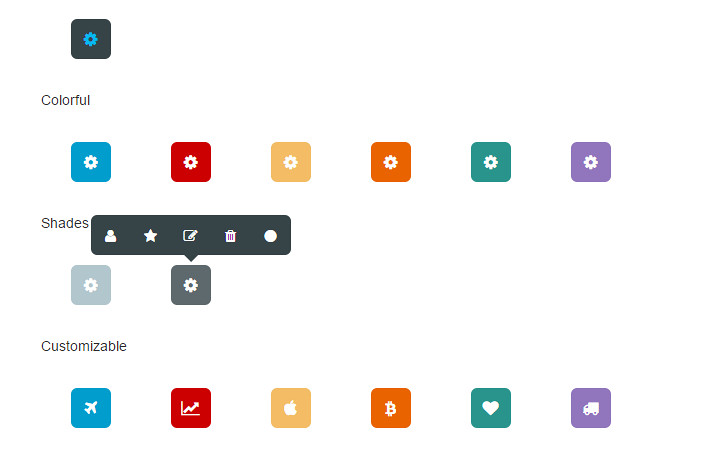
Toolbar.js is a jQuery plugin that creates tooltip style toolbars. It allows you to quickly create tooltip style toolbars for use in web applications and websites. The toolbar is easily customisable using Font Awesome icons and provides flexibility around the toolbars display and number of icons.
You can run as many toolbars as required. Toolbars can be attached to any element required. Plenty of options to customised how your toolbar functions including position, animations and events. Toolbars are responsive and follow the buttons on resize.
Requirements: jQuery Framework
Demo: http://paulkinzett.github.io/toolbar/
License: License Free







