

18 Jan
Posted by Ray Cheung as GPL License, MIT License, Tooltips
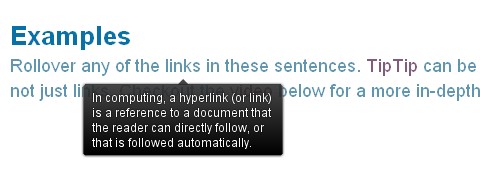
TipTip is a very lightweight and intelligent custom tooltip jQuery plugin. It uses ZERO images and is completely customizable via CSS. TipTip detects the edges of the browser window and will make sure the tooltip stays within the current window size. As a result the tooltip will adjust itself to be displayed above, below, to the left or to the right of the element with TipTip applied to it, depending on what is necessary to stay within the browser window.
TipTip jQuery Plugin is dual licensed under the MIT and GPL licenses. It’s also only 3.5kb minified!
Requirements: jQuery Framework
Demo: http://code.drewwilson.com/entry/tiptip-jquery-plugin
License: GPL, MIT License


As usual with this guy nothing is there….
@ Jonathan,
Some people reported they cannot view the site in IE. I have reported the issue to the website owner already. In the mean while, please use other browsers, e.g. Firefox, Chrome.
I will give a shot… the script sounds interesting! Thanks for the heads’ up!
Definitely a nice, clean look.
I will say that I hate how much his site requires javascript enabled to even view it. I know that the script requires javascript but it would be nice to be able to view the webpage without javascript enabled.
I like this tooltip script very much. Thanks for sharing!
Can’t see the site with Firefox on Mac OS X (js error with 404 on ‘blog_entries’)
NOTHING is here. Don’t bother
hi,
cool plug-in with zero images and also only 3.5kb minified.
cool plug-in with zero images its interesting .
ANY web guy who visits this site (webappers) for NEW, fresh web scripts uses IE as their default browser OR browses the web with JS turned off is completely beyond my understanding.
*Fail*
I’m on a Mac, with Firefox, JS enabled, senior web developer, but always JS error on this site. But it works fine with Safari…
Great tooltips, and also works easily with compability mode of jQuery. However – typical my luck – didn’t work with image maps
That is – for IE it works as intended as I only need one tooltips for each image – however that tip didnt show at all in other browsers.
As this is not my strong suit I seem to be incapable of fixing this myself.
RSS feed for comments on this post · TrackBack URI



