

How to Implement Docking Functionality with jQuery
Janko shows you how to implement Advanced Docking using jQuery. He taught us how to create multiple docking and undocking functionality with jQuery and unordered lists.
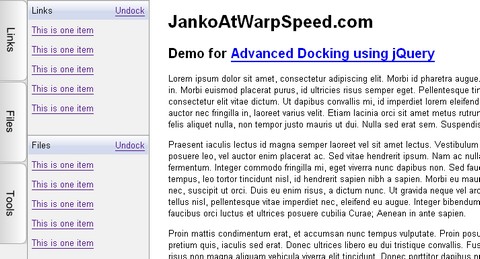
When user hovers an item on vertical menu, its submenu will slide in from left to right and overlay the content. When user move the mouse pointer outside the panel, it will slide back. If user clicks on “Dock” link, panel will fix in the current position while content moves to the right of the panel in order to be seen. Lastly, if users “undock” the panel, it will slide back.
But that is not all. Multiple panes are able to dock in the same time. If one panel only is docked it should be 100% height. With each new panel docked, height will be recalculated so that all panels have the same height value. If there are docked panels and user wants to slide in another panel temporarily, it will overlay docked panels.
Requirements: jQuery Framework
Demo: http://www.jankoatwarpspeed.com/examples/AdvancedDocking/
License: License Free






