

Genfavicon Generates Favicon For Your Websites Online
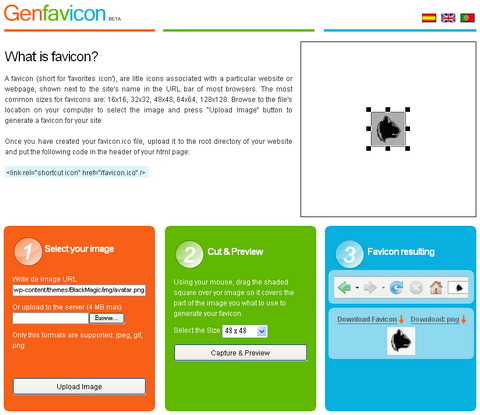
A favicon (short for ‘favorites icon’), are little icons associated with a particular website or webpage, shown next to the site’s name in the URL bar of most browsers. The most common sizes for favicons are: 16×16, 32×32, 48×48, 64×64, 128×128. Genfavicon looks very clean and easy to use. You can create your favicon in 3 easy steps.
1. Browse to the file’s location on your computer to select the image or input the url of the image directly, and then press “Upload Image” button
2. Using your mouse, drag the shaded square over your image so it covers the part of the image you what to use to generate your favicon. Press “Capture and Preview”.
3. Preview your favicon and save your favicon by pressing “Download favicon”.
Requirements: –
Demo: http://www.genfavicon.com/
License: License Free






