

04 Nov
Posted by Ray Cheung as Capture, License Free
PopBox is an image magnification javascript solution for dynamically moving and resizing images on your web page. Javascript? Yes - I know it’s nothing new and that you’ve been able to move and resize things in Javascript for years, but only now is there a prepackaged solution that makes it as easy as 3 lines of HTML without knowing a lick about positioning! If your web site has a thumbnail image gallery then you need PopBox!
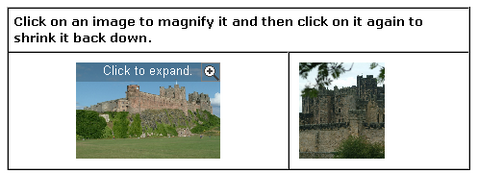
Requirements: Javascript Enabled
Demo: http://www.c6software.com/Products/PopBox/Default.aspx
License: License Free


[…] traves de WEB APPERS decubro a PopBox, un Javascript para aumentar una imagen dinámicamen, con movimiento y cambio […]
That’s a great script, I will probably be using this.
So its basically something like lightbox etc. But just with a different loading animation right?
That’s incredible!
I’m going to use that in a design that I’m working on.
Thanks!
Its an ok script. Problem is that it beats the purpose for originally creating the thumbnail. You only use the large version of the picture in your html. In a thumbnail gallery the thumbnails using this script would in fact be the actual large pictures with all the consequences of the added size to the images this means (larger loading times for page, bandwidth etc)
[…] has a nice post about a JavaScript image magnifier called PopBox!: PopBox is an image magnification javascript […]
[…] has a nice post about a JavaScript image magnifier called PopBox!: PopBox is an image magnification javascript […]
[…] has a nice post about a JavaScript image magnifier called PopBox!: PopBox is an image magnification javascript […]
[…] pmLast updated: November 5, 2007 at 3:29 pmFiled under: Scripts 1 Views WebAppers has a nice post about a JavaScript image magnifier called […]
[…] - A Javascript Image Magnifier: “WebAppers has a nice post about a JavaScript image magnifier called PopBox!: PopBox is an image magnification javascript […]
“Ridiculously simple to use” nope!
look at the instructions http://www.c6software.com/Products/PopBox/Documentation.aspx
“easy as 3 lines of HTML” and nope!
tons of code to be addet
i cant get it to work, tryet other so callet “lightbox variations” like lytebox,litebox etc and they work nicely and easy to use
This is a great tool. I will be using this in an image gallery.
excellent collection and explanation. I am in the process searching for an online gallery and this is a great resource. Thanks for sharing.
Good one, galleries can be useful at times especially for projects etc
Thanks for posting them
Excellent information. Finding a few such solutions has taken hours in the past.
Thank u.
RSS feed for comments on this post · TrackBack URI



