GridLayout is a lightweight grid system for advanced horizontal and vertical web app layouts, with support for older browsers. If you need to create complex app layouts, similar to native ones, with support for older browsers. GridLayout is a ~1 KB (minified and gzipped) CSS file and a ~0.5 KB JavaScript file used only for Internet Explorer support. If you just support modern browsers, you’re probably better off using Flexbox. GridLayout is licensed under the MIT license.

Requirements: –
Demo: https://ghinda.net/gridlayout/
License: MIT License
Apostrophe is a design-driven, in-context CMS built on Node.js and MongoDB. It provides the tools to develop both simple and complex content-driven websites through simple templating and modular functionality. The editing experience is designed around the idea that content mangement should be easy, and therefore editors can create and manage their content right on the page itself.
Apostrophe is built on an accessible technology stack that focuses on ease of use as well as performance. Node.js provides an easy entry point for front-end Javascript developers and a playground for experienced back-end developers. The Nunjucks templating language allows for easily including data and editable content on any page. And MongoDB provides the necessary speed to serve Apostrophe’s content-driven pages.

Requirements: Node.js and MongoDB
Demo: http://apostrophenow.org/
License: MIT License
TouchPoint.js is a tiny (3.6kb minified) vanilla JavaScript library made for in-browser HTML prototyping (as part of the UX process) that visually shows where the user clicks/taps on-screen using CSS3 transforms and transitions.
TouchPoint is highly customizable, mobile ready and great for screencasting, screen recording, user testing and presentations. TouchPoint is customizable. There are a number of options that you have access to to customize the look for your needs. Performance should not be an issue because each individual TouchPoint element is dynamically created and then automatically removed from the DOM after being used.

Requirements: JavaScript Framework
Demo: https://github.com/jonahvsweb/touchpoint-js
License: MIT License
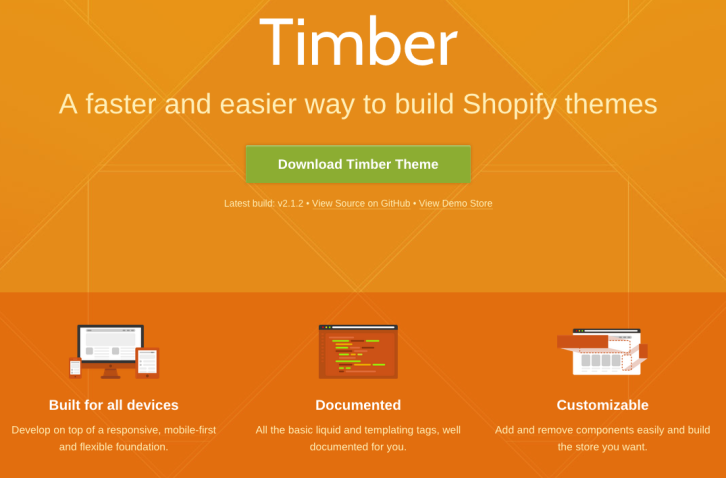
Shopify Timber is a front-end framework which makes building Shopify themes quick and easy. It can be used by theme creators of any skill level for themes of any scope. Seasoned pros and newbies alike can benefit from the starter templates, liquid markup, modules, and CSS frameworks provided in Timber.
Shopify Timber has been tested to work in IE 8+, Safari, Chrome, Firefox, Opera, Safari for iOS, Chrome for Android, and the stock Android browser. Timber is built with Sass, but you don’t have to know it to use it. The compiling is all done on the Shopify server, so edit the .scss.liquid file just as you would CSS and watch the magic happen on your site.
Requirements: Shopify
Demo: http://shopify.github.io/Timber/
License: MIT License
Bonsai is a lightweight graphics library with an intuitive graphics API and an SVG renderer. Bonsai’s main features include: Architecturally separated runner and renderer, iFrame, Worker and Node running contexts, Shapes, Paths, Assets (Videos, Images, Fonts, SubMovies), Keyframe and regular animation (easing functions too), Shape/path morphing and much more…

Requirements: JavaScript Framework
Demo: http://bonsaijs.org/
License: MIT License
CSS Plus wants to provide a simple and fast way to make flexible layout based on flexbox modeling. This awesome css feature lets you specify a flexible container which the children can also be flexible and re-sized automatically when the size of the container changed. It supports Chrome 14, Internet Explorer 10, Firefox 6, Safari 4, Opera 12.10.

Requirements: CSS
Demo: http://hictech.github.io/cssPlusWebsite/
License: MIT License
Lotus is Open Source Software, which strives for simplicity, fewer DSLs, minimal conventions, more objects, zero monkey-patching and the separation of concerns between MVC layers. It suggests best practices, but it leaves all the freedom to you, the developer, to build your own architecture, with your own objects. Lotus is made of standalone frameworks (controllers, views, etc.) and each one is shipped as an independent gem to emphasize the separation of concerns.

Requirements: –
Demo: http://lotusrb.org/
License: MIT License
Image Blur Plugin is an Ultra small plugin (4kb minified, 1.5kb gzipped) for Blurring images. This plugin utilizes SVG filter to blur the image if SVG is supported by the browser (all except IE), otherwise the plugin creates an IMG tag and applies a special IE-only filter in CSS. If you are using Velocity.js animation library, the plugin will automatically detect its presence and make fade in/fade out animations more performant, especially on mobile. If Velocity is not present on the page, jQuery’s “animate” is used.

Requirements: JavaScript Framework
Demo: http://msurguy.github.io/background-blur/
License: MIT License
Huginn is a system for building agents that perform automated tasks for you online. They can read the web, watch for events, and take actions on your behalf. Huginn’s Agents create and consume events, propagating them along a directed graph. Think of it as a hackable Yahoo! Pipes plus IFTTT on your own server. You always know who has your data. You do.

Requirements: –
Demo: https://github.com/cantino/huginn
License: MIT License
Spectacle is a React-powered presentation library. With Spectacle you can write slides with JSX. It supports tags like <Deck>, <Slide>, and there are even layout tags for making text appear in the right place without too much fiddling about with CSS. It even supports a presenter view, so you can see the next side and the current time. If you’re currently addicted to React then this will probably be preferable to messing around in Keynote/PowerPoint/etc.

Requirements: ReactJS
Demo: http://projects.formidablelabs.com/spectacle/#/
License: MIT License







