You know how navigations have only a desktop and a mobile state, right? Vergil Penkov thought, “this might cost people money because it requires additional click for users to reach even the most important pages.” OkayNav jQuery Plugin aims at progressively collapsing navigation links into an off-screen navigation instead of doing it for all the links at the same time. It is released under MIT License.

Requirements: –
Demo: https://github.com/VPenkov/okayNav
License: MIT License
Brick.js is a blazing fast masonry layout generator for fixed width elements. Bricks capitalizes on batched reading of layout properties for blazing fast packing time, no matter how many items. Besides performance, it features: No required HTML markup or CSS stylesheet, Minimal, powerful, and readable configuration, Optional resize handling, Optimized handling of dynamically added items.

Requirements: –
Demo: http://callmecavs.com/bricks.js/
License: MIT License
MJML is a markup language designed to reduce the pain of coding a responsive email. Its semantic syntax makes it easy and straightforward while its rich standard components library fastens your development time and lightens your email codebase. MJML’s open-source engine takes care of translating the MJML you wrote into responsive HTML.

Requirements: –
Demo: https://mjml.io/
License: MIT License
Phoenix framework is a productive web framework that does not compromise speed and maintainability. Phoenix brings back the simplicity and joy in writing modern web applications by mixing tried and true technologies with a fresh breeze of functional ideas. You can create rich, interactive experiences across browsers, native mobile apps, and embedded devices with our real-time streaming technology called Channels. Phoenix leverages the Erlang VM ability to handle millions of connections alongside Elixir’s beautiful syntax and productive tooling for building fault-tolerant systems.

Requirements: –
Demo: http://www.phoenixframework.org/
License: MIT License
Medium Editor is a clone of medium.com inline editor toolbar. It uses contenteditable API to implement a rich text solution. MediumEditor has been written using vanilla JavaScript, no additional frameworks required. View the MediumEditor Options documentation on all the various options for MediumEditor.

Requirements: –
Demo: https://yabwe.github.io/medium-editor/
License: MIT License
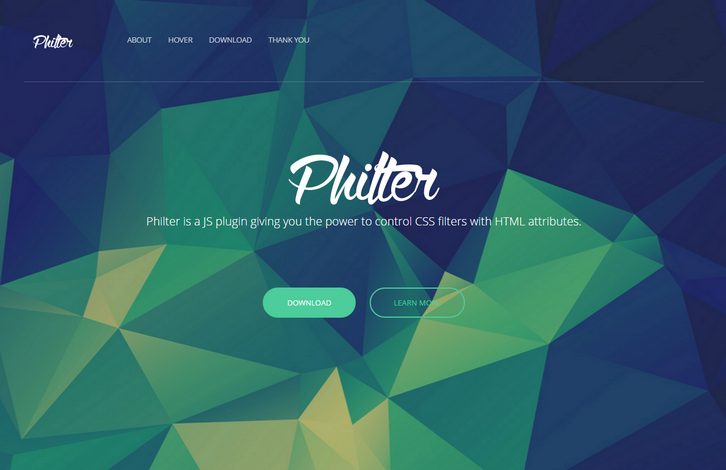
Philter provides an easy way for almost anyone to post-process their content in the web. Using Philter is as easy as writing an attribute in HTML. Philter also supports hover effects. This nice effect of grayscale transition was created by Philter with one simple attribute. And some drop shadow, of course.
Have you ever wanted to apply some filters but they didn’t work as you expected? Have you ever wondered why there’s no particular filter? Well, Philter has you covered. Check out their custom filters! There ain’t much of these filters yet but further on they will be introducing more and more of them.
Requirements: –
Demo: http://specro.github.io/Philter/
License: MIT License
Feature.js is a fast, simple and lightÂweight browser feature detecÂtion library. It has no dependencies and weighs only 1kb minified and gzipped. Feature.js automatiÂcally initiaÂlizes itself on page load, so you don’t have to. It doesn’t, however, run any tests while iniÂtiaÂlizing, so it will only ever run them when you ask it to. This makes it perform very fast.
With Feature.js, it’s simple to build progresÂsively enhanced expeÂriences that use feature detection to determine if a code can be execuÂted in the user’s browser. It is licensed under MIT license.

Requirements: JavaScript Framekwork
Demo: http://featurejs.com/
License: MIT License
Protip is yet another jQuery tooltip plugin for any situation. It’s not so lightweight but it doesn’t intends to be. We needed a solution which can fit into every scenario we face with. It supports 49 position, Live refresh of tooltip options, Live element checking, Gravity, DOM targets, Placements, Click activated and sticky tooltips, Custom HTML content, Interactive tooltips, In/Out delays, Auto-hide, Icon support, Skins, sizes, schemes, Animations support, Mixins, Custom event callbacks and UMD Support.

Requirements: jQuery Framekwork
Demo: http://protip.rocks/
License: MIT License
You can build your UI Toolkit with Fabricator. Fabricator is built on Node.js, a platform for building fast, scalable network applications. There are pre-built installers for each platform. You can also install with Homebrew via brew install node. You can organize your design system the way you want. Components, Structures, Elements, Atoms, Molecules, whatever – the taxonomy is up to you.
Generate a style guide from your toolkit code. Write documentation in markdown to make your toolkit easy for other developers to use. Uses gulp.js as a super-fast, highly-optimized build system to compress images, CSS, and JavaScript. Highly-portable local development environment with Handlebars and BrowserSync built-in for a fast, efficient workflow.

Requirements: –
Demo: http://fbrctr.github.io/
License: MIT License
You can create polished résumés and CVs in multiple formats from your command line or shell with HackMyResume. Author in clean Markdown and JSON, export to Word, HTML, PDF, LaTeX, plain text, and other arbitrary formats. Fight the power, save trees. Compatible with FRESH and JRS resumes. HackMyResume is built with Node.js and runs on recent versions of OS X, Linux, or Windows.

Requirements: –
Demo: https://github.com/hacksalot/HackMyResume
License: MIT License







