Prepo for Mac and iOS helps you prepare, share and preview App artwork and icons. The skinny Drag and drop artwork for quick @2x to @1x conversion and preview Icon artwork in context. Prepo stores all your artwork into a project window ready for batch export or use QuickDrop for super fast @2x resizing. Speed up your workflow and boost your productivity. Preview your designs in context in real-time on your local device or even to remote devices. Prepo takes all the drudgery out of screen resolution optimisation for designers and developers.

Requirements: –
Demo: http://wearemothership.com/work/prepo/
License: License Free
Maybe you are familiar with those ticket booking systems where, at some point during the purchase flow, you have to choose a seat. This is usually done when selling tickets for games, movies, flights or concerts. Wouldn’t it be cool to have some kind of “realistic†preview of the seat, i.e. see the stage or screen from the perspective of the space you chose? Of course it would :) This is the kind of question that resulted into a new experiment which Codrops would like to share with us.
It’s a Cinema Seat Preview Experiment, the idea is to show some kind of cinema room where we can choose seats from a seating plan. When choosing a seat, we’ll move to the respective position in the room and allow the user to see the real view from the chosen place. There is also a button in the center of the page that allows to unlock the rotation of the viewer, something that is quite important for a realistic view considering that we can rotate and tilt our heads.

Requirements: –
Demo: http://tympanus.net/Development/SeatPreview/
License: License Free
OS.js is an open-source desktop implementation for your browser with a fully-fledged window manager, Application APIs, GUI toolkits and filesystem abstraction. It works in any modern browser and can be deployed on any platform using Node or PHP. OS.js is completely free and open-source which means you can contribute to the development or use the code as you like.

Requirements: –
Demo: http://os.js.org/
License: License Free
Algolia is a privately held company created by developers, veterans in the fields of algorithms, search engines and text mining. They develop DocSearch, which is a search-as-a-service API to help developers deliver an intuitive search-as-you-type experience in their applications and websites. They enable super fast and relevant search experiences in no time with our worldwide infrastructure deployed in 14 different regions (28 different datacenters). In one click, you can distribute your search on several regions with their Distributed Search Network infrastructure.

Requirements: –
Demo: https://community.algolia.com/docsearch/
License: License Free
Colorify is a script written in Javascript, that allows you to extract colors from images, and manipulates them. From a simple plain color, based on the dominant color, to a beautiful gradient based on the image edges colors, colorify.js will spice up your designs. with Colorify.js, you can extract the dominant color from an image, generate gradients based on the images colors, isolate colors and manipulates them everywhere in the page, create a Lazy-revealer system for your images, and you can load image dynamically.

Requirements: –
Demo: http://colorify.rocks/
License: License Free
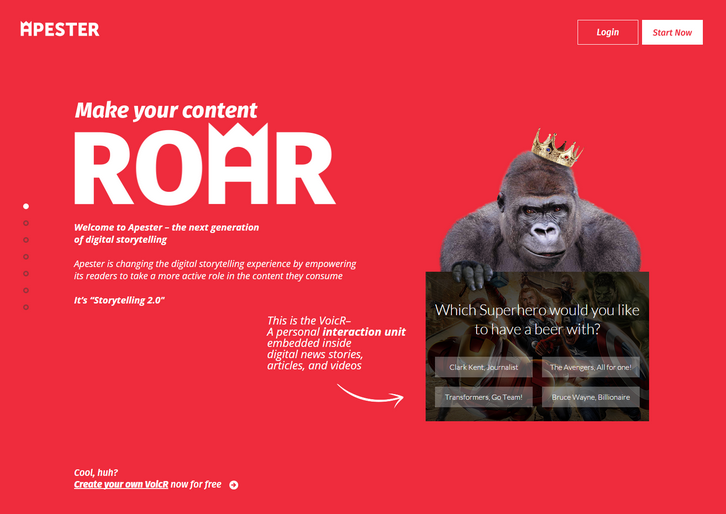
Apester is changing the digital storytelling experience by empowering its readers to take a more active role in the content they consume. It’s “Storytelling 2.0”. You can engage with your readers on a whole new level! Use VoicRs to make your users a part of the story, elevate your content to new highs of engagement and virality.
With Apester’s unique user-sentiment based algorithm, the VoicR’s you publish send your users from one page to another, increasing PV’s in a native and engaging way. You can cut through all the noise, reach targeted and highly engaged users with exciting native campaigns. Increase brand awareness and perceptions with Apester’s personalized content experience.
Requirements: –
Demo: http://apester.com/
License: License Free
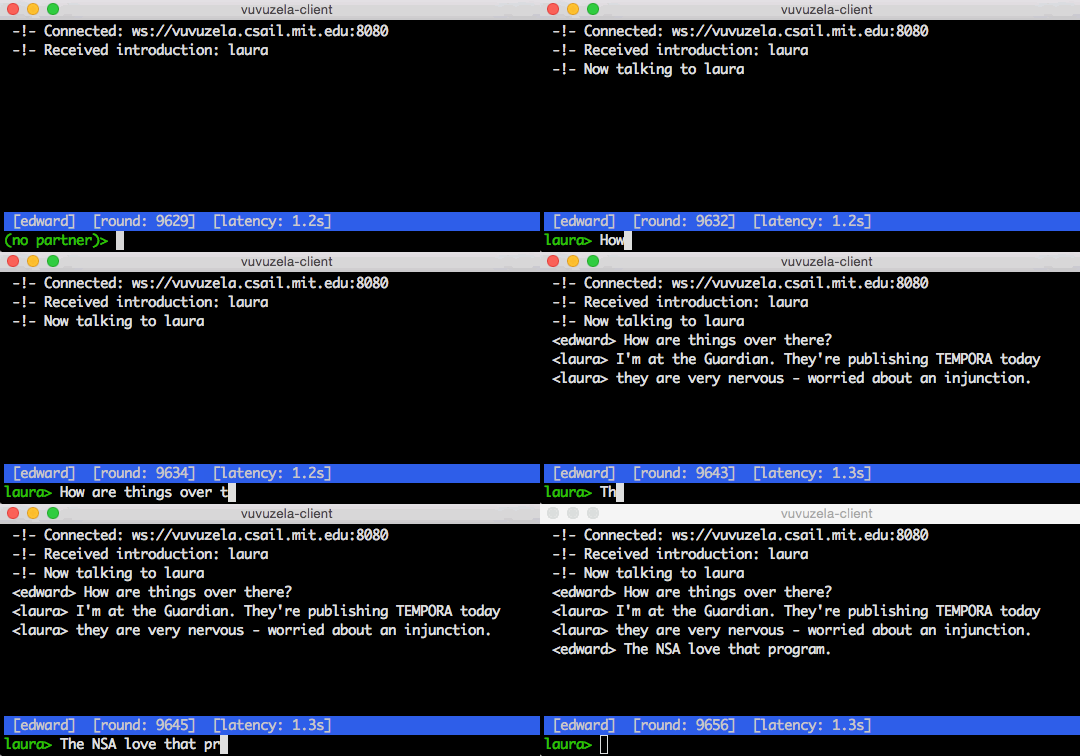
Vuvuzela is a messaging system that protects the privacy of message contents and message metadata. Users communicating through Vuvuzela do not reveal who they are talking to, even in the presence of powerful nation-state adversaries.
Vuvuzela is the first system that provides strong metadata privacy while scaling to millions of users. Previous systems that hide metadata using Tor (such as Pond) are prone to traffic analysis attacks. Systems that encrypt metadata using techniques like DC-nets and PIR don’t scale beyond thousands of users.
Vuvuzela uses efficient cryptography (NaCl) to hide as much metadata as possible and adds noise to metadata that can’t be encrypted efficiently. This approach provides less privacy than encrypting all of the metadata, but it enables Vuvuzela to support millions of users. Nonetheless, Vuvuzela adds enough noise to thwart adversaries like the NSA and guarantees differential privacy for users’ metadata.
Requirements: –
Demo: https://github.com/davidlazar/vuvuzela
License: License Free
Cards, Invitations and all other prints with rounded corners also deserve a solid mockup! That’s why Hype Your Prints has created simple yet powerful tool to let you show your rounded goods in style in seconds. They’ve made it as simple to use as possible:
- place your card in seconds thanks to Smart Object (and you don’t have to worry about the corner radius because it’s trimmed automatically)
- change wooden background colour with one click (and it still looks superrealistic)
- replace the background with your own
- freely move and/or rotate your card on the scene
Holiday Card Mockup size is 5×7 in. inside 1800×1200 px Photoshop Document.

Requirements: Photoshop
Demo: https://pixelbuddha.net/freebie/congratulations-card-mockup-free-download
License: License Free
ReqRes is a bare-bones ExpressJS application that is a hosted REST-API ready to respond to your AJAX requests. You can develop with real response codes. GET, POST, PUT & DELETE supported. No more tedious sample data creation, they’ve got it covered.
Reqres simulates real application scenarios. If you want to test a user authentication system, Reqres will respond to a successful login/register request with a token for you to identify a sample user, or with a 403 forbidden response to an unsuccessful login/registration attempt. When prototyping a new interface, you just want an API there, with minimal setup effort involved.

Requirements: –
Demo: http://reqres.in/
License: License Free
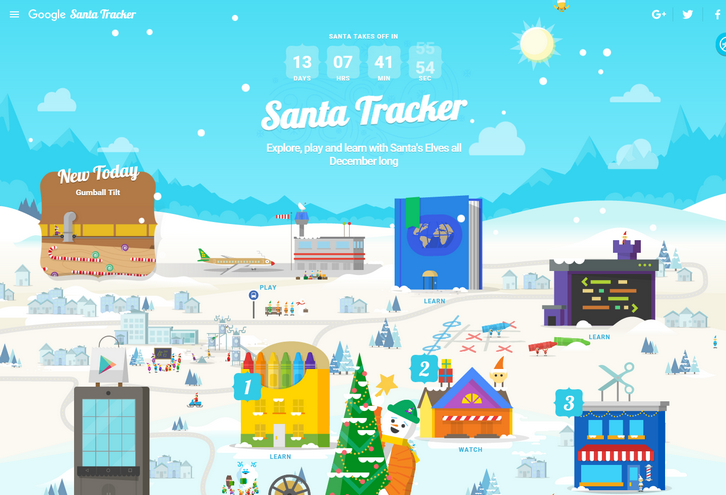
On Christmas Eve Google is proudly showcasing a Santa’s dashboard, the technology that powers his sleigh during his around-the-world journey. They have received this special preview from one of Santa’s many developer elves, who are hard at work in the North Pole helping Santa prepare for his big day. Santa’s dashboard – featuring the latest and greatest in Google Maps technology and sleigh engineering – will allow you to follow his progress around the world, and also learn a little about some of his stops along the way.
Their friendly elves have also invited you to explore Santa’s village while Santa gets ready for his journey. So go ahead and explore his village, you might just find some fun activities and meet some interesting elves.
Requirements: –
Demo: https://santatracker.google.com/
License: License Free







