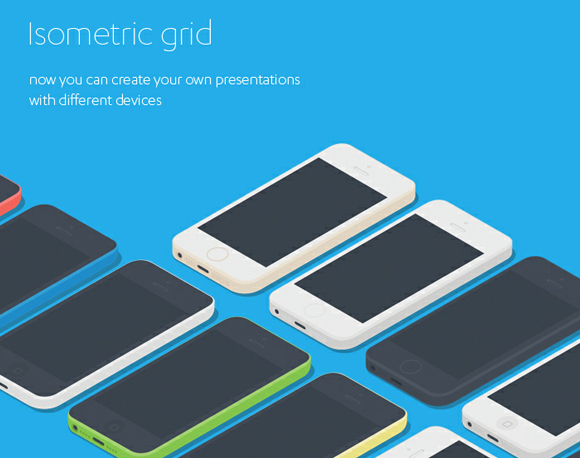
This is a huge collection of flat Apple devices mockups to showcase your responsive web designs. The PSD file includes iPhone, iPad, iMac and Macbook with different viewing angles.
You are permitted to use the resources for any number of personal and commercial projects. You may modify the resources according to your requirements and include them into works, such as websites, applications or other materials intended for sale.
Requirements: –
Demo: http://graphicburger.com/flat-apple-devices-mockup/
License: License Free
inTacto is an interactive agency specialized in the creation of digital pieces. Founded in 2001 by Alejandro Lazos and Sebastian Caramés. They have just release an infographic “Flat Design Vs. Realism“.
It is an award worthy explanation of flat design and realism design that includes an interactive game where you can choose your side and battle the enemy. Let’s take a look and have some fun.

Source: http://www.intacto.com/2013flatvsrealism/
Red Pen made it fast and productive to get feedback from your colleagues and clients. Test ideas, seek perspective, and get approval. Simply Drag and drop an image into the Red Pen homepage, and point at areas of the design and give contextual feedback. Your data won’t be sold or shared. You retain ownership of your uploads.

Requirements: –
Demo: https://redpen.io/
License: License Free
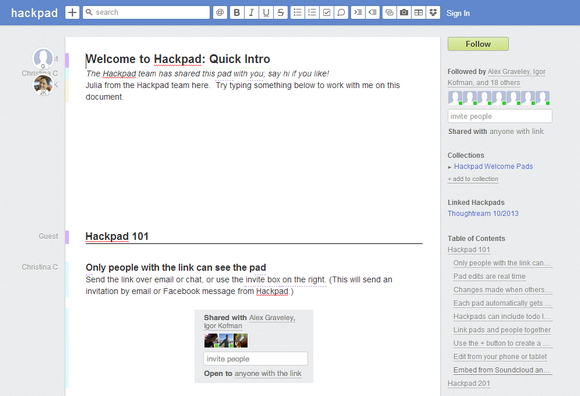
Hackpad is a simple tool to edit, organize and share documents. Hackpad eliminates confusion by clearly indicating who wrote what, and what changes were made to a document.
Hackpad includes many intuitive features to help you collaborate and share seamlessly. Just click the plus sign in the navigation bar to start a new pad. Check out their Hackpad Feature Help pad to learn about everything Hackpad does.
Requirements: –
Demo: https://hackpad.com/
License: License Free
Rails Assets is the solution to assets management in Rails. It is the frictionless proxy between Bundler and Bower. It automatically converts the packaged components into gems that are easily droppable into your asset pipeline and stay up to date. Gems created by Rails Assets work great with any Sprockets-based application.

Requirements: Ruby on Rails
Demo: https://rails-assets.org/
License: License Free
Carlos works as a freelance theme crafter. He loves bootstrap & free stuff, that’s why he created BlackTie.co. There are some free handsome Bootstrap themes for everyone, and “free” doesn’t always mean crappy.
If you need a good looking theme for your project, and have no money to afford a premium one, you came to the right place. BlackTie.co offers totally free handsome bootstrap themes. No strings attached. Grab one & enjoy it. Bi-weekly Updates.
Requirements: Bootstrap
Demo: http://www.blacktie.co/
License: License Free
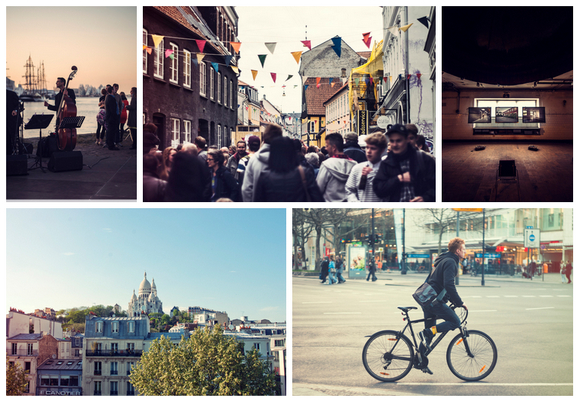
Terry Mun has shared an tutorial for Creating Beautiful Photosets with jQuery and CSS. It fits into a fluid width layout. It is fully customisable, such that one can dictate the layout as desired, preferably in a straight forward, fuss-free manner.
All images fit snugly into a single row, but their widths are adjusted accordingly so that all images on the same row fill the entire width, not more and not less, of its parent container, while preserving their individual aspect ratios.
Requirements: jQuery and CSS
Demo: https://medium.com/coding-design/7742e6f93d9e
License: License Free
SpinKit contains some simple but awesome loading spinners animated with CSS. They use CSS animations to create smooth and easily customizable animations. The goal is not to offer a solution that works in every browser. If you’re building a site with users running IE9 and below, you’ll want to detect support for the CSS animation attribute, and implement a fallback animation (e.g. a GIF.)

Requirements: CSS
Demo: http://tobiasahlin.com/spinkit/
License: License Free
Would you like to add a beautiful interactive snow animation to your website? OXP created a plugin which helps you create and control festive snow on your website using HTML5 Canvas. There is an abstract interface to let you control how the snow behaves without diving into the source code. They have also added a few functions such as responsive, a snow direction etc.

Requirements: HTML5 Canvas
Demo: http://www.onextrapixel.com/examples/let-it-snow/
License: License Free
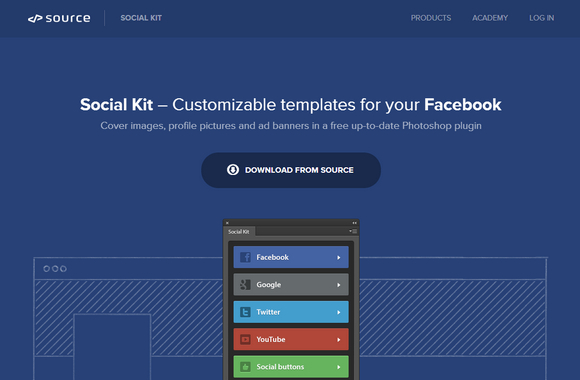
Social Kit is fully sliced and customizable templates for your Facebook, Twitter, Google and YouTube channel. It includes cover images, profile pictures and ad banners in a free Photoshop plugin. Automatically updated upon every major or minor change of social site design.
You can see your design changes right when you make them. The look you get with Social Kit is the look you get on the site. As easy as pie. Social Kit is fast, simple and Free.
Requirements: Adobe Photoshop
Demo: http://socialkit.madebysource.com/
License: License Free







