Cloudinary, a provider of solutions for managing images and video in the cloud, is offering HTTP/2 support, enabling developers to further optimize the user experience. To take advantage of HTTP/2, Cloudinary users don’t have to do a thing – it’s been automatically integrated into the online tools.
Websites have changed dramatically over the past several years, featuring more images and video. But the underlying HTTP protocol hadn’t kept pace, until the IETF’s recent approval of the HTTP/2. The goal of HTTP/2 is to improve website performance, reducing the amount of bandwidth required and latency, while making it easier for developers to use secure connections.

The adoption of HTTP/2 was initially slow. But since January 2016 more sites have announced plans to move to HTTP/2 or are offering true support of the protocol. For example, both Wikipedia and Blogspot announce in May that their sites are now supporting HTTP/2. The graphic below from HTTP/2 Dashboard illustrates the greater adoption since the beginning of the year, and enables you to interactively see how many domains have announced support for HTTP/2, and those that offer partial or true support at any given time. Read the rest of this entry »
Even the most talented developer knows that a great website is time-consuming to build and a challenge to maintain. The reason: You need to meet graphic design requirements for every device according to current design trends, while ensuring that your website performance is optimized for any browser.
Cloudinary can eliminate many of the problems you experience when dealing with images. The cloud-based solution takes care of the entire image management pipeline, enabling image upload; providing a rich set of manipulation and optimization capabilities; and offering cloud storage, administration and super-fast CDN delivery.

With our interactive demo, you can see Cloudinary in action as we walk you through examples of visual image manipulation and optimization, as well as some popular website implementations. In addition, you’ll ready-to-use code samples in Ruby on Rails, PHP, Node JS, Angular JS, jQuery and more. Read the rest of this entry »
On Hired the traditional process of finding a job is completely reversed; instead of applying to companies (which often feels like throwing your resume into a black hole), companies pro-actively apply to you with interview requests. From there, the power is 100% in your hands to decide if you’re interested in moving forward.
Hired expedites the job search process through an efficient system of:
1. Companies competing for top talent with visibility into a candidate’s traction on Hired, driving rapid turnaround times from interview to final offer.
2. Free personalized support on your job hunt. On Hired our Talent Advocates have your back, whether it’s negotiating compensation or preparing for interviews, they function as a pillar of unbiased support to ultimately help you land the dream job you’ve been waiting for.
3. Upfront salary, equity and bonus details in every interview request received on the platform.
Over 4,000 top companies and startups use Hired to find their next team member, and with transparency into each company, you’re empowered to make the right decision about what opportunities you’d like to pursue. Say goodbye to pushy recruiters trying to sell you on roles you don’t actually want. Life’s too short to waste time with companies that are a bad fit, or to find out after months of interviewing that the offer is no good. Try Hired and leap into the 21st century job hunt experience.
The best part: It’s always free for you to find your next job on Hired. No exceptions.

This content is sponsored via Syndicate Ads.
Most everyone working or training in the technology field understands that they will be changing jobs every three years—this is part of being involved in the fastest growing and most lucrative industry in the world.
Indeed, the top employment site in the world, has created a special site just for tech: Indeed Prime. Indeed Prime has been designed and developed to match software engineers, data scientists, product managers & UX designers with the best of tech employers.
The service is exclusive but it is still free to job seekers. Right now, Indeed Prime is available to candidates and companies based in Austin, Boston, San Francisco, Seattle, Los Angeles and New York City. Plans are to expand the priority tech job service to other cities in the future.

Benefits for the job seeker
Job seekers can use Indeed Prime for free.
You can realistically expect to get between three and five developer job offers in a week.
The best and newest tech companies compete for you. That means your salary, equity in your new employer, and the perks of your new position increase through competition.
The employers that compete for you have been vetted by Indeed Prime so you can be sure the money is there. You do not have to do the usual vetting of a potential employer because Indeed Prime has done it for you.
Your one time application allows you to be presented to multiple companies that need your skills now.
Indeed Prime lets you keep your job search secret by hiding your profile from your current employer.
Indeed Prime will give you a $2,000 bonus if you land a job through the service with a company that is involved with Indeed Prime. Read the rest of this entry »
Hired is the world’s most intelligent talent matching platform for full-time and contract opportunities in engineering, development, design, product management, data science, sales, and marketing. It makes your job search faster, focused, and stress-free: instead of endlessly applying to companies and hoping for the best, Hired puts you in control of when and how you connect with compelling new opportunities.
After completing one simple application, top employers apply to hire you. You’ll receive personalized interview requests and upfront salary information so you can make informed decisions about which opportunities to pursue. Throughout the process, your dedicated talent advocate will have your back — providing unbiased career coaching to help you put your best foot forward with potential employers.
Hired offers access to 4,000+ innovative employers, including big brand names like Facebook and smaller emerging startups. The size and type of company you want to connect with is totally up to you. We help people find new opportunities in 17 major cities in North America, Europe, Asia, & Australia. Open to relocation? Let us know!
Your privacy and autonomy in your job search is of utmost importance to us. That’s why Hired hides your profile from your current and past employers. The best part: It’s always free for you to find your next job on Hired. No exceptions.

Try Hired today!
This content is sponsored via Syndicate Ads.
If you’re looking for a great deal on fonts and graphics, check out The July Bundle. This is one of the best deals you are going to find anywhere in the market. At a fantastic 97% off its regular price, you can get this complete bundle that includes 26 different fonts as well as 22 graphics packs!
Just look through the complete selection and you can easily find the exact font and style you’re in need of. Whether you want a professional business look to put on your business cards and letterhead or if you need the best in romantic fonts to put on an invitation, you’ll find it with this bundle. Remember that not only does it offer the perfect font and graphic you need, but it is at a whopping 97% price cut! Its contents can be used for a wide range of personal and commercial applications. Remember though that it only lasts for the month of July, so be sure to get the deal.

The Aspiration Summit Checking Account is an online-only bank account with no fees, no minimum balance and no minimum monthly deposit requirements. Money magazine recently named it the ‘Best Checking Account in America’.
The Summit Account yields up to 1.00% interest, which is 100 times more than what the Big Banks offer!
It’s the perfect checking account for saving extra money and traveling. You’ll receive a debit card that gives you free access to any ATM in the world, with unlimited ATM fee reimbursements. This makes it more accessible than a typical savings account, and the high yield makes it far more lucrative.
How does the company generate revenue if the services are free? Aspiration incorporates a “pay what is fair†model. You choose your price and pay a “tip.†When you create an account, you’ll be prompted to choose your tip — a monthly recurring payment up to $6 per month — and you can choose as little as $0.

Read the rest of this entry »
You Need a Budget (YNAB) is the best budgeting tool you’ve never tried. It’s different because it works: You’ll stop overdrafting, you’ll pay off your credit card debt, your stress levels will plummet, and you’ll feel in total control of your finances.
By combining a simple, effective methodology with award-winning software (with apps for the web, iOS, and Android), on average, users save $200 the first month and $3,300 after nine months. They also sleep better at night and stop fighting about money.
We can’t guarantee YNAB will change your life, but it is very likely.

This content is sponsored via Syndicate Ads.
Cloudinary Introduces Fully Automated Content- and Context-Aware Image Adaptation Solution
Adapting an image to fit the graphic design on various devices and browsers, while optimizing performance, is both an art and science. But for most web designers, it’s a laborious process and almost impossible to accomplish when you’re dealing with thousands of images – or more – for a single site. Cloudinary is eliminating all of these challenges with its new content- and context-aware image adaptation capabilities, which fully automate image management, including cropping, adjusting quality, determining responsive breakpoints and selecting the proper format.
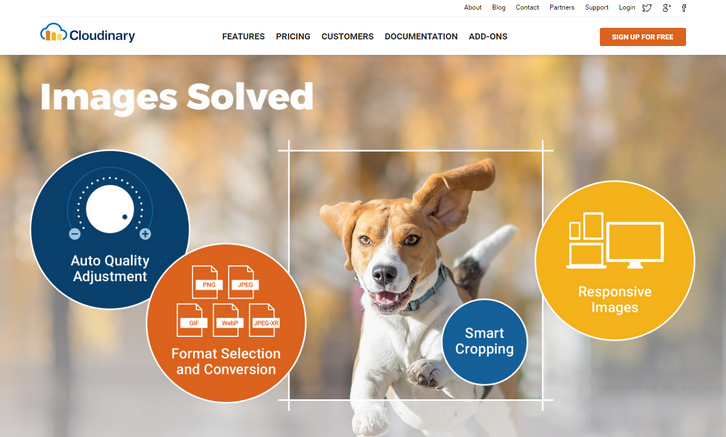
Cloudinary has long been known for its ability to simplify image management. But the solution still required developers to identify the cropping parameters, encoding settings and various resolutions for responsive images before the images could be dynamically adapted. With full automation built into the solution, users can now upload a single high-resolution copy of each image. That image is then automatically adapted in real-time – without any manual intervention – to focus on the most important region of the image, at the optimal quality and encoding settings, and responsively delivered on any device, at any resolution.
Cloudinary includes an array of innovative automated features, including:
- Content-Aware Cropping – Leverages a new content-aware cropping algorithm, which uses a combination of heuristics, Cloudinary automatically detects the region of interest in every image and then crops it on the fly using dynamic URLs to fit the graphic design and layout, on any device, without losing focus on important content.
- Intelligent Content-Aware Encoding – Cloudinary automates the file size versus quality trade-off decision by analyzing every image to find the best quality compression level and optimal encoding settings based on the image content and the viewing browser. By doing so, you will have a perceptually fine image with a minimized file size.
- Responsive Images – Cloudinary can determine the layout width of an image on a user’s device and the density of their screen, then decide how big of an image that user will need, and select and deliver an optimal resource – all at the CDN level. Alternate, re-sized versions of images are generated with the help of Cloudinary’s Responsive Images Breakpoint algorithms. These alternate versions are cached on the CDN and selected-from on the fly — all from a single URL.
- Format Negotiation – Cloudinary optimizes image delivery by dynamically selecting the most efficient format, based on the content and viewing browser, and converts the format in real time.
By providing full automation, Cloudinary is taking all of the guesswork and manual intervention out of the process, freeing web developers and graphic designers to focus on their core missions.
Designers and developers are in demand, so shouldn’t companies apply to hire you instead of the other way around? That’s exactly how it works on Hired. Hired is a platform that gives you an easy to way to get jobs at top companies in SF, NYC, and 14 other tech hubs around the world. How does it work? When you create your profile on Hired, companies like Uber, GitHub, & Stripe will be able to send you interview requests.
Most candidates get 5+ requests throughout their first week, with salary and equity offered up front. When you get an opportunity you like, we’ll connect you directly with their team and Hired’s team of trained Talent Advocates can even help with interview prep and salary negotiation. It’s totally free, and Hired will block your employer and anyone else you want from ever seeing your profile. Just use the link below to create an account, and instantly apply to 3,000+ companies within 10 minutes.

Try Hired today!
This content is sponsored via Syndicate Ads.







