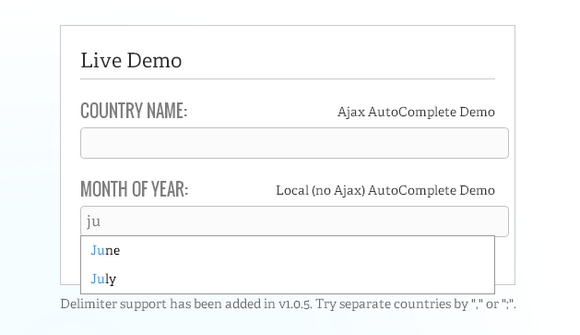
Ajax Autocomplete for jQuery allows you to easily create autocomplete/autosuggest boxes for text input fields. It was built with focus on performance – results for every query are cached and pulled from local cache for the same repeating query. If there are no results for particular query it stops sending requests to the server for other queries with the same root.
Ajax Autocomplete for jQuery is freely distributable under the terms of an MIT-style license. It is currently supported browsers: IE 7+, FF 2+, Safari 3+, Opera 9+.
Requirements: jQuery Framework
Download Link: http://www.devbridge.com/projects/autocomplete/jquery/
License: MIT License
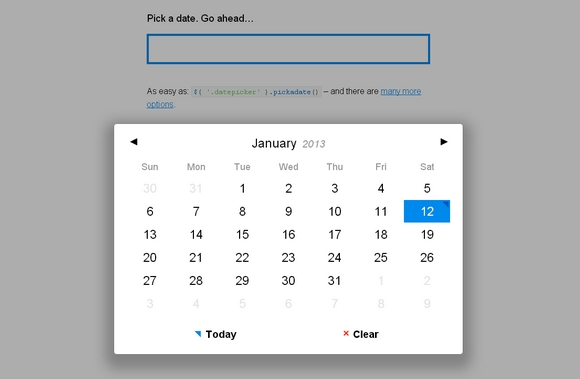
Pickadate.js is a fully responsive and lightweight jQuery dateinput picker. It looks pretty neat and simple. It is easy to use. And alos, you can have different themes for it as well.
It has been tested on IE7+, Chrome, Firefox, Safari, Opera, iOS Safari, Android browser. The pickadate.js script supports all modern browsers and IE 9+. To support IE 7+ and other old browsers, include pickadate.legacy.js instead. It is released under MIT License.
Requirements: jQuery Framework
Download Link: http://amsul.github.com/pickadate.js/
License: MIT License
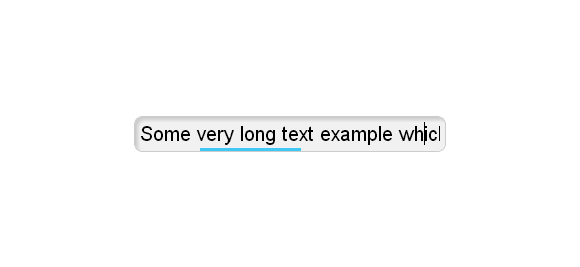
For a given input field, it would be cool to indicate the current cursor position and how much text is occupying it. It would be awesome if it’s easy to implement in any website without modifying the DOM at all. Here we got Smart Input Field Position Indicator jQuery Plugin.
It needs no images, it’s pure CSS rendering. It is accurate and dynamic, which means you can add or remove text and it will adapt. It uses Event-Delegation so don’t worry about performance if you have a million input fields or dynamically-created ones.
Requirements: JavaScript Framework
Demo: http://dropthebit.com/325/smart-input-field-position-indicator/
License: License Free
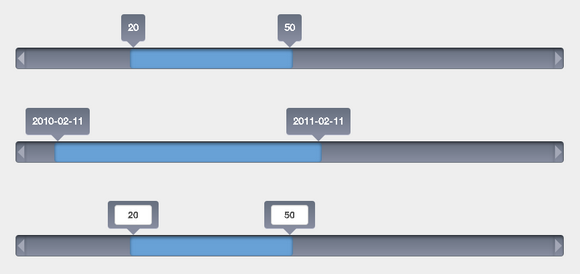
jQRangeSlider is a powerful slider for selecting value ranges, supporting dates and touch devices. It supports both numerical values and date and time. Selecting a time frame has never been so easy. It has been tested with iOS and Android. User can select a range simply by touching and swiping on his tablet or phone.
jQRangeSlider comes by default with two themes to demonstrate its ability to be restyled. You can customize it as you want: nothing is hard coded. It is open source published under dual license GPL and MIT. You can use it in both open source and commercial software.
Requirements: jQuery Framework
Demo: http://ghusse.github.com/jQRangeSlider/
License: GPL, MIT License
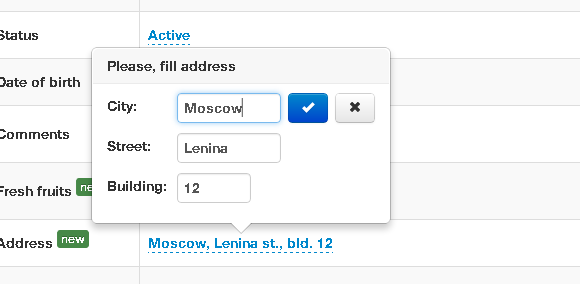
X-editable supports in-place editing with Twitter Bootstrap, jQuery UI or pure jQuery. This library allows you to create editable elements on your page. It includes both popup and inline modes. It’s new life of bootstrap-editable plugin that was strongly refactored and improved.
It supports input type like, text, textarea, select, date, dateui and checklist. It supports client-side and server-side validation. The container placement is fully customizable. User can toggle by click, dblclick or manually. It works in IE7+ and all modern browsers.
Requirements: Twitter Bootstrap, jQuery UI or pure jQuery
Demo: http://vitalets.github.com/x-editable/demo.html
License: MIT License
Mailcheck.js is a Javascript library and jQuery plugin that suggests a right domain when your users misspell it in an email address. When your user types in “user@hotnail.con”, Mailcheck will suggest “user@hotmail.com”. Mailcheck will offer up suggestions for top level domains too, and suggest “.com” when a user types in “user@hotmail.cmo”.
Mailcheck helps reduce typos in email addresses during sign ups. It can reduce the sign up confirmation email bounces by 50%.
Mailcheck included default domains are yahoo.com, google.com, hotmail.com, gmail.com, me.com, aol.com, mac.com, live.com, comcast.net, googlemail.com, msn.com, hotmail.co.uk, yahoo.co.uk, facebook.com, verizon.net, sbcglobal.net, att.net, gmx.com, and mail.com. The included default top level domains are com, net, org, info, edu, gov, co.uk, and mil.

Requirements: JavaScript Framework
Demo: https://github.com/Kicksend/mailcheck
License: MIT License
Kiandra has recently announced the open sourcing of Delta jQuery UI theme that you’re going to love. It’s free for commercial, personal and educational use as part of the MIT or GPL license.
The theme makes use of CSS3 gradients and some @2x images to ensure it’s retina display friendly. The vibrant colour scheme means “Delta” works on both light and dark backgrounds. Change the toggle in the top right hand corner of the demo to see it in action.
This theme can act as a starting point for other smart cookies to create their own visually engaging jQuery UI themes. You can fork this theme over on the GitHub repository.

Requirements: jQuery UI
Demo: http://blog.kiandra.com.au/2012/09/delta-a-free-jquery-ui-theme/
License: MIT, GPL License
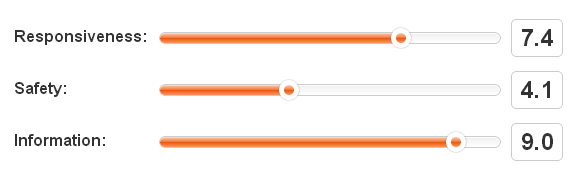
SlideControl jQuery Plugin allows you to easily make custom sliders for range inputs. You can set the speed, which controls the speed of the animation for a slider reszing. You can also set the LowerBound and UpperBound, which is the minimum and maximum amount the slider can be set to.
The CSS file included should be pretty straight-forward. You can change the look of your slide controllers in there from background color to size to how the handle looks. Just take a look around and it should be pretty easy to make changes.
Requirements: jQuery Framework
Demo: http://nikorablin.com/slideControl/
License: MIT License
EpicEditor is an embeddable JavaScript Markdown editor with split fullscreen editing, live previewing, automatic draft saving, offline support, and more. For developers, it offers a robust API, can be easily themed, and allows you to swap out the bundled Markdown parser with anything you throw at it.
EpicEditor is set up to allow you to use any parser that accepts and returns a string. This means you can use any flavor of Markdown, process Textile, or even create a simple HTML editor/previewer. Theming is easy in EpicEditor as well.

Requirements: JavaScript Framework
Demo: http://oscargodson.github.com/EpicEditor/
License: License Free
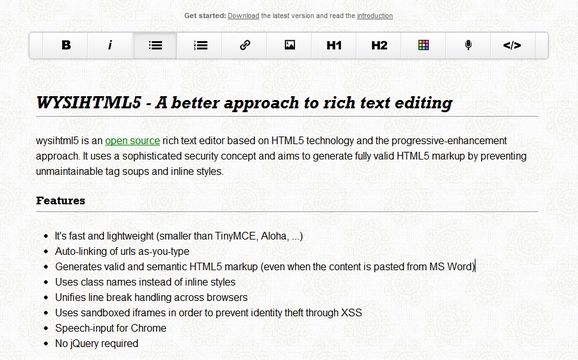
wysihtml5 is an open source rich text editor based on HTML5 technology and the progressive-enhancement approach. It uses a sophisticated security concept and aims to generate fully valid HTML5 markup by preventing unmaintainable tag soups and inline styles.
It’s fast and lightweight. It generates valid and semantic HTML5 markup. It uses class names instead of inline styles. It supports speech-input for Chrome as well. It is released under MIT License.
Requirements: JavaScript Framework
Demo: http://xing.github.com/wysihtml5/
License: MIT License







