Remodal is a flat, responsive, lightweight, fast, easy customizable modal window plugin with declarative state notation and hash tracking. All modern browsers are supported. You can easily define the background container for the modal(for effects like a blur).

Requirements: Javascript framework
Demo: http://vodkabears.github.io/remodal/
License: MIT License
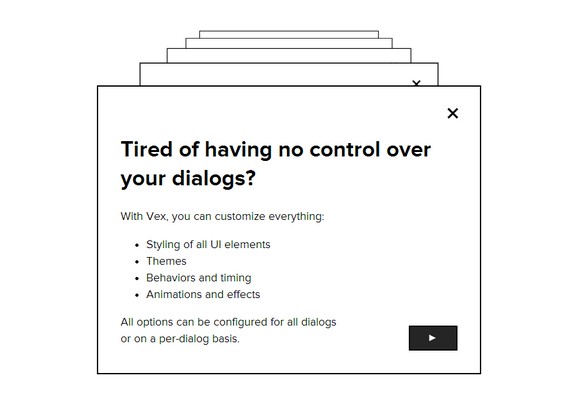
Vex is a modern dialog library which is highly configurable, easily stylable, and gets out of the way. You’ll love vex because it’s tiny (6kb minified, 2kb minifed + gzipped), has a clear and simple API, works on mobile devices, and can be customized to match your style in seconds.
It supports built in CSS spinner for asynchronous dialogs. You can open multiple dialogs at once and close them individually or all at once. It has been tested on IE8+, Firefox 4+, Current WebKit (Chrome, Safari), Opera.
Requirements: jQuery Framework
Demo: http://github.hubspot.com/vex/docs/welcome/
License: MIT License
iosOverlay.js is iOS-style overlays/notifications for the web. It has been tested on IE7+, Google Chrome, Firefox, Opera, Desktop Safari, Mobile Safari — iPhone & iPad. To prevent icon flickers as they load, you have to preload image resources. Spin.js is required if you want to use a spinner object. And jQuery is required for a fallback CSS animation support.

Requirements: JavaScript Framework
Demo: http://taitems.github.io/iOS-Overlay/
License: MIT & GPL License
InsertHTML has shared with us a little jQuery plugin for Creating CSS3 Animated Modal Windows in an Image Gallery. He has also included a bunch of built-in animations for the modal windows giving some pretty cool effects.
You can set the animation you wish to use for the modal boxes as they slide in. There are seven animations: slide, zoom, rotate, fall, fly, rotatepoint and goround. You can also set the length you wish the entire animation process to go on in seconds. Best of all, you can use this on any project you wish, at no cost.

Requirements: CSS3 & jQuery Framework
Demo: http://inserthtml.com/demos/javascript/block-slide/
License: License Free
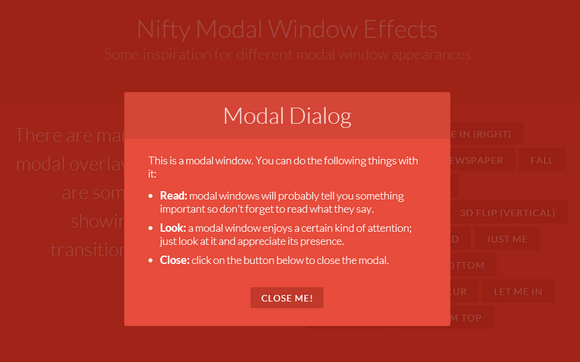
Codrops has shared some amazing ideas for nifty modal window effects with us. There are infinite possibilities for transitioning the appearance of a dialog box and we wanted to provide some ideas of how to show dialog boxes and provide some inspiration. The idea is to have a trigger button (or any element) which will make a modal window appear on click using a simple transition (or animation).
Requirements: CSS3
Demo: http://tympanus.net/Development/ModalWindowEffects/
License: License Free
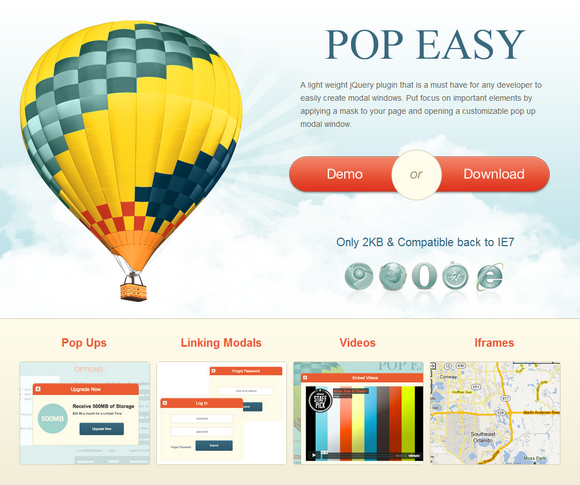
PopEasy is a light weight jQuery plugin that is a must have for any developer to easily create modal windows. Put focus on important elements by applying a mask to your page and opening a customizable pop up modal window.
To use multiple modals on one page, you must sync the href attribute of the trigger to the id of the div you wish to open. This works the same with transitioning from one open modal to another. Just place a link in the modal you wish to leave with an href attribute matching the id of the next modal.
Requirements: jQuery Framework
Demo: http://thomasgrauer.com/popeasy/
License: License Free
Magnific Popup is a free responsive jQuery lightbox plugin that is focused on performance and providing best experience for user with any device. The majority of lightbox plugins require you to define size of it via JS option. Magnific Popup does not – you can use relative units like EM’s or resize lightbox with help of CSS media queries. Update content inside lightbox without worrying about how it’ll resize and center.
Plugin has an option to automatically switch to alternative mobile-friendly source on small screen size. Default controls are made with pure CSS, without external graphics. For the main image there is a built in way to provide appropriate source for different pixel density displays. Magnific Popup displays images before they’re completely loaded to take full advantage of progressive loading. For in and out transitions CSS3 is used instead of slow JavaScript animation.

Requirements: jQuery Framework
Demo: http://dimsemenov.com/plugins/magnific-popup/
License: MIT License
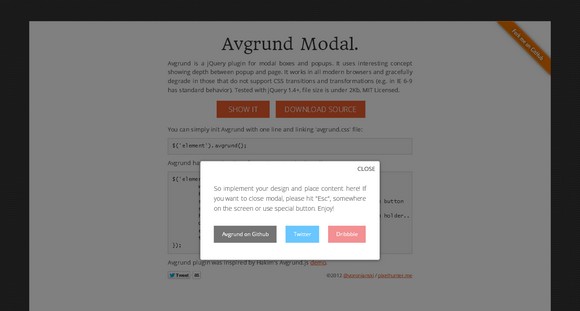
Avgrund.js is a jQuery plugin for modal boxes and popups. It uses interesting concept showing depth between popup and page.
It works in all modern browsers and gracefully degrade in those that do not support CSS transitions and transformations (e.g. in IE 6-9 has standard behavior). It has been tested with jQuery 1.4+. And it is lightweight, file size is under 2Kb. It is licensed under MIT License.
Requirements: jQuery framework
Demo: http://labs.voronianski.com/jquery.avgrund.js/
License: MITLicense
jQuery Zoom is a small jQuery plugin for zooming images on mouseover or mousedown. Zoom appends html inside the element it is assigned to, so that element has to be able to accept html, like <a>, <span>, <li>, <div>, etc. It has been tested in: Chrome, Firefox, Safari, Internet Explorer 6, 7, 8, 9, Opera 11. It is released under the MIT License.

Requirements: jQuery Framework
Demo: http://www.jacklmoore.com/zoom
License: MIT License
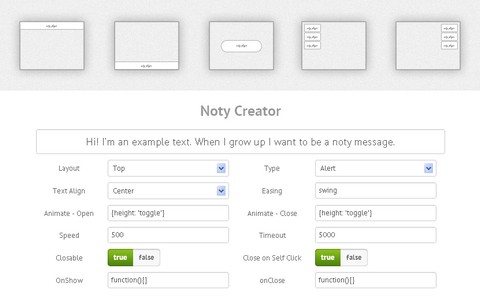
Noty is a jQuery plugin that makes it easy to create alert, success, error and confirmation messages as an alternative the standard alert dialog. Each notification is added to a queue. The notifications can be positioned at the top, bottom, centre, top left or top right.
There are lots of other options in the API to customise the text, animation, speed, buttons and much more. It also has various callbacks for the buttons, opening closing the notifications and queue control.
Requirements: jQuery Framework
Demo: http://needim.github.com/noty/
License: MIT License







