

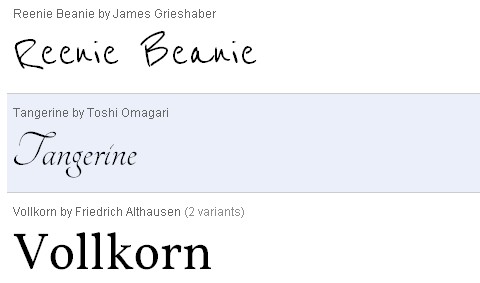
The Google Font Directory lets you browse all the fonts available via the Google Font API. All fonts in the directory are available for use on your website under an open source license and served by Google servers. You can use them on any non-commercial or commercial project.
You don’t need to do any programming; all you have to do is add a special stylesheet link to your HTML document, then refer to the font in a CSS style. The Google Font API is compatible with Google Chrome 4.249.4+, Firefox 3.5+, Safari 3.1+ andIE 6+. However, The Google Font API is not currently supported on iPhone, iPad, iPod, or Android.
Requirements: -
Demo: http://code.google.com/webfonts
License: Open Source License


Excellent post and great resource, I did not know this was possible. Don’t know how new of a technique this is, but I can see it becoming a standard (or at least more common/well known).
Did a quick search and found another similar tool, looks promising:
http://typeface.neocracy.org/
Oops, just saw my link was already posted in March under the ‘Related Posts’ section.
This is a nice find!
Nice to have on our arsenal.
I hope they add Helvetica on it.
Google font API gives you some nice graphical possibilities without having to embed styled text as images.
You can see code snippets and live examples of Google font API here: http://tips4php.net/2010/06/spice-up-your-site-with-google-font-api/
Jorgen,
thanks for the link, that’s useful. As Google offer is limited, you can try to use Dragr tool to cretae custom embeddable free fonts for HTML5:
htt://labs.thecssninja.com/font_dragr/
(via @font-face embed)
RSS feed for comments on this post · TrackBack URI



