

05 Apr
Posted by Ray Cheung as Gallery, License Free
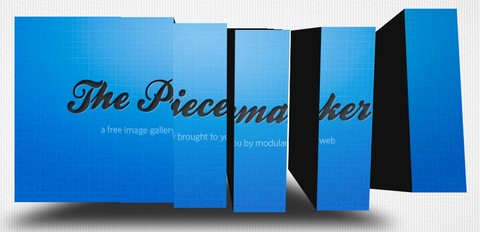
We were all amazed by CU3ER which is a 3D Transitions Image Slider in Flash. We were particularly fascinated by the effect of slicing an image up to pieces, turning the elements and recreating a new image from it.
From that day on, Björn Crüger was thinking about creating a gallery concentrating on such an effect and playing with it. With just a few variables this effect becomes extremely versatile. The Piecemaker uses the mighty Tweener engine from Caurina, which makes it support plenty of tween types for the transitions, such as Cubic, Bounce or Elastic.
Beside the transition type you can also customize tweening time, tweening delay as well as the movement of the cubes while tweening in terms of position on the z axis and positions to each other. With Piecemaker you can make the cubes move towards the screen or away from it and let the whole gallery expand while tweening. This provides you with a lot of possibilities customize the gallery.
Requirements: Flash
Demo: http://www.modularweb.net/piecemaker/
License: License Free



No doubt inspired by CU3ER.
I’m not complaining though because CU3ER isn’t opensourse like this is.
Very nice. Thanks.
Nice effect!
Nice effect
Thanks for sharing this
Nice effect!!!
The link to download files is broken!
Thanks!
@ Jack Spirit
I have just tested it. It is working fine.
Amazing effect. TG for flash replacements!
hi am trying to use in mysite.
But it is not properly working in firefox.
It is throwing this error.
ReferenceError: Error #1069: Property perspectiveProjection not found on flash.geom.Transform and there is no default value.
at com.modularweb.imageGalleries:ieceMaker/stageResized()
at com.modularweb.imageGalleries:ieceMaker/initiate()
at flash.events::EventDispatcher/dispatchEventFunction()
at flash.events::EventDispatcher/dispatchEvent()
at flash.net::URLLoader/onComplete()
wat is the solution for this?
Thanks
Anand
This is great… but i need to remove the gray color image or it must turned to white… which comes before the first image… pls help
Great work!
@Anand
You have to publish it with the version 10 of your Flash Player…
nice work, man, keep it on
vvvvvvvvvvery nice!
RSS feed for comments on this post · TrackBack URI


